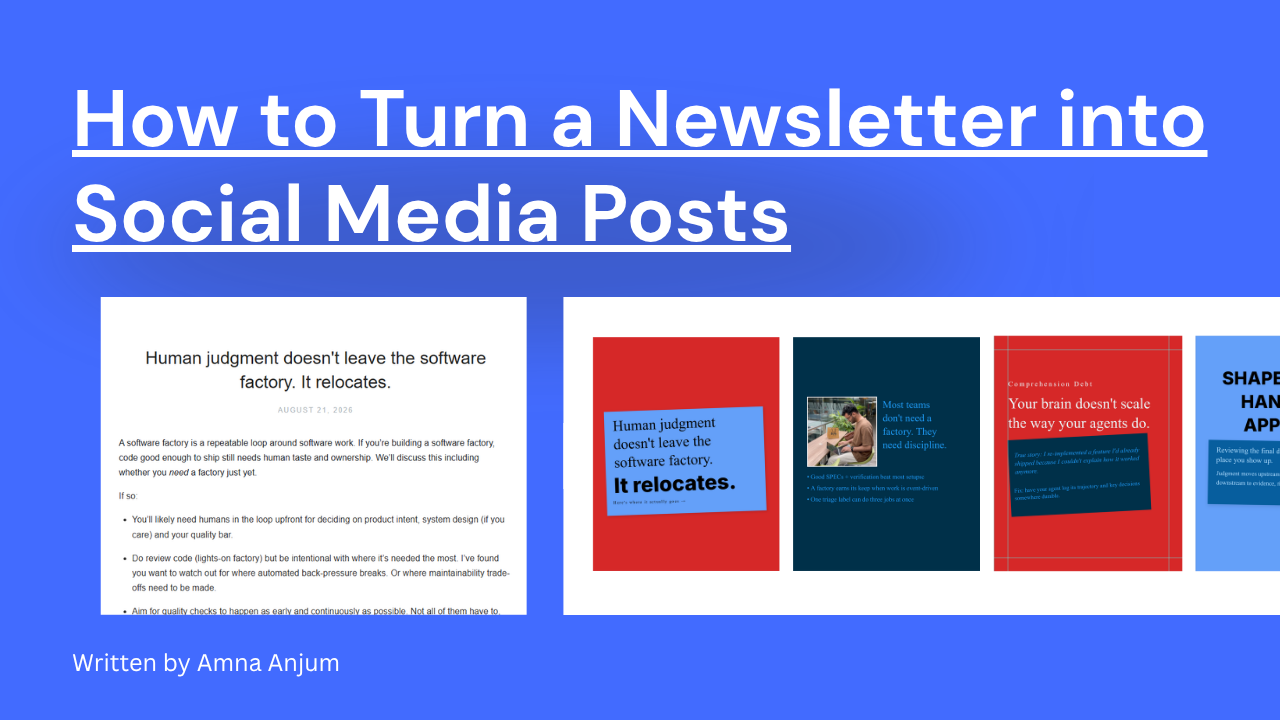
If you’ve ever wanted to repurpose blog content into scroll-stopping carousels for platforms like LinkedIn or Instagram – without ever opening a design tool. This guide is for you.
With n8n, ChatGPT, and the Contentdrips API, you can fully automate turning any blog post into branded, engaging social carousel graphics in a matter of minutes.
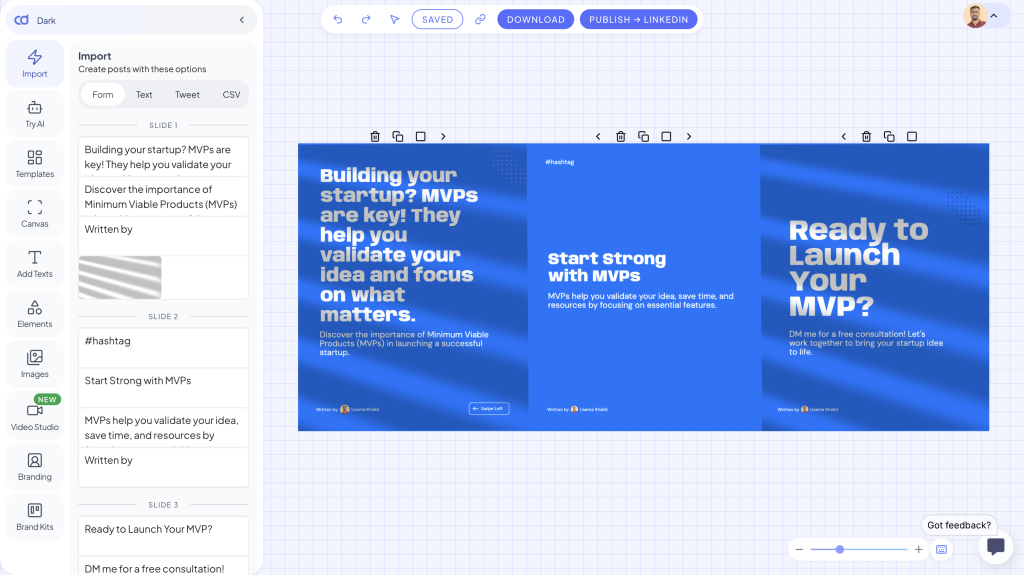
Let’s break it down 👇
What You’ll Need
- An n8n account (self-hosted or cloud)
- An OpenAI ChatGPT API key
- A Contentdrips API key
- A blog link you want to repurpose
Note:
If you’re self-hosting n8n, you can install the Contentdrips Node for n8n.
For n8n Cloud, just use the HTTP Request node to interact with the Contentdrips API.
For setup, use the Contentdrips API.
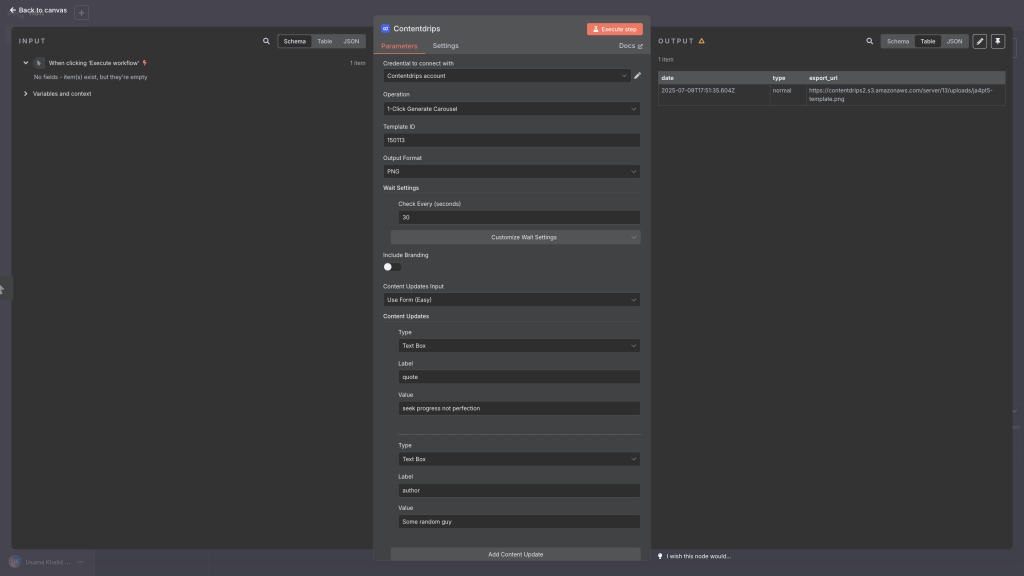
Step 1: Scrape Blog Content in Markdown Format
We’ll use the free r.jina.ai proxy to fetch clean Markdown content from any blog URL.
Format:
https://r.jina.ai/{your-blog-link}Example:
https://r.jina.ai/https://venturebeat.com/ai/google-deepmind-makes-ai-history-with-gold-medal-win-at-worlds-toughest-math-competitionThis gives you a beautifully clean article in Markdown. Ready to send to ChatGPT.
In n8n, use an HTTP Request node (GET) to fetch this content.
Step 2: Summarize the Blog into a Carousel with ChatGPT
Now, pass the Markdown to ChatGPT using the OpenAI node or another HTTP Request node.
Prompt:
Read this blog content and summarize it into a social media carousel.
Respond in the following JSON structure only:

carousel: {
  intro_slide: {
    heading: "",
    description: "",
    image: ""
  },
  slides: [
    {
      heading: "",
      description: "",
      image: ""
    }
  ],
  ending_slide: {
    heading: "",
    description: "",
    image: ""
  }
}
Make sure to set response_format as "json" in your API call so that ChatGPT returns valid JSON.
Customize tone: educational, friendly, or professional depending on your brand.
Step 3: Render the Carousel Using the Contentdrips API
Now that you’ve got the structured carousel JSON from ChatGPT, send it to the Contentdrips API using a POST HTTP Request node.
Endpoint:
POST https://generate.contentdrips.com/render?tool=carousel-maker
Headers:
{
  "Content-Type": "application/json",
  "Authorization": "Bearer YOUR_API_KEY"
}
Payload Example:
{
  "template_id": "YOUR_TEMPLATE_ID",
  "output": "png", // or "pdf"
  "carousel": {
    "intro_slide": {
      "heading": "Start Here",
      "description": "Quick intro from the blog",
      "image": ""
    },
    "slides": [
      {
        "heading": "Slide 1",
        "description": "Key insight from blog",
        "image": ""
      }
    ],
    "ending_slide": {
      "heading": "Follow us for more",
      "description": "Weekly tips and ideas",
      "image": ""
    }
  }
}
The response will include a job_id.
Step 4: Poll for Job Status
After submitting the payload, use another HTTP Request node to check the job status:
Endpoint:
GET https://generate.contentdrips.com/job/{job_id}/statusPoll until the status becomes:
{ "status": "completed" }Step 5: Fetch the Carousel Result
Once the job is complete, get the final image or PDF:
Endpoint:
GEThttps://generate.contentdrips.com/job/{job_id}/resultThis returns a JSON object with your carousel’s downloadable export_url.
You can then:
- Email it
- Save it to Google Drive
- Auto-post it using upload-post.com
- Store it in Notion or Airtable
Example Flow in n8n
Here’s what your n8n workflow might look like:
- HTTP Node — Get blog content from
r.jina.ai - ChatGPT Node — Send Markdown + prompt → receive carousel JSON
- HTTP Node — POST to Contentdrips API
- HTTP Node — Poll
/statusuntil done - HTTP Node — GET
/resultand extractexport_url - (Optional) — Store or send the image carousel
Bonus: Add Branding or Custom Content
In the Contentdrips API payload, you can add:
"branding": {
  "name": "Jane Doe",
  "handle": "@janedoe",
  "bio": "Content Strategist",
  "website_url": "https://janedoe.com",
  "avatar_image_url": "https://cdn.janedoe.com/avatar.jpg"
}
Want to customize CTAs or text on your templates?
Use content_update to update any labeled textbox or image.
"content_update": [
  {
    "type": "textbox",
    "label": "hashtags",
    "value": "#marketing #AI"
  }
]
Why This Is Powerful
This n8n workflow removes all the manual effort of repurposing blogs into carousels.
You can:
- Convert long-form into snackable social content
- Stay on-brand without design tools
- Batch repurpose dozens of blogs
- Set and forget it once built
Example Use Case
Let’s say you publish a new blog post every week.
Your automated n8n workflow:
- Scrapes the blog
- Summarizes it into carousel slides
- Designs the carousel via Contentdrips
- Sends the visuals to your team or auto-publishes to social
That’s thought leadership on autopilot.
Ready to Build?
- Get your Contentdrips API Key → app.contentdrips.com/api-management
- Set up your workflow in n8n
- Test with any blog post you already have
- Start posting content that actually gets attention
Need help setting it up? Reach out or check out our n8n node package if you’re self-hosting.

Muhammad Usama Khalid is the Founder and CEO of Contentdrips, building the platform since 2019 to help creators write, design, and publish social content in one place. He has a sharp sense of what makes carousels, posts, and graphics perform across platforms like Instagram and LinkedIn. Under his lead, Contentdrips has grown to serve over 100,000 creators worldwide.