
New Launch: Contentdrips MCP –Try for Free➜
FOR GROK BOT USERS
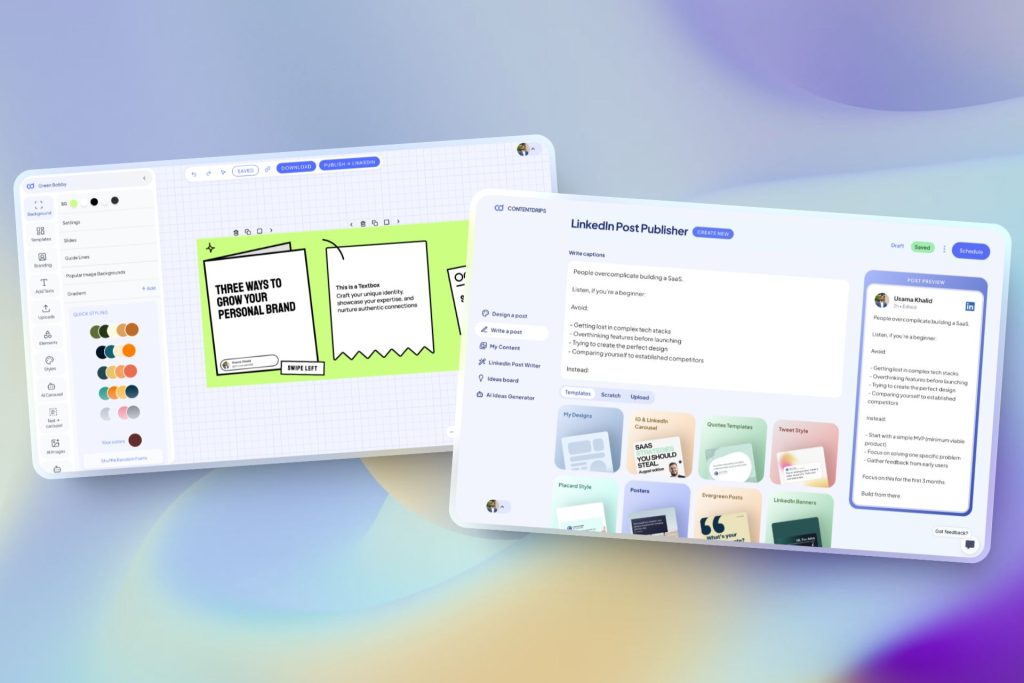
Contentdrips connects to Grok Bot as a remote MCP server, so your Bot can generate on-brand social media graphics and carousels, turn a blog post or YouTube video into a carousel, and publish straight to LinkedIn and Instagram, on a schedule, without you opening a design tool.
HOW IT WORKS
When setting up the MCP server, use mcp.contentdrips.com/mcp as the server URL. Set the Authorization header to Bearer followed by your Contentdrips API key.
REAL TASKS, REAL OUTPUT
Give a Bot a plain-text description and your branding. The AI Design Agent builds the full layout and saves it to your account.
Drop a blog post, YouTube, or TikTok link into a task and ask for a carousel. The Bot extracts the key points and renders the slides.
Give a Bot a template ID and it refills that exact layout with new content, keeping design fully consistent.
Tell the Bot to use your design style and it pulls your logo, fonts, colors, and profile details into the design.
Ask a Bot to write a platform-specific caption and attach it to the rendered graphic in the same task.
A Bot can schedule or publish the finished post directly to LinkedIn or Instagram, with timezone-aware scheduling.
Show a Bot your posting workflow once, then let it run as a Routine, generating and queuing new posts on a schedule without a new task each time.
UNDER THE HOOD
Contentdrips MCP exposes 24 tools across six categories, so a Grok Bot can browse templates, generate designs, and publish posts, not just create a single image.
Search templates, get your saved templates, inspect a template’s fields, create or delete a blank design.
Generate an AI carousel or graphic, run the full AI Design Agent, and check render job status.
Fetch your connected social accounts and workspace profiles.
List, get, create, update, or delete posts.
Attach, upload, or remove images on a post.
Schedule, unschedule, or publish a post to LinkedIn or Instagram.
BRAND STYLE
A Brand Kit is a set of sample graphics you upload to Contentdrips that the AI analyzes to learn your specific visual style, fonts, colors, and layout habits, instead of defaulting to a generic template. Once it is set up, every graphic a Bot generates follows that style automatically.
Myth
Any AI image generator connected to Grok Bot can produce usable social media graphics.
Fact
Generic AI image generators produce a new random layout every time and cannot reliably place text, maintain brand fonts, or generate multi-slide carousels. Contentdrips MCP gives Grok Bot 24 dedicated tools for templates, brand-consistent design, and direct LinkedIn and Instagram publishing, so the Bot is calling a real design and publishing pipeline, not generating images blind.
Get an API key from your Contentdrips account, then in Grok Bot go to Settings, then Plugins, and add a custom MCP server. Use the URL mcp.contentdrips.com/mcp and set the Authorization header to Bearer, followed by your API key.
No. Grok Bot is a separate xAI product, built with Cursor, that runs on a persistent cloud computer and can sign into apps and run scheduled Routines. Grok chat at grok.com adds custom connectors from grok.com/connectors, a different settings page from Grok Bot’s Settings then Plugins.
Grok Bot only connects to remote MCP servers reachable over the public internet, not local or stdio servers. Contentdrips MCP is already a hosted endpoint over HTTP and SSE, so it connects the same way it does for Claude and Cursor.
Yes. Tell a Bot to include your branding or use your design style, and the AI Design Agent pulls your logo, fonts, colors, and profile details into the layout automatically instead of producing a generic design.
Both. Once a graphic and caption are ready, a Bot can create, schedule, or publish the post directly to LinkedIn or Instagram through Contentdrips, with timezone-aware scheduling.
Yes. Give a Bot the URL and ask for a carousel. It extracts the key points, writes the slide copy, and renders the design using one of your templates.
Yes. Show a Bot your posting workflow once and save it as a Routine. The Routine can then generate and queue new posts automatically on a schedule.
Basic MCP access works on the free plan. Some advanced tools, including direct social publishing and AI generation at higher volumes, require a paid plan.
ALSO USEFUL
CLAUDE & CURSOR
The same MCP URL and API key work with Claude Web, Claude Code, and Cursor.
PROFILE & BRANDING
Add your logo, fonts, and social accounts once so every Bot-generated graphic is on brand.
TEMPLATES
Explore prebuilt templates by category, carousel, quote, and LinkedIn, before your first prompt.
Connect once. Every graphic after that follows your brand automatically.