Paste a topic, blog URL, YouTube link, or TikTok URL. The AI writes slide content and renders a carousel using any of your templates.

New Launch: Contentdrips MCP –Try for Free➜
✦ MODEL CONTEXT PROTOCOL
ContentDrips MCP connects Claude, Cursor, and any AI assistant to your ContentDrips account. Generate carousels, design graphics, and publish to LinkedIn & Instagram without switching tools
HOW IT WORKS
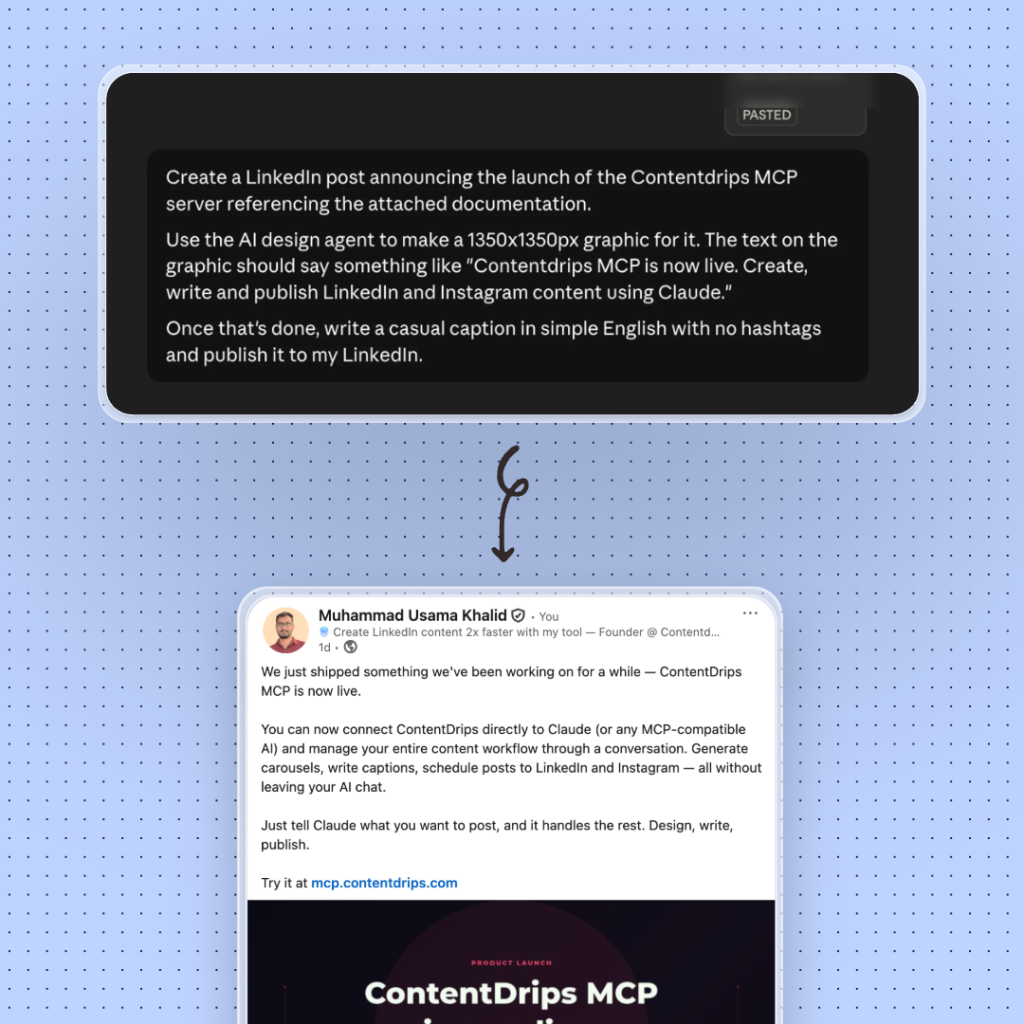
Paste the MCP URL, describe what you want, get rendered images — scheduled and posted.
Paste the MCP URL in Claude Web, Cursor, or any MCP-compatible agent and authorize with your API key.
In plain English — “Make a 5-slide LinkedIn carousel from this blog post using my Blue Corporate template.”
The AI calls the right tools, renders your design to PNG, creates a post, and publishes to LinkedIn or Instagram.
SEE IT IN ACTION
Here’s what creators, marketers, & agencies actually use ContentDrips MCP for
Drop a blog URL into Claude and ask for a 7-slide LinkedIn carousel. The AI extracts key points, writes slide copy, renders the design, and gives you download links. What used to take 45 minutes is now one message.
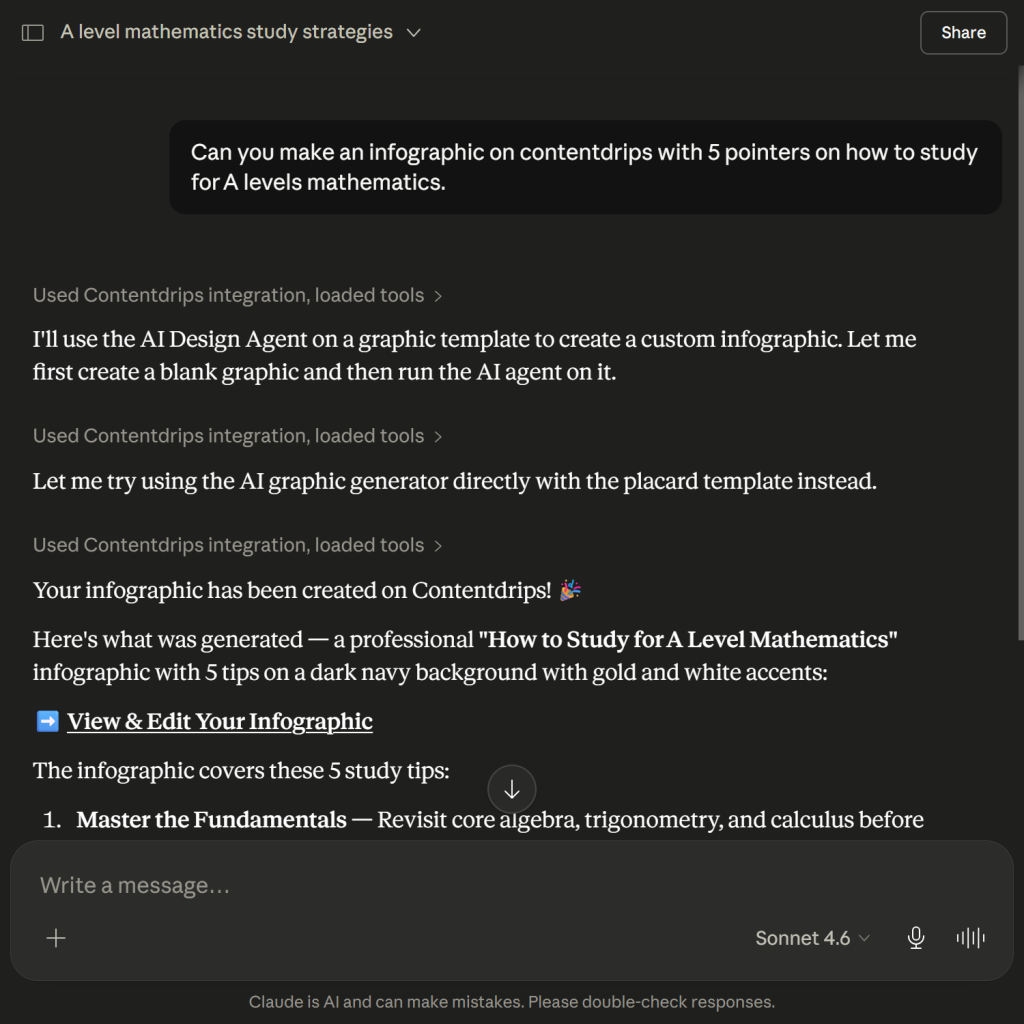
Describe what you want in plain English. The AI Design Agent generates the full layout, including colors, fonts, and brand elements, and saves it to your ContentDrips account for fine-tuning.
Generate a carousel, attach it to a draft post, write a LinkedIn caption, and schedule everything for Monday 9am, all without opening the ContentDrips web app once.
Build agentic workflows that pull topics from a spreadsheet, generate carousels for each, and queue them as draft posts. ContentDrips MCP is fully compatible with any MCP-capable agent framework.
Build agentic workflows that pull topics from a spreadsheet, generate carousels for each, and queue them as draft posts. ContentDrips MCP is fully compatible with any MCP-capable agent framework.

From browsing your templates to scheduling a post — every action is a tool your AI can call.
Paste a topic, blog URL, YouTube link, or TikTok URL. The AI writes slide content and renders a carousel using any of your templates.
Describe a graphic in plain text. The AI builds the full Fabric.js layout, including typography, colors, shapes, and your branding, then saves it to your account.
Create posts, attach rendered images, and schedule them to LinkedIn and Instagram with timezone support, all within a single conversation.
Browse public templates by category, search your saved designs, inspect field structures, and create new blank designs in any format.
Retrieve all of your posts and graphics, re-use them, see if they are scheduled or if they are in draft. Edit them easily through our MCP.
Turn any YouTube video, blog post, or TikTok Reel into a ready-to-post carousel or single graphic, without leaving your AI chat.
TOOLS REFERENCE
From browsing your templates to scheduling a post — every action is a tool your AI can call.
EXAMPLE CONVERSATION
A single conversation can browse templates, generate a carousel, attach images, and schedule the post — without leaving your AI client.
Here is this week's summary across all workspaces:
| Template | Renders | Scheduled |
|---|---|---|
| Blue Corporate | 3,240 | +4 posts |
| Minimal Dark | 2,180 | +2 posts |
| Bold Quote | 1,560 | +1 post |
SETUP
Works with Claude Web, Claude Code, Cursor, and any MCP-compatible client via HTTP + SSE transport.
claude mcp runmcp.contentdrips.com/mcpAuthorization: Bearer keyStandard MCP over HTTPCONFIG EXAMPLES
// ~/.claude.json
{
  "mcpServers": {
    "contentdrips": {
      "type": "http",
      "url": "https://mcp.contentdrips.com/mcp",
      "headers": {
        "Authorization": "Bearer YOUR_API_KEY"
      }
    }
  }
}
// ~/.cursor/mcp.json
{
"mcpServers": {
"contentdrips": {
"type": "http",
"url": "https://mcp.contentdrips.com/mcp",
"headers": {
"Authorization": "Bearer YOUR_API_KEY"
}
}
}
}# Verify your MCP server is reachable
curl -X POST https://mcp.contentdrips.com/mcp \
-H "Authorization: Bearer YOUR_API_KEY" \
-H "Content-Type: application/json" \
-d '{"jsonrpc":"2.0","method":"tools/list","id":1}'Everything you need to know about connecting and using the ContentDrips MCP server.
24 MCP tools. AI carousel generation. Direct publishing to LinkedIn & Instagram. Connect in under 2 minutes.
mcp.contentdrips.com/mcp · HTTP + SSE transport · Works with Claude, Cursor & any MCP client