
New Launch: Contentdrips MCP –Try for Free➜
FREE TEMPLATES
Professionally designed carousel templates for LinkedIn and Instagram. Pick a template, customize it with your content, and post it. No design skills needed, no credit card required.
BROWSE BY CATEGORY
Every template is sized correctly for LinkedIn and Instagram. Browse by style or platform.
AI CAROUSEL MAKER
Every template in this gallery connects directly to the Contentdrips AI carousel maker. Pick a template you like, type a topic or paste a URL, and the AI writes the slide copy and fills the design for you. You get a finished carousel in under a minute.
AI fills your template
"5 reasons why most LinkedIn posts get zero reach"
5 reasons your LinkedIn posts get ignored
Swipe to find out →
Slide 2
Slide 3
Slide 4
Download
HOW IT WORKS
No design software, no downloads, no learning curve. The whole process happens in your browser.
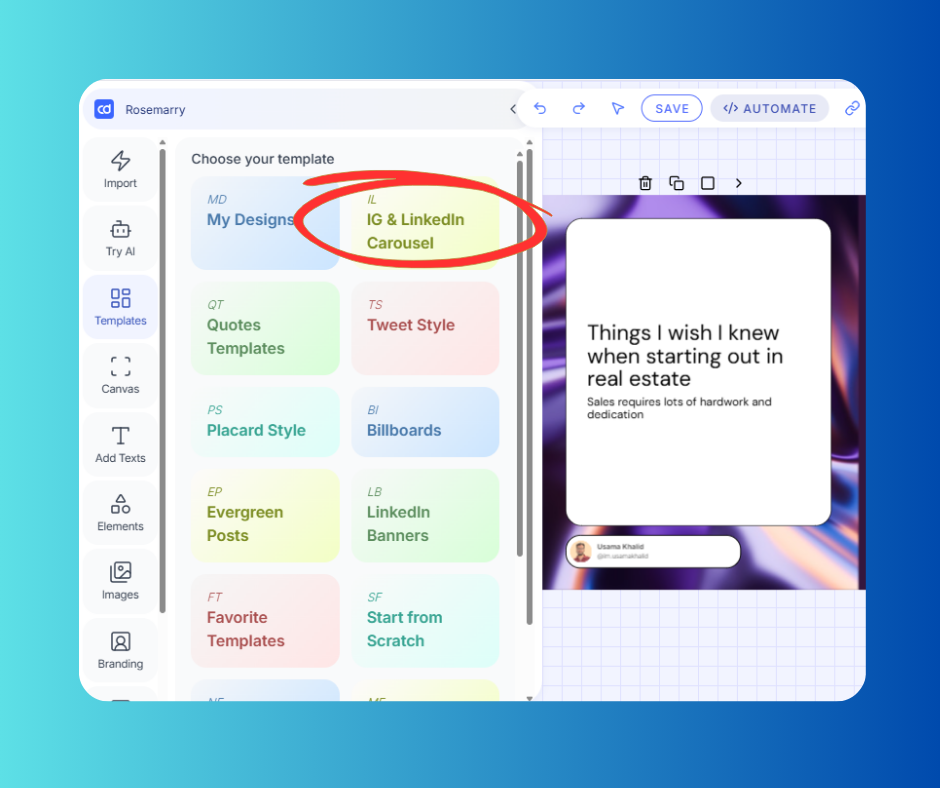
Browse 1,000+ carousel templates by platform, style, or topic. Every template is pre-sized correctly — 1080x1350px for Instagram, 1080x1080px square, and the right proportions for LinkedIn document posts.
Click any element to edit it. Change text, swap colors, replace images, adjust fonts, add your logo and profile photo. The full canvas editor lets you move and resize everything freely. No locked layouts.
Export as PNG for Instagram or PDF for LinkedIn. Or skip the download entirely — publish directly from Contentdrips to LinkedIn or Instagram with one click on the Starter plan.
New
The Contentdrips AI Design Agent creates fully designed carousel templates from a plain English prompt. Describe the style, color scheme, or mood you want and the AI generates an editable graphic instantly. Your brand fonts, colors, and logo are applied automatically.
AI Design Agent
"Minimal carousel template, dark background, gold accent, 5 slides for a leadership tips post"
5 Leadership Lessons
That changed how I manage teams
Edit design
Save template
BUILT FOR CAROUSELS
Contentdrips is not a general design tool. Every feature exists to make carousel creation faster, better, and more consistent.
TEXT TO CAROUSEL
Paste any text — a list, a thread, notes, a blog extract — and Contentdrips structures it into slides, applies visual hierarchy, and designs the carousel. From raw text to finished carousel in seconds.
REPURPOSE
Paste a blog URL or YouTube link and Contentdrips extracts the key content, structures it into slides, and applies your chosen template. Your existing content becomes a new carousel.
EDITOR
Move, resize, and reposition every element on every slide. Nothing is locked. Change fonts, colors, backgrounds, and layout freely. Undo and redo available. Your carousel looks exactly how you want it.
AUTO LAYOUT
The carousel editor automatically adjusts layouts, spacing, and element sizing when you add or remove content. Slides stay clean and balanced without manual tweaking after every edit.
ELEMENTS
Slide number indicators, swipe CTAs, progress bars, multi-slide connectors, and visual elements designed specifically for carousels. Not generic shape libraries — purpose-built carousel components.
PUBLISHING
Create your carousel and publish it directly to LinkedIn as a document post or to Instagram as a carousel. No downloading, no switching apps, no manual uploading. On the Starter plan.
BRAND CONSISTENCY
Set up your brand kit once with your fonts, colors, and logo. Every template you open has your branding applied automatically. No manual color-picking, no re-uploading your logo each time, no inconsistent designs across slides.
WHAT CREATORS SAY
"
Thanks to ContentDrips carousel templates, I created LinkedIn posts that went viral, racking up 50,000 views and hundreds of engagements. A total game-changer for my content.

Geni Cor
LinkedIn Coach
"
Contentdrips gave me design superpowers. Everyone asks who my designer is. It is my go-to tool for all LinkedIn content creation.

Eric Griffing
Growth Marketing @ Dashbot
"
Contentdrips makes my personal branding so much easier. It saves time and effort doing it manually. Will highly recommend for anyone creating carousel content.

Sarah Seif
Adjunct AUC Instructor
CAROUSEL BEST PRACTICES
The template is the foundation. These are the principles that determine whether people swipe through all the way to your CTA.
Your first slide is the only one people see before deciding to swipe. Make it specific, benefit-led, and curiosity-driven. ‘The 3 reasons your posts get no reach’ beats ‘Tips for LinkedIn growth’ every time.
LinkedIn carousels are not essays. Each slide should communicate one clear point. 40 to 50 words maximum per slide. If you can say it in fewer words, do. Clean, readable slides on a phone screen.
Your last slide should tell people exactly what to do: follow you, comment with their answer, visit a link. Do not leave them with nowhere to go after they finish swiping.
Yes. All carousel templates in the free gallery are available with no credit card required and no account needed to browse. To edit a template and download your carousel, you create a free account which includes 5 downloads per month. For unlimited downloads and no watermarks, upgrade to Starter at $15/month.
Contentdrips carousel templates come in two sizes: 1080x1080px (square, 1:1 ratio) for general use on both LinkedIn and Instagram, and 1080x1350px (portrait, 4:5 ratio) for Instagram. LinkedIn carousels are uploaded as PDF documents where each page is one slide — all Contentdrips templates export in the correct format automatically.
Yes. The template library includes templates sized and optimised for Instagram carousels. You can export as a PNG sequence for Instagram or use the direct Instagram publishing feature on the Starter plan to post without downloading.
Upload your brand kit once: your fonts, hex color codes, and logo. Every template you open automatically applies your branding. You can also manually change any element in the canvas editor — colors, fonts, images, backgrounds. Nothing is locked.
Yes. Pick a template, then type a topic, paste a blog URL, or drop a YouTube link. The Contentdrips AI carousel maker writes the slide copy and fills the template automatically. You can edit any slide in the canvas editor before downloading.
Templates let you start with a designed layout and fill in your own content manually. The AI carousel maker takes a topic or URL, writes the content, picks a template or uses one you choose, and fills all the slides for you. You can use templates as a starting point for AI generation or browse and customize them manually.
Yes. Use the blank canvas in the editor, or use the AI Design Agent to describe the style you want and get a fully designed template generated for you. Brand fonts, colors, and logo are applied automatically. Save your custom design as a reusable template in your library.
Yes, on the Starter plan. Create your carousel, then click Publish and connect your LinkedIn account. Contentdrips publishes the carousel as a document post in the correct PDF format. You can also schedule it in advance from the content calendar.
MORE FREE TEMPLATES
Templates sized and designed specifically for LinkedIn document posts. Professional styles built for thought leadership and personal branding.
Templates for Instagram carousels, stories, and posts. Aesthetic and bold styles built for engagement and saves.
QUOTE
Bold quote card templates for Instagram and LinkedIn. Perfect for thought leadership posts and shareable quote graphics.
1,000+ free carousel templates for LinkedIn and Instagram. No design skills, no credit card, no waiting.