
New Launch: Contentdrips MCP –Try for Free➜
Pick a platform, type a topic, and get post drafts written for LinkedIn, Instagram, TikTok, Facebook or X. Start from a topic, a blog link, or a YouTube video.
CHOOSE YOUR PLATFORM
Each platform rewards a different kind of post. Open the generator built for where you post, or start from the main writer at the top of this page.
Hooks, line breaks and calls to action shaped for the LinkedIn feed. Works for personal profiles and company pages.
Captions with a strong first line and clean spacing, ready to sit under your carousels, reels and photos.
Conversational posts that invite comments and shares. Write and preview the post here, then copy it to your page.
TikTok
Short captions that back up your video hook and keep viewers reading. Write, preview and publish to TikTok.
X and Twitter
Sharp tweets and structured long posts. Write and preview in the format you need, then copy it out.
START FROM ANYTHING
Give the writer raw material in whatever form you have it. It turns that material into posts formatted for your platform.
Type an idea in a sentence, or speak it with voice input. Good for quick thoughts & hot takes.
Paste a link and get posts that pull out the strongest points of the piece.
Drop in a video link and turn the ideas inside it into posts for any platform.
Repurpose a short video into a caption or post without rewatching it.
Start from a proven post structure, or paste a viral post and use it as a pattern for your own.
Upload an image or file and get post ideas built around what it shows.
WRITING FEATURES
The writer gives you options first, then gives you control over every line.
Every run returns several drafts. Compare hooks and angles, then keep the one that fits.
Add two to four of your own posts and the writer learns your tone, rhythm and word choices.
Condense, change the hook, make it longer, simplify, fix grammar, rewrite, or give your own instruction.
See how a post looks on LinkedIn, Instagram, TikTok, Facebook, X long posts and tweets before it goes out.
Speak your topic instead of typing it. Handy when an idea shows up and you are away from a keyboard.
Add bold, italics, underline, strikethrough and lists so long posts are easy to scan.
EXAMPLE OUTPUT
Here is one topic, three habits that grew a personal brand, written the way each platform expects it. Your drafts will follow your own topic and voice.
I posted on LinkedIn for 90 days. Most posts went nowhere.
Three habits changed that:
1. I wrote for one person, not an audience.
2. I shared what I learned this week, not what I knew years ago.
3. I ended every post with a real question.
The replies got better. Then the replies became conversations.
What is one habit that grew your personal brand?
Instagram caption
Your personal brand is not a logo. It is what people say about you when you are not in the room.
3 habits that helped me build mine:
→ Show up on a schedule
→ Share lessons, not highlights
→ Reply to every comment
Save this for your next content week.
#personalbranding #contentcreator #socialmediatips
Facebook post
Quick question for anyone building a brand online: if you could keep only one habit, which would it be?
Mine is replying to every comment. It turns a post into a conversation, and conversations are what people remember.
Tell me yours below. 👇
TikTok caption
3 habits that grew my personal brand. The last one takes 5 minutes a day.
#personalbranding #creatortips #socialmediagrowth
X tweet
Personal brand growth in 3 habits:
1. Post on a schedule
2. Share lessons, not highlights
3. Reply to every comment
Boring? Yes. Does it work? Also yes.
Your turn
Pick a platform, add a topic, and see drafts in under a minute.
PLATFORM GUIDE
Use this as a checklist when you edit a draft. The writer follows these patterns by default, and you can change any of them.
| Platform | Length | Tone | Hook style | Format tips |
|---|---|---|---|---|
| Medium to long (3,000 character limit) | Professional, personal, story-led | The first two lines must earn the "see more" click | Short paragraphs, one idea per line, a question at the end | |
| Short to medium (2,200 character limit) | Friendly and visual-first | Make the first line work before the caption is cut off | Line breaks, light emoji, hashtags at the end | |
| Short and conversational | Casual and community-minded | Open with a question or a relatable moment | Plain text, one clear ask, links after the hook | |
| TikTok | Short | Playful and direct | Echo the first three seconds of the video | One line plus a few relevant hashtags |
| X tweet | 280 characters | Sharp and opinionated | Put the whole idea in the first line | Cut filler, keep to one thought per tweet |
| X long post | Long-form | Clear and structured | Open with a bold claim or a clear promise | Short sections, scannable lines, a summary at the end |
These are rules of thumb. Test what your own audience responds to.
ANATOMY OF A POST
Good posts on every platform share one skeleton. The generator writes to it, and you can check any draft against it.
The first line decides whether anyone keeps reading. Lead with a result, a tension or a question, not with background.
Deliver one idea. Use short lines, plain words and specifics in place of adjectives.
Add a story, a number or an example so the point feels earned instead of claimed.
End with one clear next step, such as a question, a save or a click. Only one.
WHY A DEDICATED WRITER
General chatbots can draft text. A dedicated post writer handles the platform work around it.
WHO IT IS FOR
Whether you post for yourself or for ten clients, the workflow is the same: pick, draft, edit, post.
Creators and coaches
Skip the blank page. Speak an idea, pick a draft, and get back to your actual work.
Marketers
Feed in a blog, a webinar recording or a YouTube video. Keep one message and change the format for each platform.
Agencies
Use separate brand profiles, invite your team, and plan every client’s posts on a shared calendar.
Founders
Post on LinkedIn in your own voice with minutes a day instead of hours, and keep the quality steady.
HOW IT WORKS
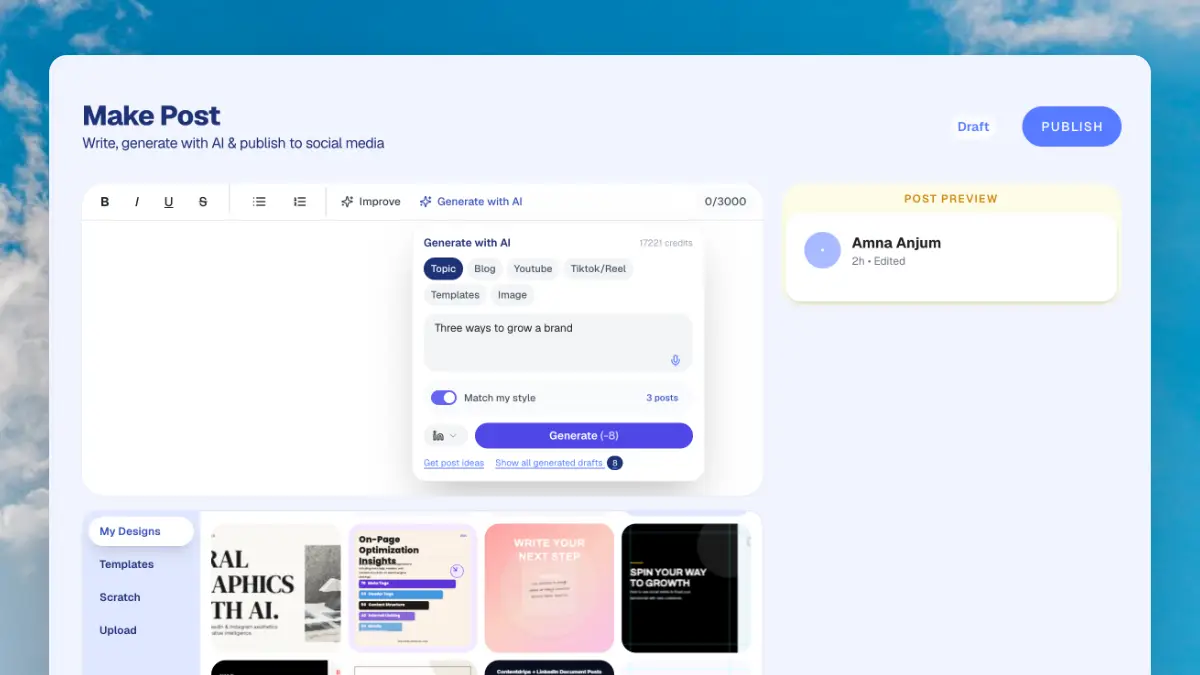
Choose LinkedIn, Instagram, TikTok, Facebook or X, then add a topic, a link or a video from which you want to generate a post.
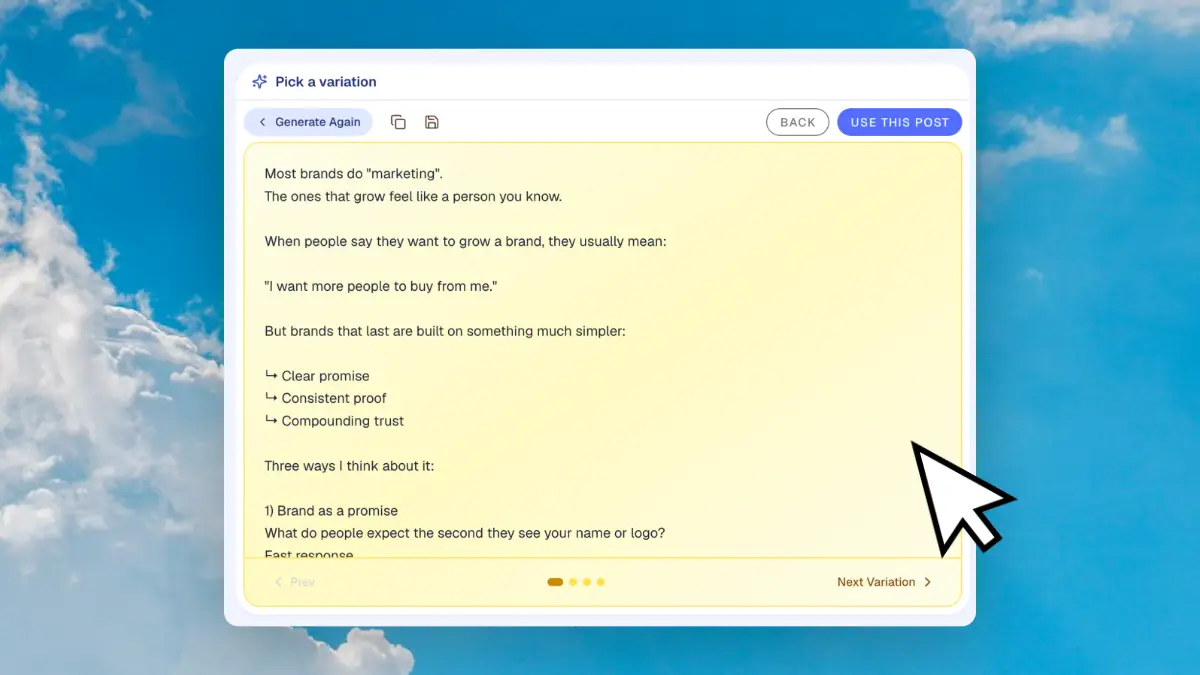
Get several drafts, switch on Match My Style, and use Improve Writing to improve the one you like the most.
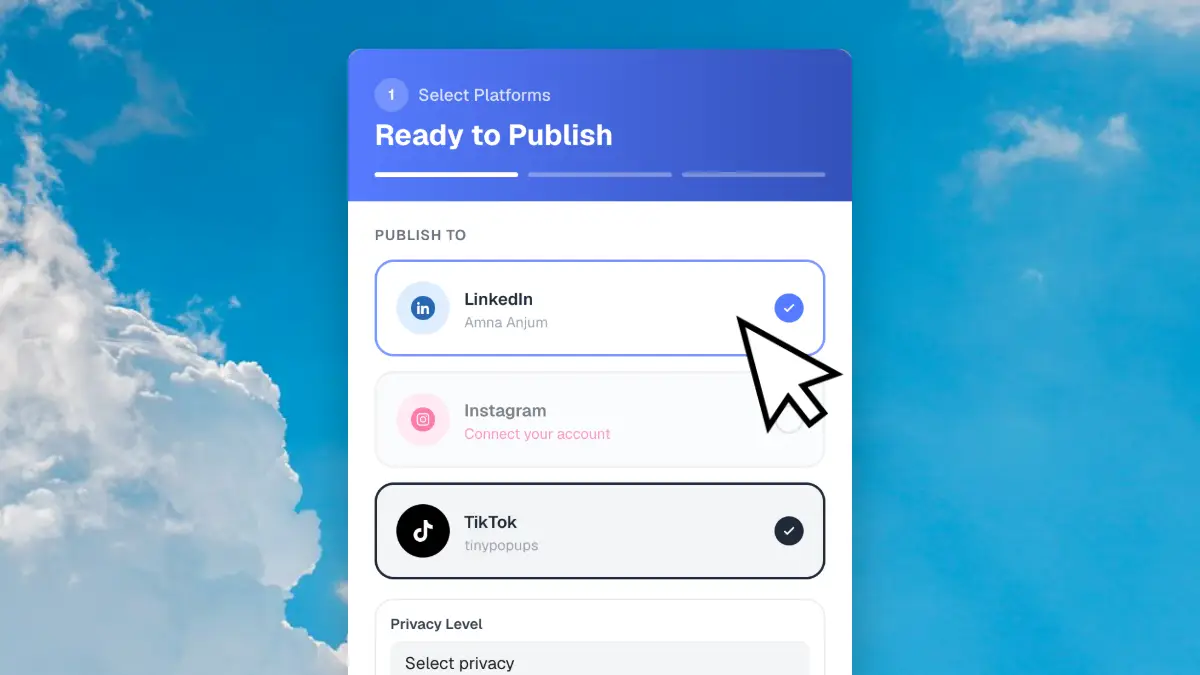
Check the platform preview, then publish or schedule to LinkedIn, Instagram and TikTok. For Facebook and X, copy the final post.
PUBLISH AND SCHEDULE
When a draft is ready, attach a design if you want one, pick a time and let it publish. Plan the month on a drag and drop calendar.
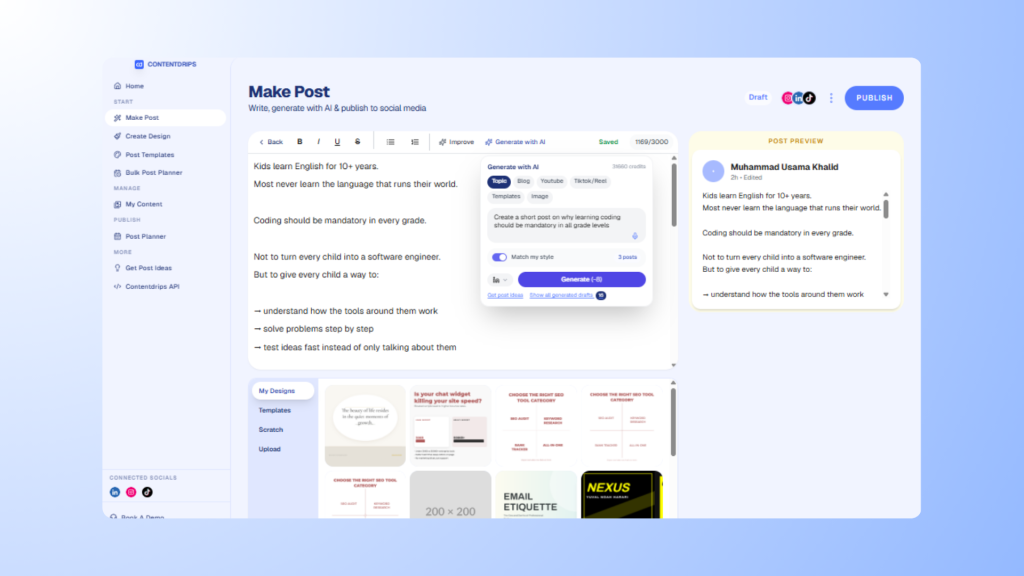
MORE FREE WRITING TOOLS
Sharpen a post, preview it, or fill in the rest of your profile.
Get fresh post ideas for your niche when you are stuck.
See how your post looks in the feed before it goes live.
Write a profile headline that says what you do and who you help.
Draft an About section that reads like you, not like a résumé.
Find relevant hashtags to add to your next LinkedIn post.
Add bold, italic and other text styles to your posts. No login needed.
Add line breaks and text styles to your Instagram captions.
Browse proven post structures and make them your own.
NEED A GRAPHIC INSTEAD?
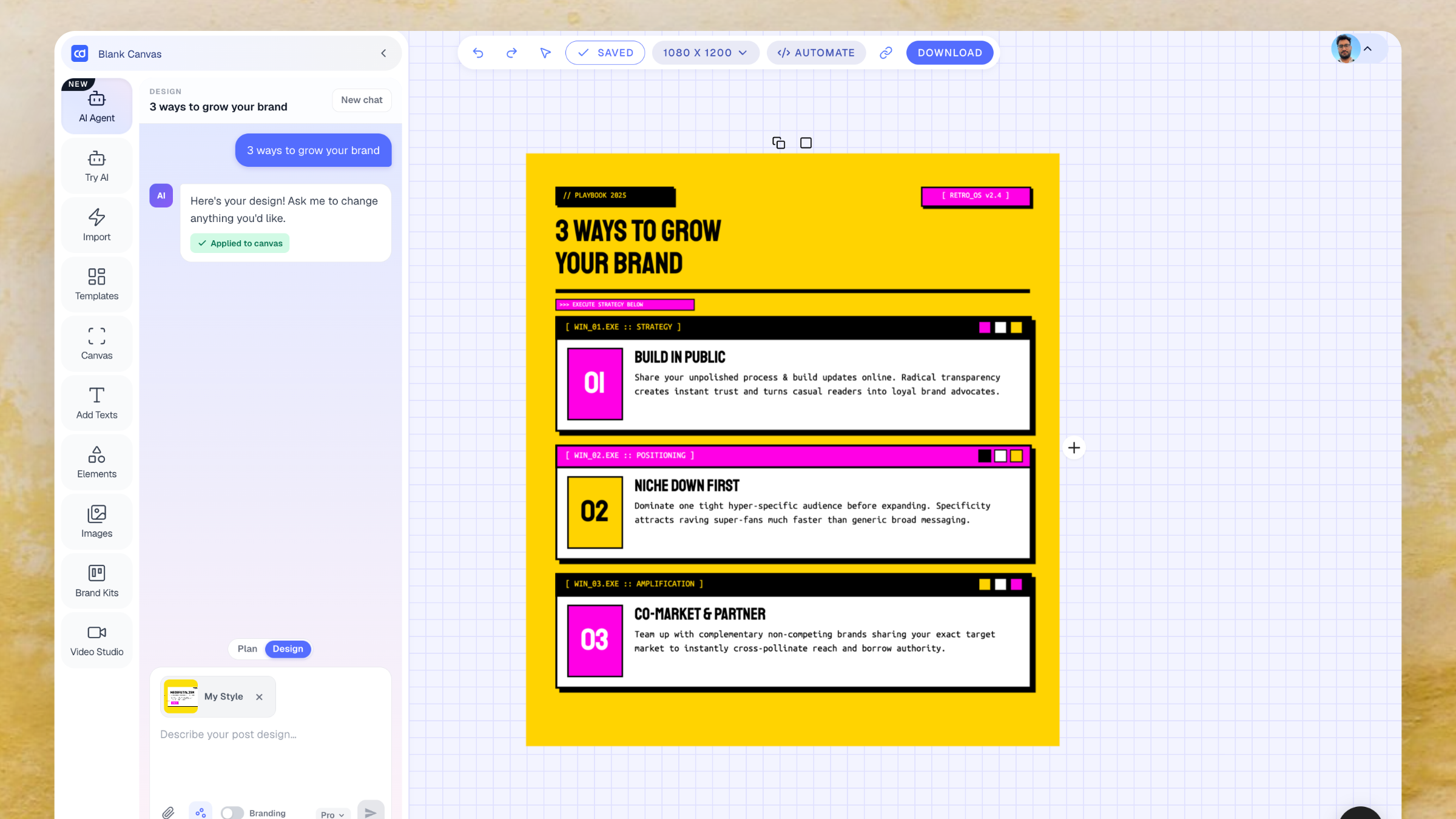
This page writes the words. To design the visual, use the AI graphic tools, which build editable graphics from a plain-English description.
An AI social media post generator writes ready-to-edit posts and captions from a short prompt, a blog link or a video. With Contentdrips you choose the platform, add a topic, and get several drafts formatted for LinkedIn, Instagram, TikTok, Facebook or X.
Yes, you can start for free with no credit card required. Paid plans add more credits and features, and the pricing page has the current details.
LinkedIn, Instagram, TikTok, Facebook and X, including both tweets and long posts. Each platform has its own format and a live preview.
Yes. Match My Style learns from two to four of your own posts and uses your tone and phrasing in new drafts.
Yes. Paste a blog or article URL, a YouTube link, or a TikTok or Reel link and the writer builds posts from the content. You can also start from a plain topic, a template, or an image.
Yes. The same writer produces LinkedIn and Facebook posts, Instagram and TikTok captions, and tweets. Instagram also has its own dedicated caption generator.
You can publish or schedule to LinkedIn (personal profiles and company pages), Instagram and TikTok. Facebook and X posts are written and previewed in the writer, and you copy them to post.
Use the Improve Writing tools to condense a post, change the hook, make it longer, simplify it, fix grammar, rewrite it, or follow your own instruction. You can also edit the text directly.
A chatbot needs the platform rules and your voice restated in every prompt. The Post Writer builds platform formats, live previews, Match My Style, one-click editing tools and scheduling into one flow.
This page covers written posts and captions. For images, posters and infographics, use the AI Graphic Generator, then attach the design to your post before you publish.
Pick a platform, add a topic, and get drafts you can edit, schedule and publish.