Getting LinkedIn post dimensions wrong costs you visibility. An image that gets cropped, a video that uploads with black bars, or a carousel that looks squeezed in the feed – all of these signal low quality to both the algorithm and your audience. This guide covers every LinkedIn post size and aspect ratio for 2026, across all content types.
LinkedIn Size Finder
What are you posting?
LinkedIn Post Sizes: Quick Reference Table
| Content Type | Recommended Size | Aspect Ratio | Max File Size |
|---|---|---|---|
| Single image (landscape) | 1200 × 627 px | 1.91:1 | 5 MB |
| Single image (square) | 1080 × 1080 px | 1:1 | 5 MB |
| Single image (portrait) | 1080 × 1350 px | 4:5 | 5 MB |
| Carousel (image slides) | 1080 × 1080 px | 1:1 | 10 MB/slide |
| Carousel (PDF document) | 1080 × 1080 px | 1:1 | 100 MB total |
| Video | 1920 × 1080 px | 16:9 | 5 GB |
| Video (square) | 1080 × 1080 px | 1:1 | 5 GB |
| GIF | Same as single image | 1:1 or 1.91:1 | 2 MB |
Save this table. The rest of the guide goes deeper on each format.
LinkedIn Image Post Size
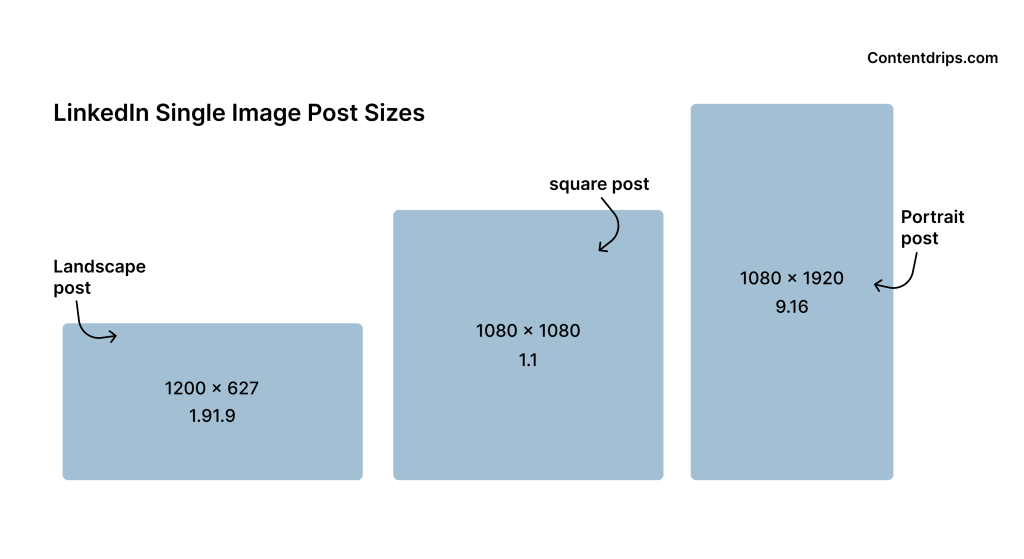
Single image posts are the most common format on LinkedIn. You have three size options depending on how you want the post to appear in the feed.
Landscape: 1200 × 627 px (1.91:1)
This is LinkedIn’s native ratio for link previews, but it also works for standalone image posts. It displays wide across the feed and renders cleanly on both desktop and mobile. Best for infographics, banners, or images that need horizontal breathing room.
Square: 1080 × 1080 px (1:1)
The most versatile option. Square posts look identical on desktop and mobile and are the safe default if you’re unsure which format to choose. Works well for quote cards, announcements, and branded visual content.
Portrait: 1080 × 1350 px (4:5)
Takes up more vertical feed space than square, which can increase impressions on mobile. The tallest LinkedIn will display in the feed without cropping. A good choice if you want your post to dominate mobile screens.
File formats: JPG or PNG. Minimum width: 200 px. Recommended minimum: 1200 px wide for crisp rendering after LinkedIn’s compression.
LinkedIn Carousel Post Size
LinkedIn supports two types of carousel posts: image carousels (multiple images in one post) and document carousels (PDF uploads). They behave differently.
Image Carousel Size
When you upload multiple images to a single post, LinkedIn creates a swipeable carousel. Recommended sizes:
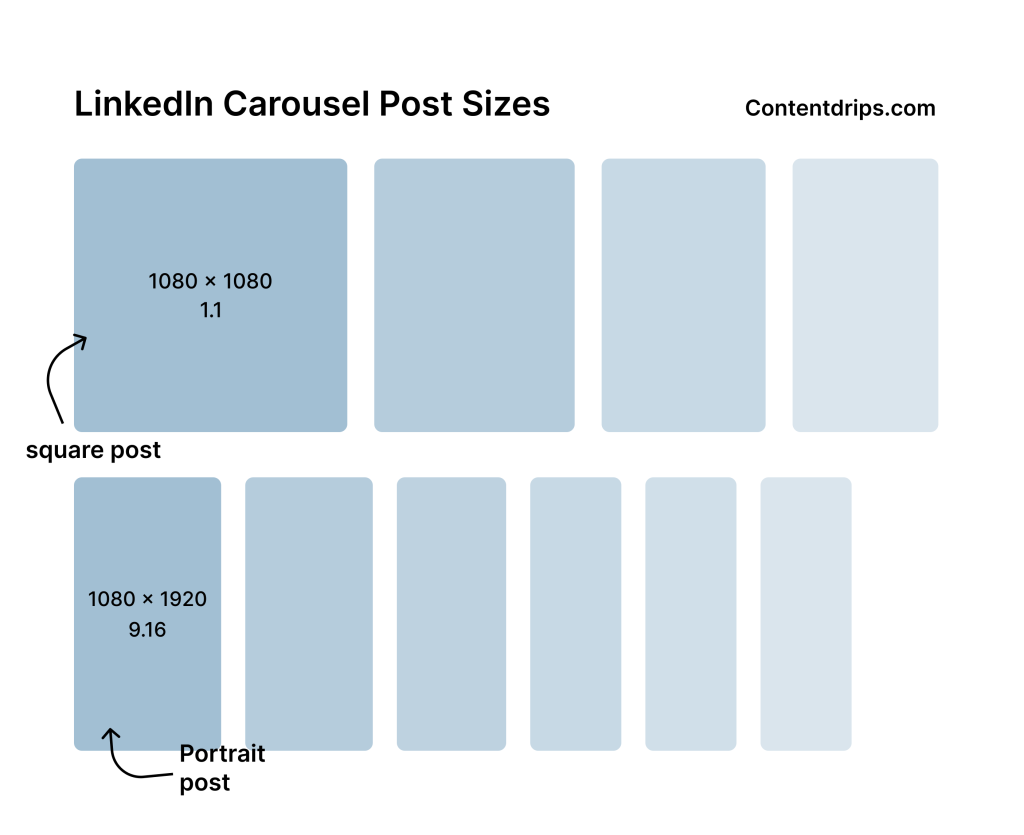
- Square: 1080 × 1080 px (1:1) — the standard
- Portrait: 1080 × 1350 px (4:5) — more vertical feed coverage
Critical rule: every slide must be the same dimensions. If you mix sizes, LinkedIn crops every slide to match the first one. Design all slides at the same pixel dimensions before uploading.
Max slides: 9 images per post. Max file size: 10 MB per image.
PDF Document Carousel Size
Upload a PDF and LinkedIn renders each page as a swipeable slide. This is the format most people mean when they say “LinkedIn carousel.”
- Recommended: 1080 × 1080 px per page (1:1 square)
- Alternative: 1920 × 1080 px per page (16:9 landscape)
Square is the safer choice. It renders at the same size across desktop and mobile. Landscape slides appear smaller in the feed on mobile because LinkedIn letterboxes them to fit the square container.
Max file size: 100 MB. Max pages: 300 slides (though 6 to 10 is the practical sweet spot for engagement).
LinkedIn Video Post Size
LinkedIn supports native video uploads with a wide range of accepted dimensions.
| Spec | Value |
|---|---|
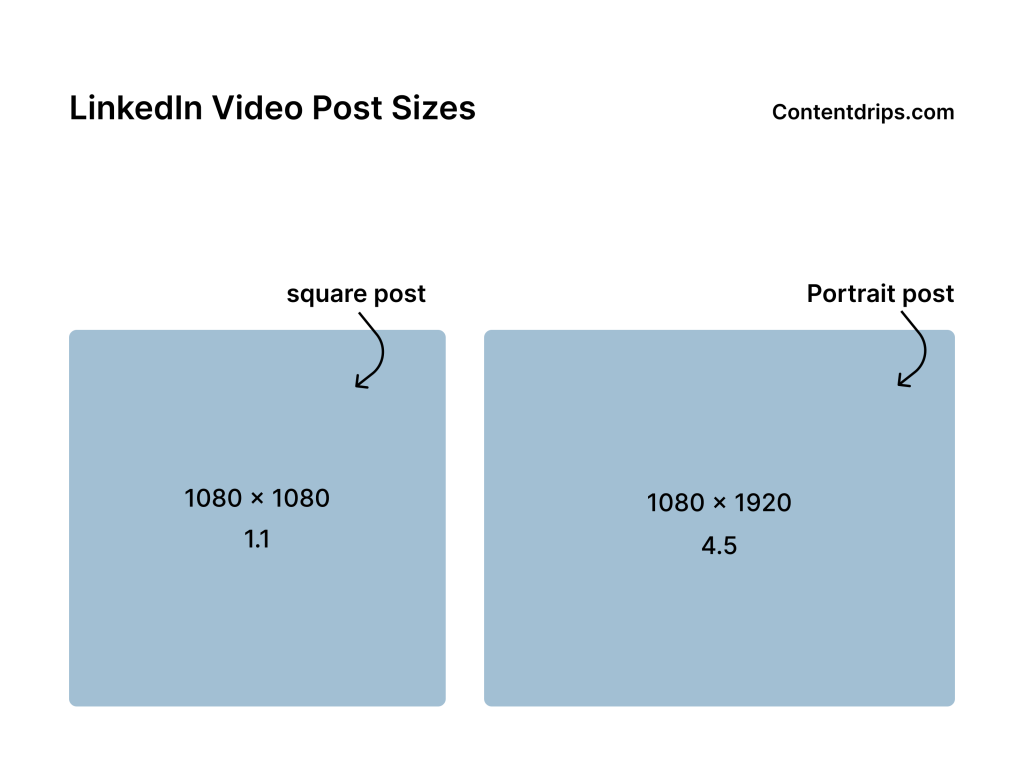
| Recommended size | 1920 × 1080 px (16:9) |
| Square option | 1080 × 1080 px (1:1) |
| Portrait option | 1080 × 1350 px (4:5) |
| Minimum resolution | 640 × 360 px |
| Maximum resolution | 4096 × 2304 px |
| Max video length | 10 minutes |
| Max file size | 5 GB |
| Recommended formats | MP4, MOV |
Landscape 16:9 is the standard for polished, professional video. Square and portrait formats can perform better on mobile feeds because they take up more screen space.
GIFs follow the same size specs as single images but are capped at 2 MB. LinkedIn auto-plays them in the feed.
LinkedIn Post Aspect Ratio: Which to Choose
If you only remember one thing from this guide, make it this:
- 1.91:1 (landscape) — for link previews and wide horizontal images
- 1:1 (square) — for the safest universal rendering across devices
- 4:5 (portrait) — for maximum vertical feed real estate on mobile
- 16:9 — for video
LinkedIn will not crop your image as long as your ratio matches one of these. Upload anything outside these ratios and LinkedIn forces it into a box, which almost always looks wrong.
LinkedIn Post Size in Pixels: The Numbers That Matter
For quick reference, here are the pixel dimensions most people search for:
- Standard LinkedIn post image size: 1200 × 627 px or 1080 × 1080 px
- LinkedIn carousel image size: 1080 × 1080 px
- LinkedIn post portrait size: 1080 × 1350 px
- LinkedIn video size: 1920 × 1080 px
- LinkedIn carousel PDF size: 1080 × 1080 px per page
- LinkedIn GIF size: same as single image, max 2 MB
Why LinkedIn Post Dimensions Affect Reach
Top LinkedIn creators consistently use portrait dimensions (4:5) for image posts and PDFs. The reason is straightforward: a taller post occupies more of the viewer’s screen. More screen coverage means more dwell time. More dwell time signals relevance to LinkedIn’s algorithm, which leads to broader distribution.
This is not a subtle difference. A portrait post can occupy 50% more vertical feed space than a landscape one on the same mobile screen.
Beyond that, posts that render cleanly. No cropping, no black bars, no blurry compression artifacts are simply more likely to earn engagement. Quality signals compound over time.
LinkedIn Post Size Best Practices for 2026
Design at 2x, export at 1x. Create your image at double the target size (e.g., 2160 × 2160 px for a 1080 × 1080 px post) and scale down on export. This keeps visuals crisp on Retina screens and after LinkedIn’s compression pass.
Compress before uploading. LinkedIn re-compresses every image. If you upload a file that’s already heavy, the double compression degrades quality noticeably. Aim for under 2 MB per image.
Use consistent dimensions across a carousel. Mixed sizes trigger automatic cropping. Lock your canvas size at the start of a carousel project and don’t deviate.
Match format to audience device. If your analytics show a mobile-heavy audience, lean toward portrait (4:5) to maximise feed presence. If most of your audience is on desktop, landscape or square work just as well.
Keep text away from edges. LinkedIn’s feed can clip edges slightly depending on how it renders on different screen sizes. Keep important text and logos at least 5% away from the image border.
Real-World Examples: What Works
Motivational quote post (Adam Danyal)
A tweet-style square image with a clear message about failure and growth. 970+ likes, 135+ reposts. Square format ensured the visual rendered cleanly across all feed views.
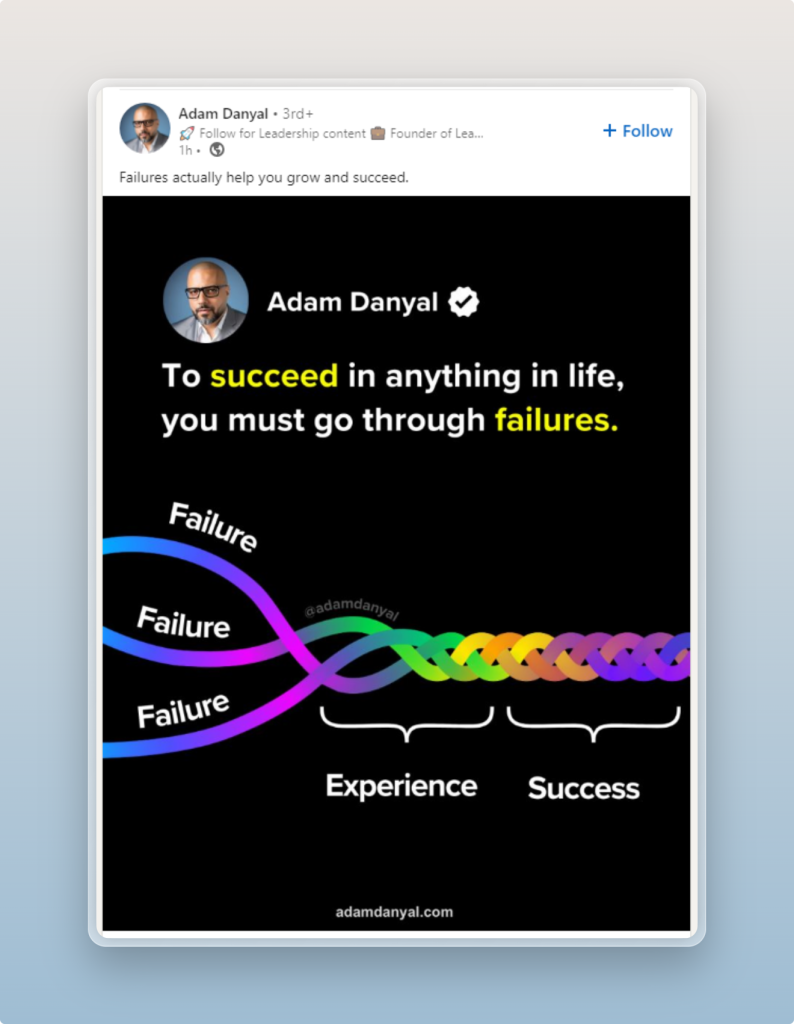
Takeaway: Square format, single strong message, minimal text. No size issues to distract from the content.
Carousel listicle (Carmen Morin)
A 10-slide PDF carousel with consistent dimensions across all slides. 570+ likes, 70+ reposts. Each slide readable at a glance.
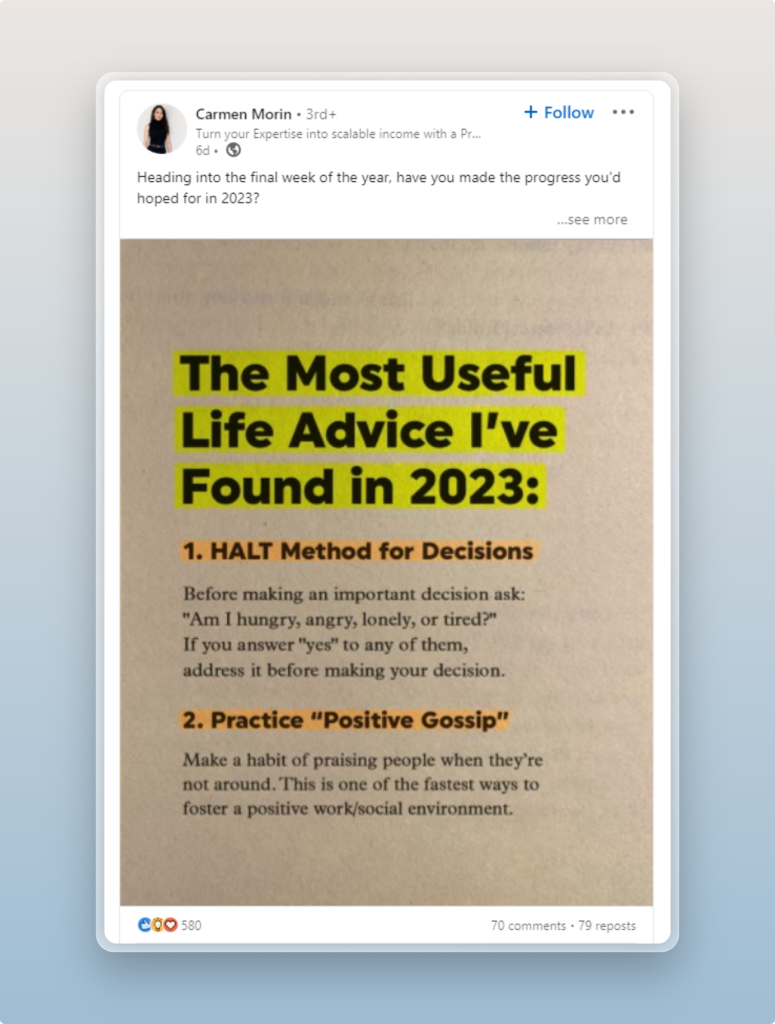
Takeaway: Consistent sizing across all carousel slides is what makes the swipe experience feel smooth and professional.
Video post (Sasa Spasic)
16:9 video showcasing Theo Jansen’s wind-powered sculptures. 430 likes, 50 reposts. Native LinkedIn video with proper aspect ratio.
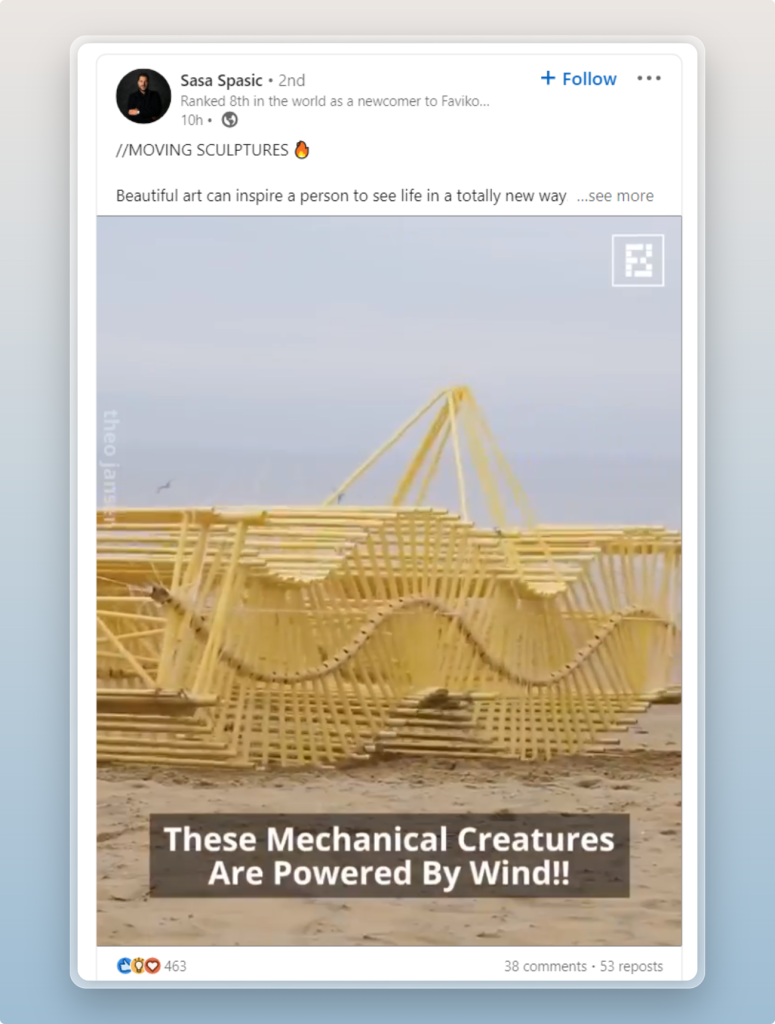
Takeaway: Native uploads with correct aspect ratios play full-screen in the feed. Embedded or incorrectly sized videos get letterboxed and feel amateurish.
How LinkedIn’s Algorithm Treats Post Dimensions
LinkedIn doesn’t directly penalise incorrectly sized posts, but the knock-on effects are real:
- Cropped images look unprofessional and reduce click-through on the post
- Images that trigger LinkedIn’s auto-resize often lose sharpness, which affects how the post is perceived in the feed
- Posts that earn engagement (driven partly by clean visuals) get amplified to second-degree connections
- Dwell time, driven by how much of the screen a post occupies, is a ranking signal
Getting dimensions right is the minimum requirement. It removes friction so your content can perform.
LinkedIn Post Size FAQs
What is the best image size for a LinkedIn post?
For maximum compatibility across desktop and mobile, use 1080 × 1080 px (square, 1:1 ratio). If you want to take up more vertical feed space on mobile, use 1080 × 1350 px (portrait, 4:5). For landscape images and link previews, use 1200 × 627 px.
What is the recommended LinkedIn post size in pixels?
The most commonly used dimensions are 1200 × 627 px for landscape, 1080 × 1080 px for square, and 1080 × 1350 px for portrait posts.
What aspect ratio should I use for LinkedIn posts?
Use 1:1 (square) for the safest universal option, 4:5 (portrait) for maximum mobile feed coverage, or 1.91:1 (landscape) for wide horizontal images and link previews.
What size should a LinkedIn carousel PDF be?
Design each PDF page at 1080 × 1080 px for square format. This renders consistently on desktop and mobile without letterboxing. Landscape (1920 × 1080 px) is also accepted but appears smaller in mobile feeds.
What is the maximum file size for LinkedIn images?
Single image posts have a maximum of 5 MB per image. Carousel image slides allow 10 MB per image. PDF carousels allow 100 MB for the entire document.
What is the LinkedIn video post size?
The recommended LinkedIn video size is 1920 × 1080 px (16:9 landscape). Square (1080 × 1080) and portrait (1080 × 1350) also work. Maximum video length is 10 minutes and the file size cap is 5 GB.
Does LinkedIn resize images automatically?
Yes. If you upload an image outside LinkedIn’s accepted ratios, the platform will resize or crop it automatically. This almost always degrades quality and can cut off important visual elements. Always design to the correct dimensions before uploading.
What size is a LinkedIn post in inches?
LinkedIn posts are displayed on-screen, not printed, so pixels are the correct unit. If you need an inch equivalent for design software: 1200 × 627 px at 72 DPI ≈ 16.7 × 8.7 inches. Always export at the pixel dimensions, not inch-based dimensions.
Conclusion
LinkedIn post sizes for 2026 come down to a handful of numbers worth memorising: 1200 × 627 px for landscape, 1080 × 1080 px for square, 1080 × 1350 px for portrait, and 1920 × 1080 px for video. Carousel PDFs should be designed at 1080 × 1080 px per page.
Beyond the specs, the principle is simple: correct dimensions remove friction. Clean visuals earn more dwell time, dwell time drives reach, and reach drives everything else.
If you want to create properly sized LinkedIn posts without manually setting up canvas dimensions every time, Contentdrips handles all of this automatically. You pick a format, it sets the correct dimensions, and you focus on the content.
Start creating on-brand LinkedIn posts with Contentdrips — the right size, every time.
More LinkedIn resources: