X (still Twitter to most people) has a decent native interface, but it’s not built for creators, researchers, or anyone who wants more control over their feed. That’s where Chrome extensions come in. The right one can turn any article or video you’re reading into a ready-to-post carousel, add analytics to any profile you visit, clean up a cluttered feed, or let you schedule posts without switching tabs.
This guide covers the eight best Chrome extensions for X/Twitter in 2026 — what each one actually does, who it’s built for, and whether it’s worth installing.
1. Contentdrips — Best for Turning Any Webpage Into a Social Media Post or Carousel
Best for: Content creators who want to repurpose articles, YouTube videos, and quotes into LinkedIn/Instagram posts without leaving the browser Pricing: Free to install; requires a Contentdrips account (free plan available) Supported browsers: Chrome, Edge, Brave, Arc
Contentdrips’ Chrome extension is the only one on this list built specifically for content creation rather than content consumption. While other extensions help you browse or analyze X more effectively, Contentdrips lets you create directly from whatever you’re reading.
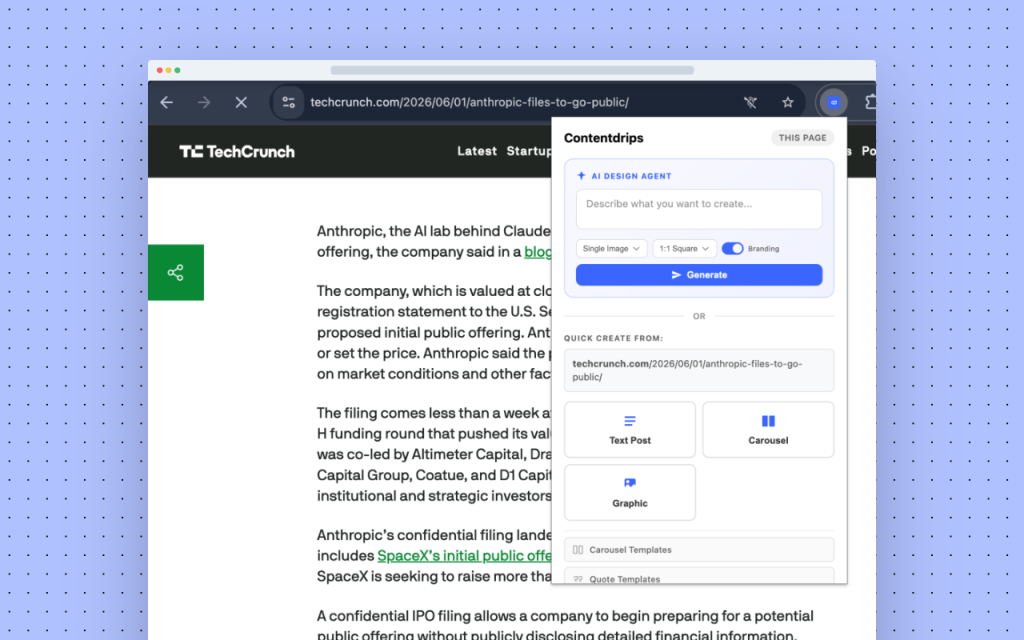
The way it works is simple: find an interesting article, YouTube video, quote, or image anywhere online, then either right-click or open the extension popup. You can instantly generate a LinkedIn or Instagram text post, a carousel, or a graphic from that content — all without switching tabs or copy-pasting anything.
The popup has two main sections. The AI Design Agent lets you describe what you want in plain English, pick a format (single image or carousel) and size (square, portrait, or landscape), toggle your brand kit on, and hit Generate. The Quick Create section has three buttons — Text Post, Carousel, Graphic — that use the current page automatically. If you’re on YouTube, they pull from the video. If you’ve selected text, they use that. If you’re on a blog post, they use the full article URL.
The right-click context menu is where it really shines for research workflows. Highlight a quote you want to turn into a graphic, right-click, choose “Create with Contentdrips,” and you’re in the editor with your content pre-loaded.
Key features:
- Right-click any selected text, image, or link to instantly create a post, carousel, or graphic
- AI Design Agent directly in the popup: describe a design, choose size, toggle branding, generate
- Quick Create buttons auto-detect context (YouTube page, selected text, or blog URL)
- No copy-pasting: all content passed directly to Contentdrips via deep link
- Works with YouTube videos, blog articles, quotes, and images
- Supports carousels, text posts, and graphics for LinkedIn and Instagram
- Quick links to carousel templates, quote templates, and your content library
What it does that others don’t: Every other extension on this list works within X/Twitter. Contentdrips works across the entire web — it’s a content creation layer that sits on top of your whole browser, not just one platform.
2. Tweet Hunter X — Best for Content Research and Inspiration
Best for: Creators who want to research top-performing content without leaving X Pricing: Free with limited features; full AI features require a Tweet Hunter subscription (~$49/month) Chrome Web Store rating: 4.6/5 (50,000+ users)
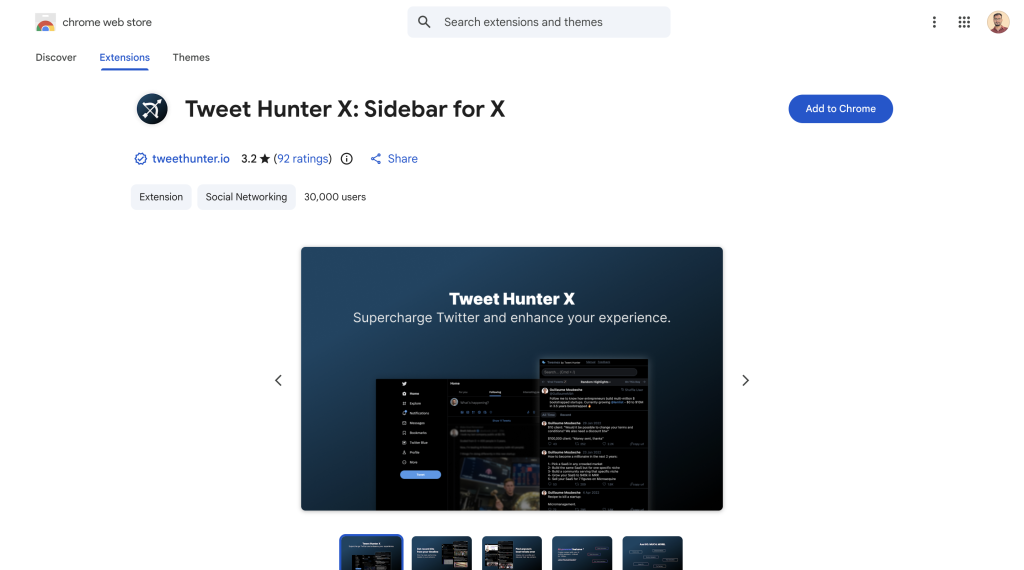
Tweet Hunter X is one of the most widely used X Chrome extensions, and for good reason. It replaces the native X sidebar with a more useful panel that includes Highlights (top-performing tweets from any profile you visit), Recent Hits (posts doing well in your timeline right now), a conversation history with any profile, and an enhanced power search.
The free version alone is genuinely useful — visit any profile and immediately see their best-ever tweets, which is invaluable for content research. The paid tier adds AI-powered viral inspiration and an in-browser writing assistant.
Key features:
- Highlights: view any account’s best tweets instantly
- Recent Hits: surface high-performing posts from your feed
- Conversation history with any profile
- Power search with smart filters
- AI writing assistant (paid)
It’s used by over 50,000 people on X and was last updated in March 2026. If you do content research or competitive analysis on X regularly, this is the first extension worth installing.
3. SuperX — Best All-in-One Analytics and Growth Tool
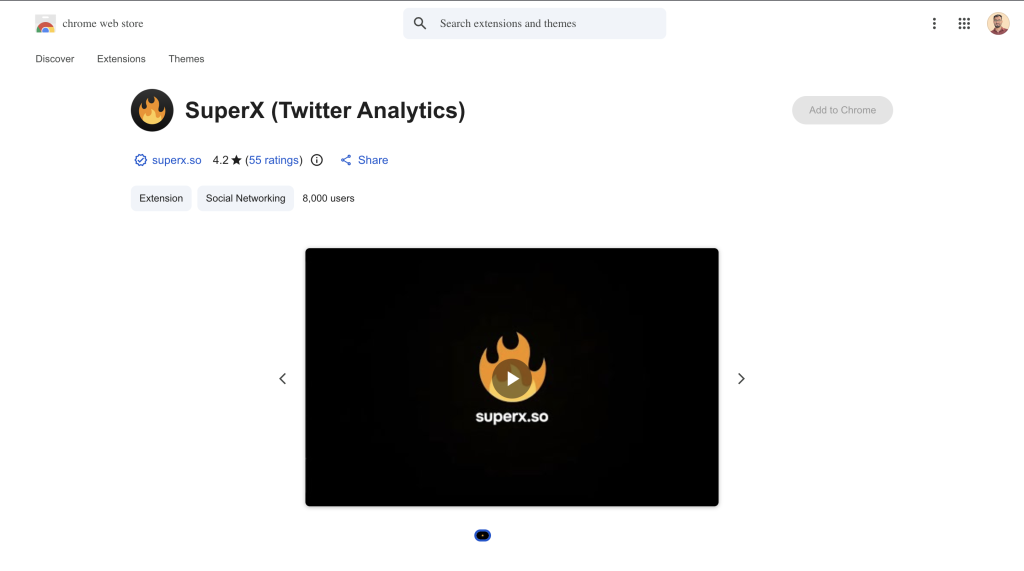
Best for: Creators who want analytics, scheduling, and AI content help in one sidebar Pricing: Free trial available; paid plans from ~$29/month Chrome Web Store rating: 4.1/5 (10,000+ users)
SuperX (superx.so) is a newer entrant that positions itself as a complete X growth toolkit delivered as a Chrome extension and web app. Built by indie makers Tibo and Rob, the extension loads a sidebar directly inside X with analytics, a scheduler, follower tracker, and AI tweet writer — all without leaving the platform.
The standout thing about SuperX is how native it feels. You don’t switch tabs to see how a post performed or queue up the next one. It all lives inside x.com as you’re using it. Users consistently praise this integration: it surfaces activity frequency graphs, impression tracking, engagement breakdowns, and an interaction matrix that shows likes, replies, and retweets between you and any other profile.
One honest caveat: SuperX has a relatively small user base still, and some users report occasional extension breakage when X updates its interface. But the core workflow is solid and the pricing is meaningfully cheaper than TweetHunter at a similar feature level.
Key features:
- In-browser analytics sidebar (impressions, engagement, follower growth)
- Profile comparison and interaction matrix
- AI tweet writer and viral post inspiration
- Built-in post scheduler
- Follower and engagement tracking over time
4. Minimal Theme for X by Typefully — Best for Focus and Clean UI
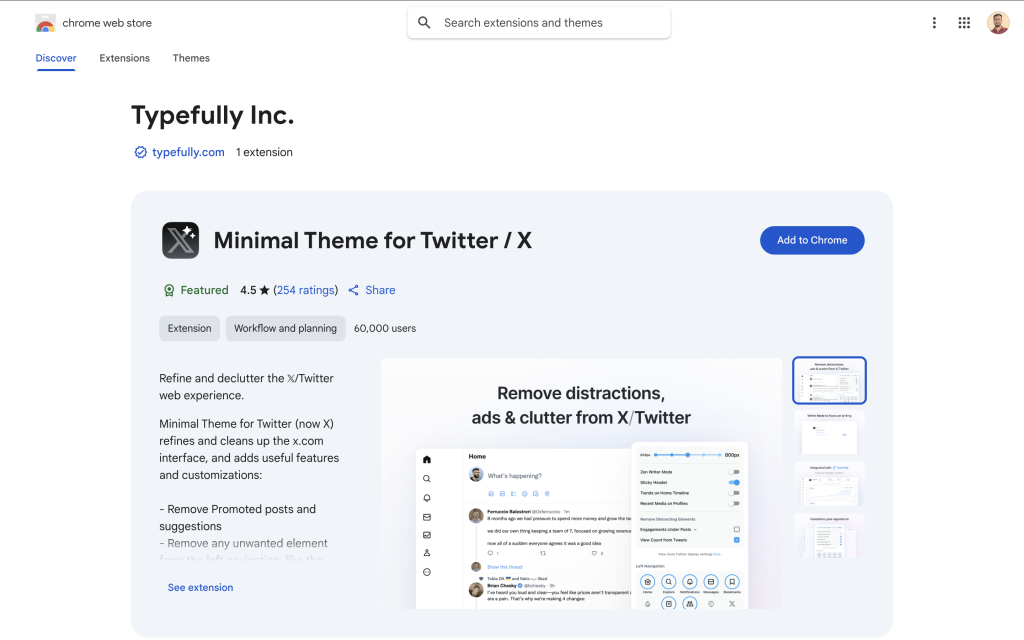
Best for: Writers and creators who find X noisy and want a distraction-free experience Pricing: Free Chrome Web Store rating: 4.5/5
Typefully — known for its Twitter/X and LinkedIn scheduling tool — also makes this excellent free Chrome extension. Minimal Theme strips back the X interface to what actually matters: your feed and compose box.
With one install you can remove promoted posts and ads, hide the algorithmic “For You” tab to default to chronological, hide trends and “Who to follow” suggestions from the sidebar, remove view counts, hide the Grok button, and toggle a Writer Mode that hides everything except the tweet composer. It’s particularly good for anyone who sits down to write threads and finds themselves distracted before they’ve typed a word.
The extension is open source (maintained on GitHub by the Typefully team), actively updated, and has a clean permission set with no data collection concerns.
Key features:
- Remove ads and promoted posts
- Default to chronological “Following” timeline
- Clean up sidebar (trends, suggestions, Grok)
- Writer Mode for distraction-free composing
- Customize timeline width and navigation items
- Hide vanity metrics (likes, view counts)
5. Control Panel for Twitter — Best for Power Users Who Want Total Control
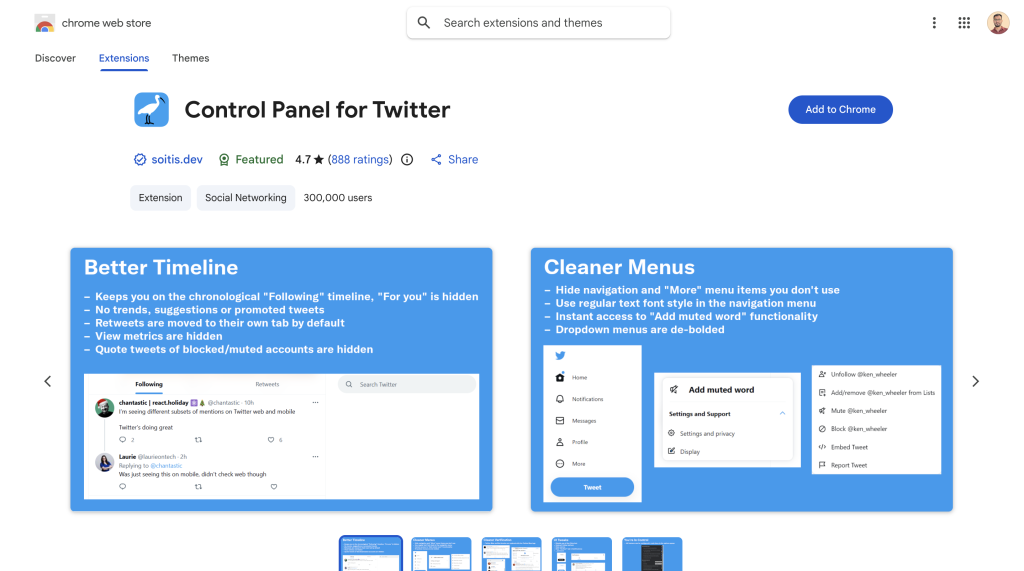
Best for: Users who want granular control over every aspect of the X interface Pricing: Free Chrome Web Store rating: 4.7/5
Control Panel for Twitter is the most configurable free X extension available. Where Minimal Theme gives you a curated set of clean defaults, Control Panel gives you dozens of individual toggles to fine-tune exactly how X looks and behaves.
Out of the box it defaults your feed to the reverse-chronological “Following” timeline and keeps it there — X can’t override it back to algorithmic. From there you can move retweets to a separate tab instead of hiding them, suppress sidebar content, hide specific nav items, restore the classic Twitter-era interaction links, tweak fonts, hide metrics, fast-block or mute users, and restore the Dim theme that X removed in early 2026 (something users have genuinely celebrated in reviews).
It’s free, open source, and maintained actively. The permission set is transparent — no data collection.
Key features:
- Lock timeline to chronological “Following” feed permanently
- Move retweets to a separate tab or hide them entirely
- Suppress trends, “Who to follow,” and sidebar ads
- Restore Dim/Navy Blue theme removed by X
- Fast block and mute options
- Granular UI toggles (fonts, metrics, compose button, nav items)
Install Control Panel for Twitter →
6. Xetter — Best for Media Downloads and Layout Customization
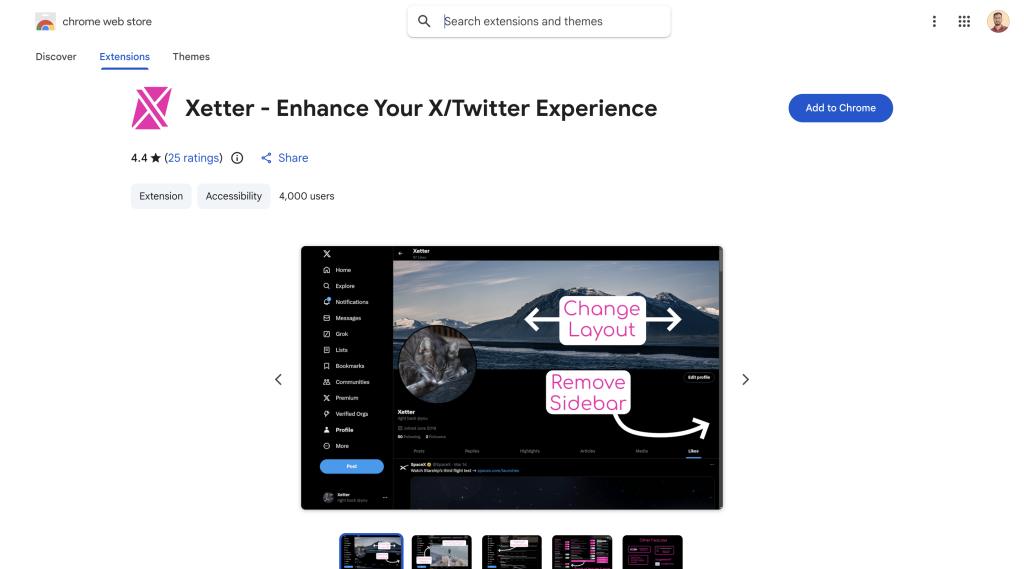
Best for: Anyone who regularly saves images, videos, or GIFs from X, or wants layout tweaks Pricing: Free Chrome Web Store rating: 4.4/5
Xetter is a lightweight extension that handles two things really well: media downloads and layout control. Click a single button to download any photo, video, or GIF from X at the highest quality available — no copy-pasting URLs into third-party sites.
Beyond media, Xetter adds layout customization (expand the content area, hide sidebars), highlights your own interactions in the feed so you can see what you’ve already liked or retweeted at a glance, and includes keyboard navigation for faster browsing. It also has a fill-width mode for widescreen monitors and a clean popup config panel for toggling features on and off.
It’s small (under 70KB), actively maintained, and made for power users who want speed and clarity without a heavy feature set.
Key features:
- One-click media download (photos, videos, GIFs) at best available quality
- Layout customization (expand content area, hide sidebars, fill-width mode)
- Highlights your liked and retweeted posts in the feed
- Keyboard navigation shortcuts
- Disable content warnings toggle
- Lightweight and fast
7. What About Twemex?
If you’ve been using X for a while you’ve likely heard of Twemex, the original sidebar extension for viewing any profile’s top tweets. Tweet Hunter acquired Twemex and relaunched it as Tweet Hunter X (extension #1 on this list). If you’re still searching for Twemex, that’s the current version — same core concept, significantly more features.
Which X/Twitter Chrome Extension Should You Install First?
Here’s a quick decision guide based on what you’re actually trying to do:
| Goal | Best extension |
|---|---|
| Turn articles, videos, and quotes into posts or carousels | Contentdrips |
| Research competitor content and get viral inspiration | Tweet Hunter X |
| Full analytics + AI writing + scheduling in one tool | SuperX |
| Clean up X and eliminate distractions | Minimal Theme by Typefully |
| Total control over the X interface | Control Panel for Twitter |
| Download media, customize layout | Xetter |
For most active X creators, a practical starting stack is: Contentdrips (content creation from any page) + Tweet Hunter X (research inside X) + Minimal Theme or Control Panel (feed control). Add SuperX if you want deep analytics without logging into a separate dashboard.
FAQs
What is the best Chrome extension for X/Twitter in 2026?
It depends on your goal. For content creation — turning articles, YouTube videos, and quotes into social media posts and carousels — Contentdrips is the standout pick. For content research inside X, Tweet Hunter X leads with 50,000+ users and a strong free tier. For all-in-one analytics and scheduling, SuperX is a strong newer alternative. For UI control, Control Panel for Twitter is the most configurable free option.
Is there a free Chrome extension for X/Twitter?
Yes. Contentdrips, Minimal Theme by Typefully, Control Panel for Twitter, and Xetter are all free to install. Tweet Hunter X has a useful free tier. SuperX offers a free trial.
What is the Contentdrips Chrome extension?
The Contentdrips Chrome extension lets you create social media posts, carousels, and graphics from any webpage — without switching tabs. Right-click any article, YouTube video, selected text, or image to send it straight to Contentdrips and generate a designed post. It also includes an AI Design Agent in the popup where you can describe a design and generate it in seconds.
What happened to Twemex?
Twemex was acquired by Tweet Hunter and rebranded as Tweet Hunter X. If you’re searching for Twemex, install Tweet Hunter X — it includes everything Twemex did plus additional features.
Does SuperX have a Chrome extension?
Yes. SuperX’s Chrome extension (superx.so) installs a sidebar directly inside X/Twitter that shows analytics, a scheduler, and AI writing tools without leaving the platform. It’s available in the Chrome Web Store.
What is the Typefully Chrome extension for Twitter?
Typefully makes the Minimal Theme for X/Twitter, a free Chrome extension that cleans up the X interface by removing ads, promoted posts, trends, and algorithmic suggestions. It also includes a Writer Mode for distraction-free composing.
Are these Chrome extensions safe to use?
The extensions on this list — Contentdrips, Tweet Hunter X, SuperX, Minimal Theme, Control Panel for Twitter and Xetter — are all published on the Chrome Web Store with disclosed permissions. Minimal Theme and Control Panel for Twitter are open source. Always check the permissions tab in the Chrome Web Store before installing any extension.
Conclusion
The best Chrome extension for X/Twitter in 2026 depends entirely on what’s slowing you down. If you want to turn the content you’re already reading into social media posts without switching apps, Contentdrips is the obvious starting point. If content research is the bottleneck, Tweet Hunter X handles it. If you want analytics, AI writing, and scheduling in one sidebar, SuperX is worth testing. If the X interface itself is the problem — noise, ads, algorithmic chaos — Minimal Theme or Control Panel will fix it for free.
Install one, use it for a week, and see which friction it removes. That’s a better approach than installing eight extensions that all compete for sidebar real estate.