
New Launch: Contentdrips MCP –Try for Free➜
Turn any topic, blog post, or YouTube video into a professional LinkedIn carousel in minutes. AI writes the copy and designs the slides. No design skills needed, no credit card required.
HOW IT WORKS
From topic to published carousel in under 5 minutes.
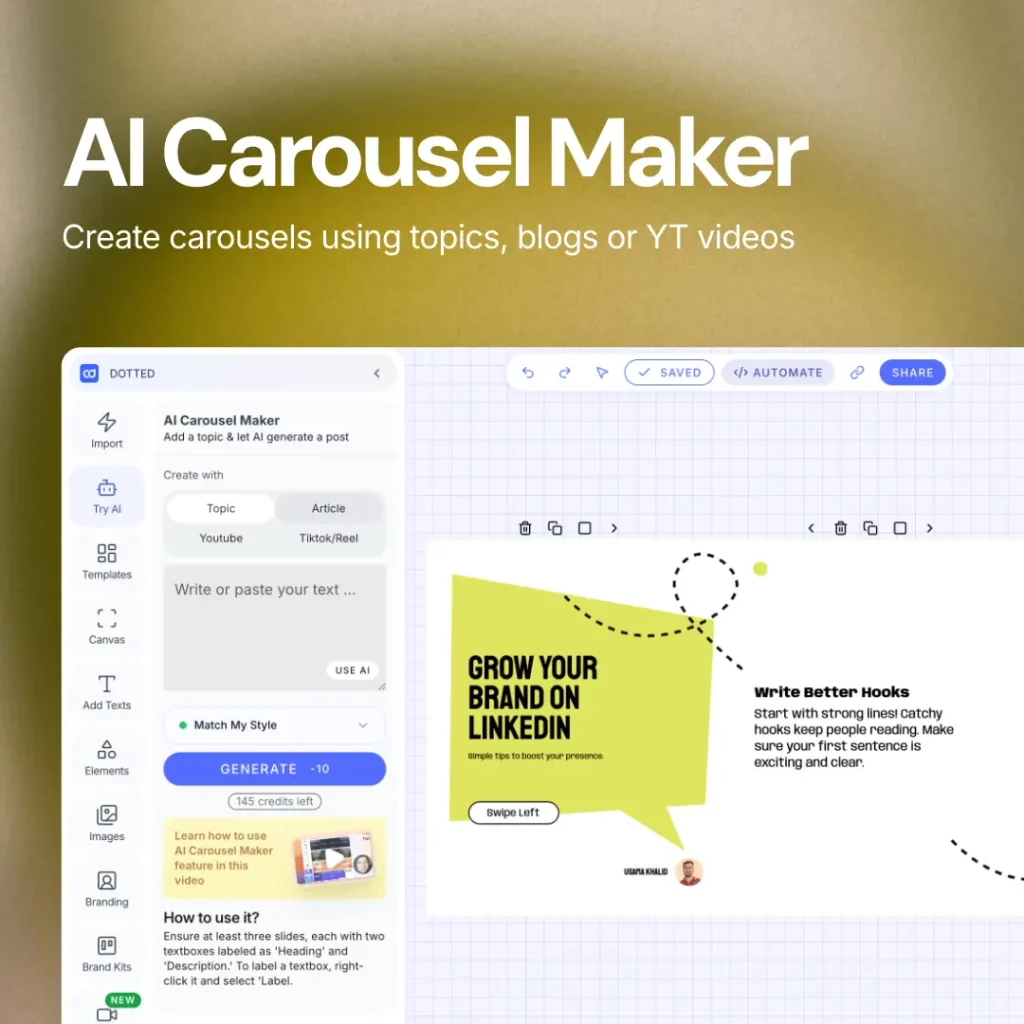
Enter a topic, blog URL, or YouTube link. The AI automatically formats it into a LinkedIn carousel. Alternatively, use a template and customize it.
Customize your name, photo, and LinkedIn handle quickly. Templates are pre-sized at 1080×1350 for LinkedIn documents.
Export as a clean PDF, the exact format LinkedIn requires. Upload as a document post and publish. You can also schedule it.
WHY CAROUSELS
Every swipe counts as engagement. More engagement means more reach. LinkedIn pushes carousel posts further than text, images, or video posts.
ALGORITHM
LinkedIn’s algorithm measures time spent on content. Each swipe registers as a strong signal, which pushes your carousel to more people. Text posts cannot compete with this.
BRAND
A consistent carousel style teaches LinkedIn’s audience to recognize you before they even read the text. It is the fastest format for building a personal brand on the platform.
RESULTS
Our users regularly hit 50,000+ views and hundreds of saves from a single carousel upload. The format works when done right, and the templates are built to do it right.
LINKEDIN CAROUSEL DIMENSIONS
LinkedIn carousels are uploaded as PDFs. Each page becomes one slide. All Contentdrips templates are pre-sized correctly so you never have to think about this.
RECOMMENDED
The 4:5 portrait format takes up more screen space in the LinkedIn feed. More visible area means more chance of stopping the scroll. This is the recommended format for most carousels.
ALSO WORKS
The 1:1 square format is a clean, versatile choice. Slightly less feed presence than portrait, but works well for data-heavy slides, step-by-step guides, and infographic-style carousels.
CAROUSEL ANATOMY
The format is powerful, but only if you structure it correctly. These are the rules that separate high-reach carousels from ones that get ignored.
Your first slide is the only one people see before deciding to swipe. Use a bold statement, a surprising number, or a question they need the answer to. You have one shot to earn the swipe.
Opening with context, background, or ‘today I want to share’ kills your reach. Nobody swipes past a weak first slide. Lead with your best point, not your warmup.
LinkedIn carousels are not essays. Each slide should communicate one clear point. 40 to 50 words maximum per slide. If you can say it in less, do.
Small fonts on a 6-inch screen are invisible. Dense slides lose readers before they finish the carousel. White space and one clear idea per slide always win.
Include your photo and LinkedIn handle on each slide. People start recognizing your style before they even read the text. That is how you build a following on LinkedIn.
Your last slide should tell people exactly what to do: follow you, comment with their thoughts, or visit a link. Do not leave them with nowhere to go after finishing.
BUILT FOR LINKEDIN
Most design tools were built for general social media. You end up fighting dimensions, slide counts, and export formats every time. Contentdrips was built with LinkedIn in mind from day one.
GO BEYOND FREE TOOLS
The free AI LinkedIn carousel generator is just the start. Contentdrips gives you everything to create, schedule, and publish LinkedIn content at scale.
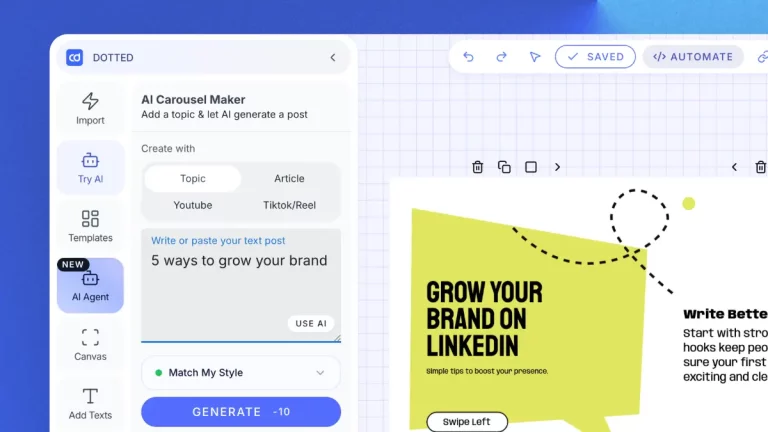
Paste a blog URL, YouTube link, or TikTok and get a designed LinkedIn carousel instantly.
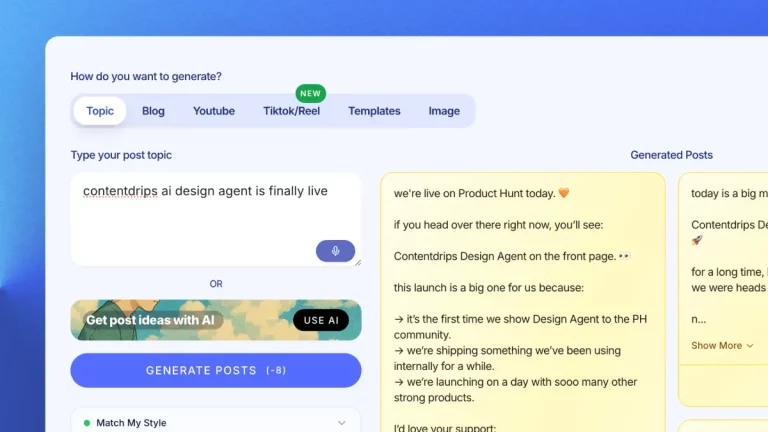
Generate LinkedIn post copy in your voice. Match My Style learns from your past content.
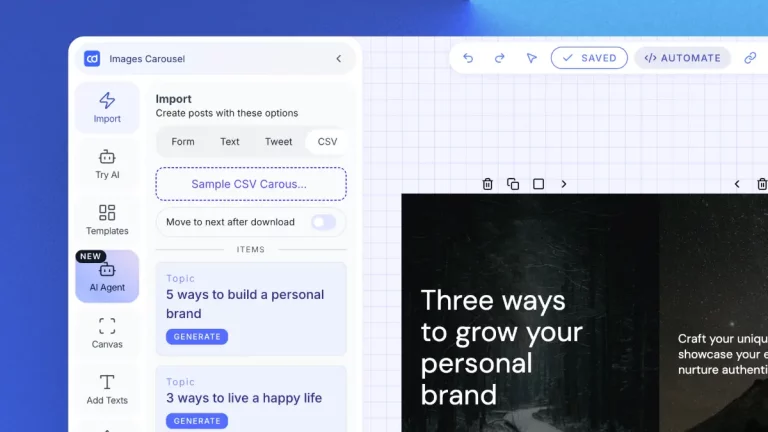
Upload a CSV and generate hundreds of unique LinkedIn carousels at once.
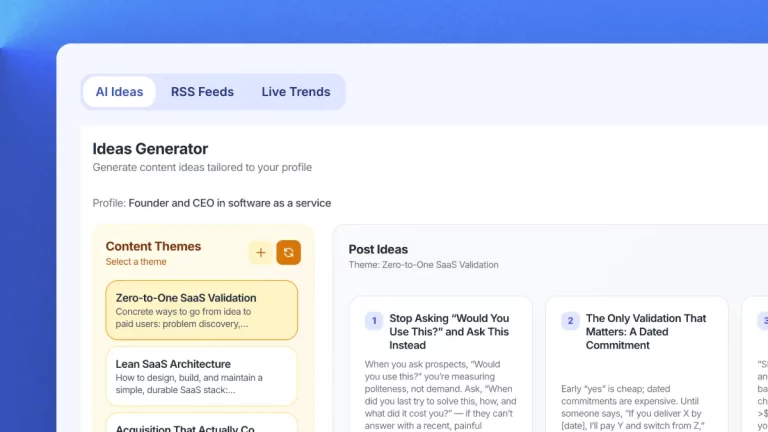
Get daily LinkedIn content ideas for your niche. Never run out of topics to post about.
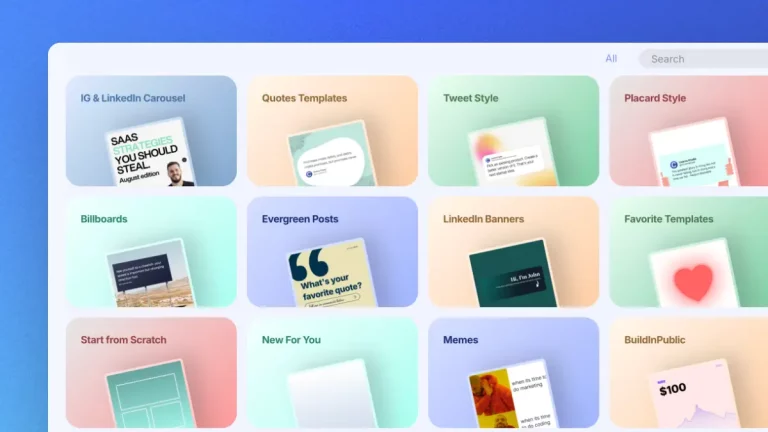
Hundreds of LinkedIn carousel templates. Sized correctly, editable, and on-brand instantly.
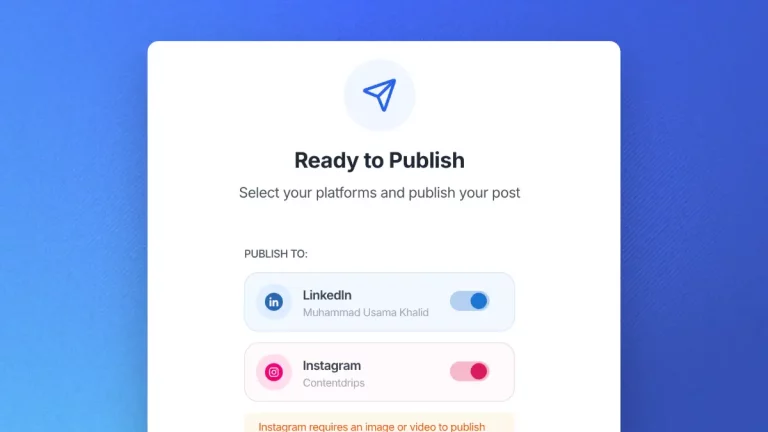
Schedule and publish directly to LinkedIn. No manual downloading and uploading.
WHO IT IS FOR

Create carousels that showcase your skills and get noticed by recruiters. Stand out in a feed full of text posts.
Build a personal brand that makes people want to work with you, without spending hours designing every post.

Turn your ideas into a consistent stream of polished LinkedIn carousels. No designer needed, no design experience required.

Create LinkedIn carousels for clients. Maintain brand consistency across accounts with saved brand kit settings.
A LinkedIn carousel is a document post made up of multiple slides users can swipe through. It is LinkedIn’s highest-performing content format, generating more swipes, saves, and reach than text or image posts.
Three steps: enter a topic or paste existing content, choose a LinkedIn carousel template and customize it with your branding, then download as PDF and upload to LinkedIn as a document post. Total time is under 5 minutes.
LinkedIn carousels are uploaded as PDFs. Each page becomes one slide. The recommended size is 1080x1350px (portrait, 4:5 ratio) for maximum feed visibility. Square 1080x1080px also works well. All Contentdrips templates are pre-sized correctly.
5 to 15 slides is the sweet spot. Fewer than 5 does not give people enough reason to keep swiping. More than 20 risks losing attention before the end. Always save your last slide for a clear call to action.
Yes. Create and download up to 5 LinkedIn carousels per month completely free. No credit card required. For unlimited downloads, AI generation, no watermarks, and direct LinkedIn publishing, upgrade to the Starter plan at $26 per month.
Yes. The AI carousel generator takes any topic, blog post URL, or YouTube link and generates a fully structured LinkedIn carousel in seconds. This feature is available on the Starter plan.
Yes, on the Starter plan. Create your carousel and publish directly to LinkedIn without manually downloading and uploading. The free plan requires a manual upload.
Canva is a general design tool. Contentdrips is built specifically for LinkedIn. Templates sized for LinkedIn document posts, AI that understands LinkedIn content structure, blog-to-carousel conversion, and direct LinkedIn publishing are not available in Canva.
Yes, on the Starter plan and above. Upload your brand kit with your fonts, colors, and logo. Every carousel template automatically applies your brand.
LinkedIn carousels must be uploaded as PDF files. Each page of the PDF becomes one slide. Contentdrips exports directly in the correct PDF format so you never have to configure anything manually.
RELATED FREE TOOLS
Every tool works standalone or as part of your full content workflow.
Proven LinkedIn carousel templates used by top creators. Customize and download in minutes.
Generate LinkedIn text posts from topics, blog URLs, or YouTube videos. Written in your voice.
Create multi-slide Instagram carousels from any topic, blog URL, or video in minutes.
You do not need a design background. You do not need hours of free time. You just need a topic and Contentdrips does the rest.