On this page:
- What is a TikTok carousel?
- Key takeaways
- Size and requirements
- How to post a carousel, step by step
- Common mistakes to avoid
- FAQ
What is a TikTok carousel?
A TikTok carousel is a post made of up to 35 swipeable photos instead of a video. TikTok calls the feature Photo Mode. Viewers swipe left through your images the same way they’d scroll a video feed, and each slide can carry its own text, stickers, and background sound. It’s currently outperforming standard video on engagement, which is the main reason it’s worth learning properly rather than throwing a few photos together.
Key takeaways
- TikTok carousels support 2 to 35 images, sized at 1080 × 1920px (9:16).
- Your first slide is your cover: it has to work as a standalone hook, since it’s the only slide people see before deciding to swipe.
- Image order is set when you select them, not adjustable afterward (more on that in the FAQ below).
- You can add text, stickers, and a background sound to any slide, same as a video post.
- Once it’s built, you can post immediately or schedule it for later.
Not sure where to start? Browse free carousel templates instead of building from a blank canvas.
Size and requirements
Get these right before you start uploading. TikTok will crop or letterbox anything that doesn’t match, which is where most carousels lose their polish.
| Spec | Requirement |
|---|---|
| Aspect ratio | 9:16 (vertical) |
| Resolution | 1080 × 1920px |
| Image count | 2–35 images (5–10 tends to get the best completion rate) |
| File format | JPG or PNG |
| File size | Under 20MB per image |
If resizing every slide by hand sounds tedious, Contentdrips’ TikTok carousel maker auto-sizes every slide to this exact spec for you, so nothing comes out cropped or bordered.
How to post a carousel on TikTok, step by step
- Open the TikTok app and tap the + icon at the bottom of the screen, same place you’d start a video.
- Switch to Photo Mode. You’ll see a toggle near the capture button; Photo sits alongside your usual video options.
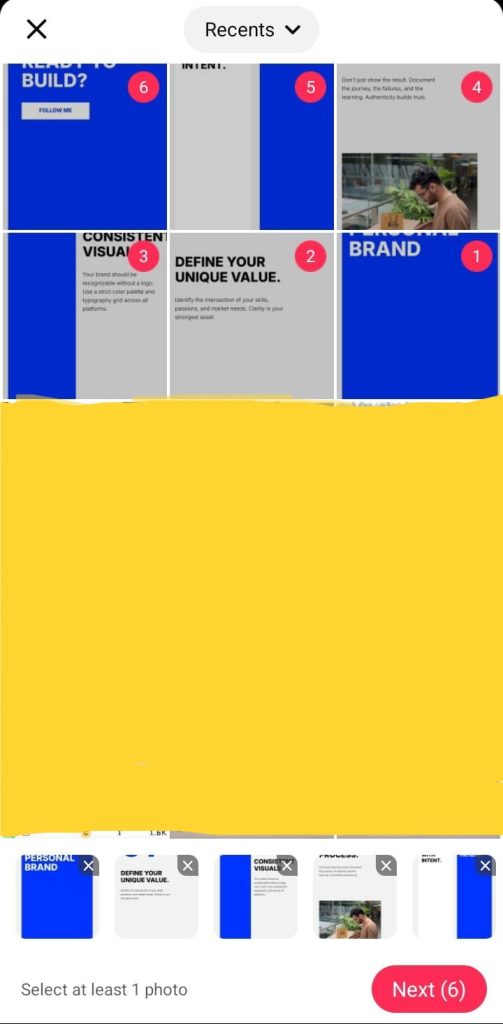
- Select your images, in order. TikTok numbers each one as you tap it, so build your sequence with your cover slide first. This is also how the final swipe order gets set; there’s no separate reorder step afterwards.
4. Add text, stickers, or filters to any slide that needs it, the same editing tools you’d use on a photo or video.
5. Add a background sound if you want one. Tap Sounds, search, and pick a track. TikTok shows how many posts have used it, which is a quick way to gauge whether it’s trending or oversaturated.

6. Write your caption, add hashtags, and set your location or audience if relevant.
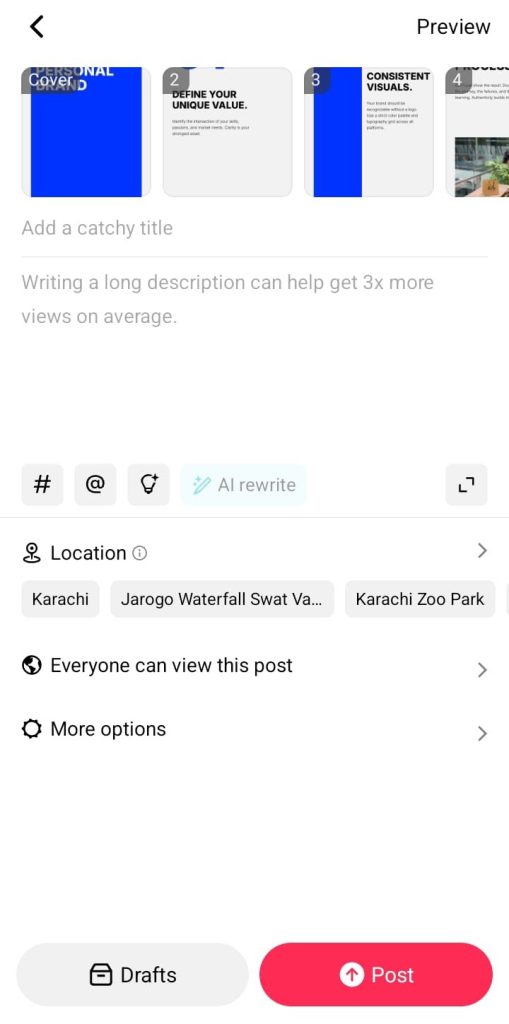
7. Post immediately, or schedule it for later from the same screen.
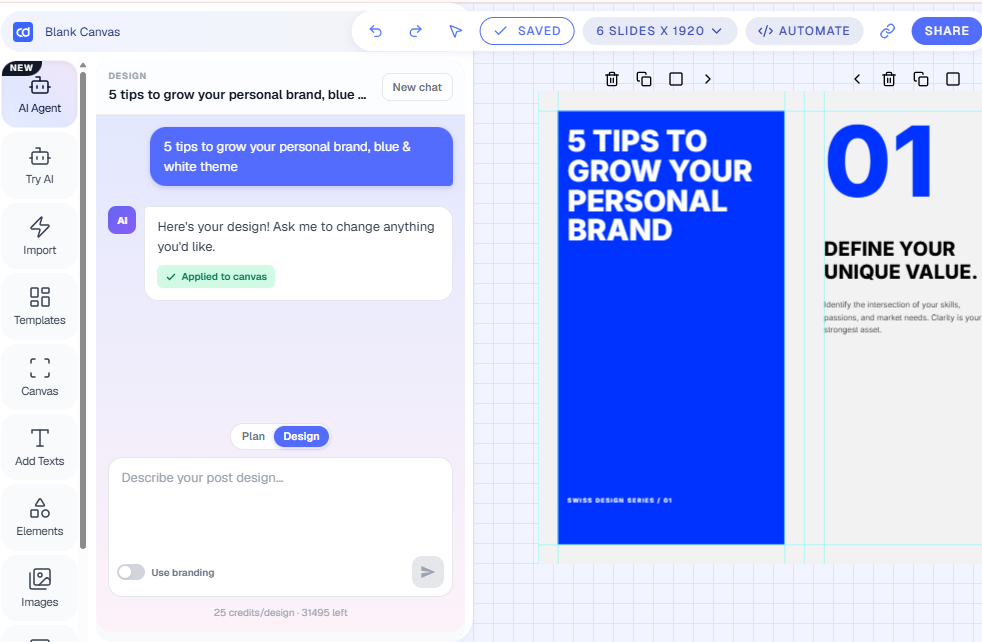
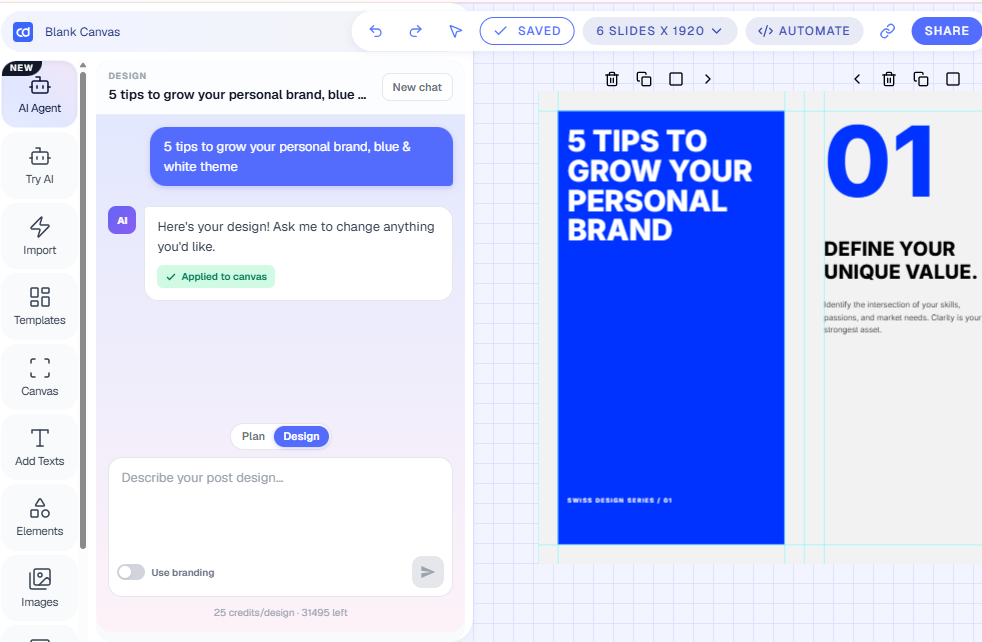
Or skip steps 3 to 6 entirely: describe what you want to the AI Design Agent and let it write the copy and design every slide for you, still exported at TikTok’s exact spec.
Here’s what a finished carousel looks like live, mid-swipe:

Common mistakes to avoid
- Wrong aspect ratio. Anything off 9:16 gets a blurred or white border added automatically, so plan your images at 1080×1920 from the start rather than fixing it after the fact.
- A weak first slide. Your cover has to earn the swipe on its own. If it reads like slide 3 of 10 instead of a hook, most people won’t tap through.
- Too many slides. Technically you can post 35, but completion rate drops the longer a carousel runs. 5–10 is the sweet spot unless the content genuinely needs more.
- Text-heavy slides with no hierarchy. One idea per slide, one clear focal point. If someone can’t get the point in a half-second glance, it’s too dense.
FAQ
What is a carousel post? A carousel post is a single post made up of multiple images or slides that viewers swipe through, instead of one photo or one video. On TikTok, this feature is called Photo Mode.
Can you post a carousel on TikTok? Yes. It’s a native feature called Photo Mode, available to everyone in the app. Tap + and switch from Video to Photo before selecting your images.
Do carousels work on TikTok? Yes, and often better than video. Carousels have been shown to get meaningfully higher engagement than standard video posts, partly because every slide swipe sends its own signal to the algorithm: a 10-slide carousel someone swipes through fully sends far more signals than a single video view.
How many slides should a TikTok carousel have? TikTok allows 2 to 35, but 5 to 10 tends to hold completion rate best. Longer carousels can work if every slide earns its place, but drop-off rises the longer the swipe.
Can you reorder images after uploading? No. Order is set as you tap each image during selection, numbered 1, 2, 3, and so on. There’s no separate reorder step afterward, so build your sequence deliberately before you start tapping, cover slide first.
Why does TikTok add a blurred border to some images? It happens automatically when an image doesn’t match the 9:16 aspect ratio. TikTok fills the extra space with a blurred version of the image rather than leaving it blank. The fix is uploading images already sized to 1080×1920.
How long does each slide show before it advances? About five seconds by default, though viewers can swipe forward or back manually at any point, and you can adjust the timing per slide while editing.
Can I add or remove music from a TikTok carousel? Yes to both. TikTok will sometimes auto-suggest a track, or you can search and pick your own from the Sounds library, as covered in step 5 above. To post without music, lower the volume slider to zero before publishing.
Can I include a video inside a Photo Mode carousel? No, Photo Mode is images only. If you want to mix video and photos in the same post, you’ll need TikTok’s standard video upload instead.
What’s the difference between a TikTok carousel and an Instagram carousel? Mainly the spec. TikTok carousels are vertical (9:16, 1080×1920) and support up to 35 images. Instagram carousels are typically square or 4:5 and cap at 10 slides. Content built for one platform usually needs resizing before it works cleanly on the other.
Can I download a TikTok carousel as a video? There are ways to convert a carousel into a video file for reposting elsewhere, but that’s a different workflow from posting the carousel itself. We’ll cover it in a separate guide.
Want the design handled for you? Contentdrips’ TikTok carousel maker generates the slides, writes the caption, and can schedule the post straight to TikTok.

Amna Anjum is an Associate at Contentdrips, working closely with the product and how creators use it day to day. She specializes in social content strategy, with deep knowledge of how carousels, graphics, and threads perform across Instagram, LinkedIn, Twitter, and TikTok. She writes from firsthand experience with the tools and workflows she covers.