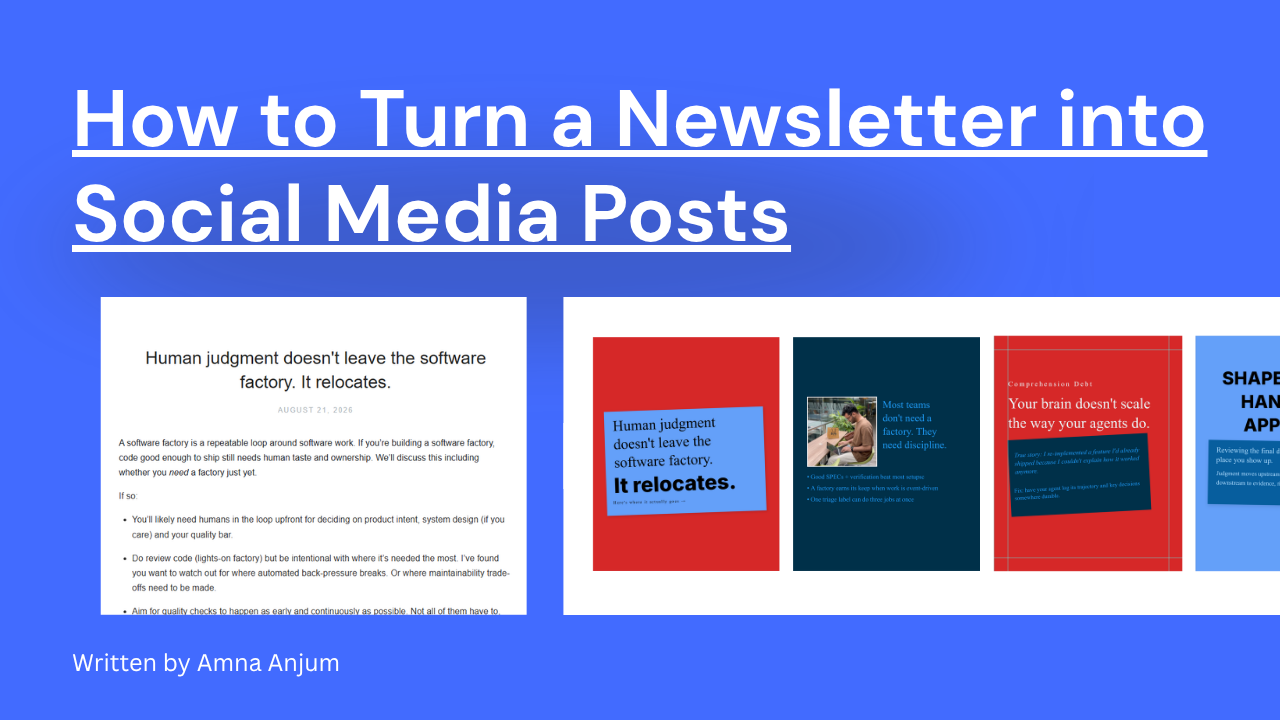
Carousels consistently pull higher saves, longer view times, and more comments than single-image posts, but designing one slide by slide, keeping fonts and colors consistent, and writing copy that actually flows is what stops most people from posting them regularly. The right tool removes that friction entirely.
Quick answer: if you want AI to write and design the whole thing from a topic or blog post, ContentDrips or PostNitro will get you there fastest. If you want full manual design control with the deepest template library, Canva wins. If you’re repurposing content you already wrote, WaveGen or ContentDrips’s blog-to-carousel feature are built for that. If you need something completely free with no login, aiCarousels.com or CreatorFlow cover it. The full breakdown, with honest pros and cons for all ten, is below.
How We Compared These Tools
We evaluated each tool across six criteria: whether it generates carousels with AI or requires manual design, template depth, native Instagram sizing (1080×1350 portrait or 1080×1080 square), pricing structure, ease of use for non-designers, and whether it publishes or schedules directly to Instagram. ContentDrips (the tool we build) is included and held to the same pros/cons format as every competitor here, including where it falls short.
At a Glance: 10 Instagram Carousel Makers Compared
| Tool | Best For | AI Generation | Free Plan | Starting Price | Native IG Sizing |
|---|---|---|---|---|---|
| ContentDrips | AI-generated + manual carousels in one tool | Yes | Yes | $26/mo (Starter) | Yes |
| PostNitro | Fastest prompt-to-carousel | Yes | Yes | Free / paid from ~$7-16/mo | Yes |
| Canva | Deepest template library, manual design | Limited (Magic Design) | Yes | $119.99/yr (Pro) | Yes |
| WaveGen | Turning existing content into carousels | Yes | Free trial | Paid | Yes |
| Predis.ai | Carousels + full social content suite | Yes | Yes (limited) | $19/mo (credit-based) | Yes |
| Carousify | Publishing to Instagram + LinkedIn together | Yes | Free tier | Paid | Yes |
| Carousel Studio (Canva app) | Staying inside Canva | Yes | Yes | $18.99/mo (Pro features) | Yes |
| aiCarousels.com | Completely free, no sign-up | Yes | Yes (full) | Free | Yes |
| Imejis.io | API-driven, bulk/programmatic generation | Template-based | Yes (100 credits/mo) | $14.99/mo | Yes |
| CreatorFlow | Minimalist, no-login free tool | No | Yes (full) | Free | Yes |
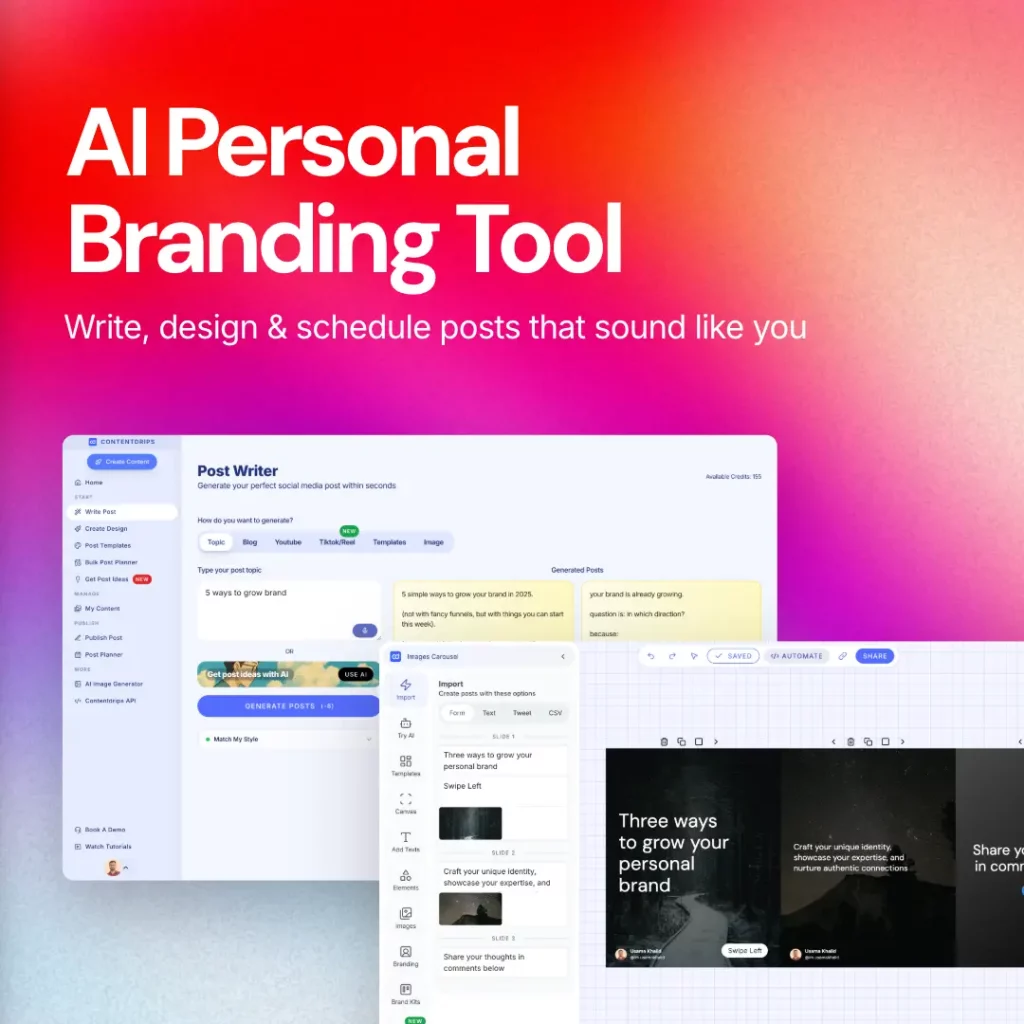
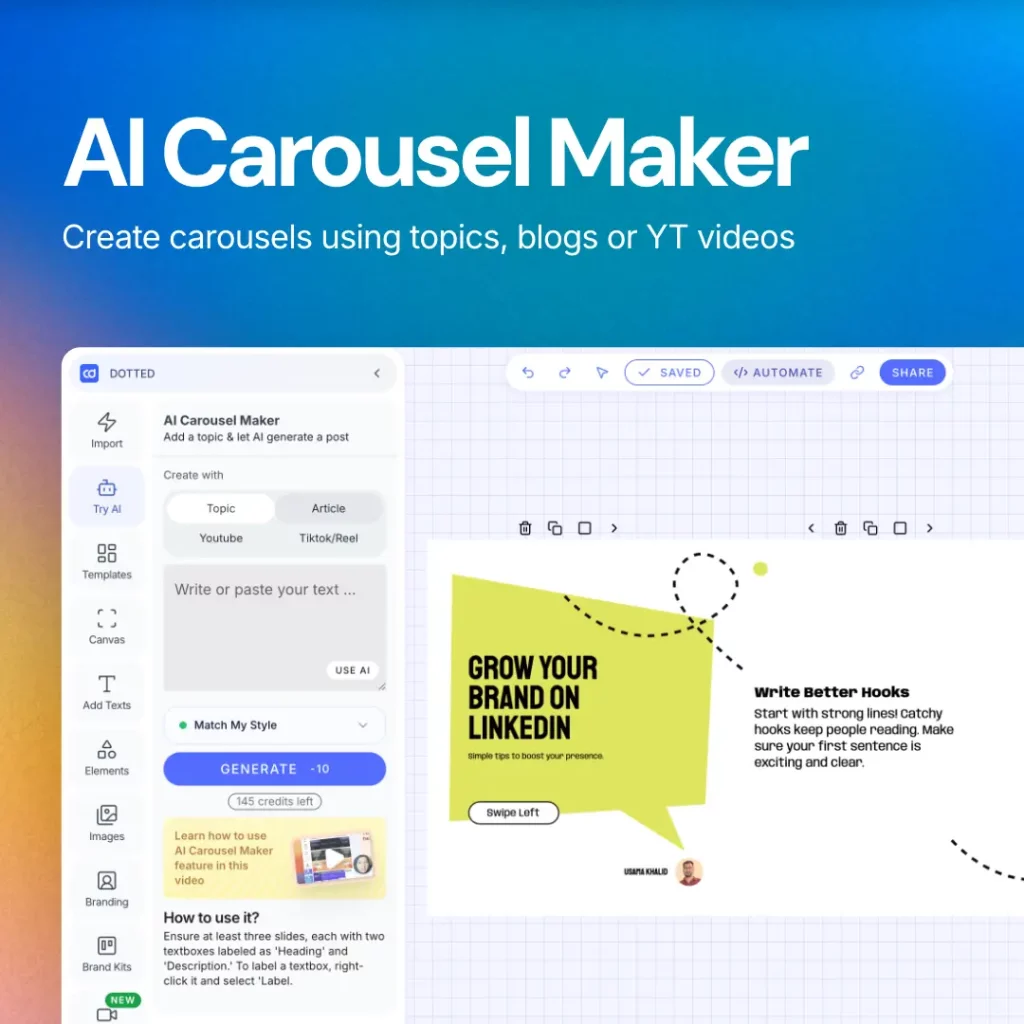
1. ContentDrips: Best for AI-Generated and Manual Carousels in One Place
ContentDrips is built to cover both ends of the spectrum: give it a topic, blog post, or YouTube video and its AI writes and designs a full Instagram carousel automatically, or paste your own text into its free text-to-carousel tool if you’ve already written the content and just want it formatted. Pricing starts free (limited downloads, watermarked) with the Starter plan at $26/month unlocking unlimited exports, AI features, and custom branding.
Pros
- Covers both AI-generated and manual workflows in one platform, so you’re not switching tools depending on the job
- Free, no-login text-to-carousel tool for quick manual jobs
- Custom brand kit, fonts, and templates on paid tiers
Cons
- AI features are locked behind the paid Starter tier, so the free plan is manual-only
- Smaller template library than design-first tools like Canva
- No native video/reel creation, unlike some all-in-one competitors
What we’ve heard from switchers: creators moving from purely manual tools mention the AI-from-topic feature cuts their weekly carousel time significantly, since they’re no longer starting from a blank canvas for every post.
Try ContentDrips free → No credit card required, and use our AI design agent to publish your first carousel in 2 minutes.
2. PostNitro: Best for Fastest Prompt-to-Carousel
PostNitro turns a single prompt, article, or Twitter thread into a polished multi-slide carousel in minutes, backed by 100+ templates and a free plan that includes AI generation from the start, with no credit card required to try it. See also our PostNitro alternative breakdown. Paid plans run from roughly $7-16/month depending on the source, scaling up to team workspaces at $40/month.
Pros
- AI carousel generation included even on the free tier
- Publishes across five platforms (Instagram, LinkedIn, TikTok, X, Threads) from one project
- Developer-friendly Embed SDK and public API for teams building on top of it
Cons
- Higher tiers needed for team collaboration and higher AI-image limits
- Design customization is lighter than a full design suite like Canva
- Reviewers note the free tier’s export limits are restrictive for daily posters
3. Canva: Best for Manual Design Control and Template Depth
Canva remains the go-to when you want to design every slide by hand with maximum creative control. Its multi-page carousel format lets you view and edit all slides side by side for visual continuity, backed by a massive Instagram-specific template library. Pro is $119.99/year for one person, with custom pricing for teams. For a deeper side-by-side, see our Canva alternative page.
Pros
- Unmatched template and asset library across every use case, not just carousels
- Brand Kit keeps fonts, colors, and logos consistent across every slide
- Strong for collaboration with real-time team editing
Cons
- Manual-first, with no native content-to-carousel automation from a topic or blog post
- AI features (Magic Design) are add-ons, not the core workflow
- Can take longer per carousel than AI-first tools if you’re starting from scratch
4. WaveGen: Best for Turning Existing Content into Carousels
WaveGen is built specifically for repurposing: paste a blog post, newsletter, or transcript and it generates a LinkedIn carousel (PDF), Instagram carousel (1080×1350), and TikTok slideshow from the same source, plus a platform-tailored caption, then schedules across five platforms with first-comment automation.
Pros
- One source document produces carousels for multiple platforms simultaneously
- AI-native with a brand kit that can auto-draft from your existing site
- Built-in multi-platform scheduling, not just design
Cons
- Less useful if you’re not starting from existing long-form content
- Smaller template library than design-first competitors
- No free-forever plan, free trial only
5. Predis.ai: Best for Carousels Plus a Full Social Content Suite
Predis.ai goes beyond carousels into a full AI content suite (images, captions, hashtags, voiceovers, and short-form video) from a single text prompt, with built-in scheduling and competitor analysis across Instagram, Facebook, TikTok, and LinkedIn. Pricing is credit-based, starting around $19/month.
Pros
- One dashboard covers carousels, video, captions, and scheduling
- Competitor content analysis helps with strategy, not just design
- Strong for solo creators and small teams wanting an all-in-one tool
Cons
- Credit-based pricing gets unpredictable at higher volume; heavy users report hitting limits fast
- AI output often needs manual polish on tone and CTAs before publishing
- Not built for nuanced, emotionally-driven, or B2B thought-leadership content
6. Carousify: Best for Publishing to Instagram and LinkedIn Together
Carousify writes and styles carousel slides with AI, then publishes directly to both Instagram and LinkedIn from the same build, useful if you’re maintaining a presence on both platforms without re-exporting content twice.
Pros
- Direct dual-platform publishing (Instagram + LinkedIn) from one design
- Smart Carousel AI writes the slide copy, not just the layout
- Brand kit keeps every deck on-brand automatically
Cons
- Narrower platform coverage than tools supporting five-plus networks
- Less design flexibility than a full manual editor like Canva
- Newer tool with a smaller template library than established competitors
7. Carousel Studio: Best If You Already Live in Canva
Carousel Studio is a Canva app rather than a standalone platform: it turns messy notes or a prompt into a polished, on-brand carousel using AI, directly inside the Canva editor you may already use daily, with 20+ premium themes and export to Instagram or LinkedIn.
Pros
- No new platform to learn, works inside your existing Canva workflow
- AI handles both copy and design from a simple prompt
- Loved by a large existing Canva user base (500K+ creators)
Cons
- Requires an existing Canva account and subscription for full functionality
- Limited to what Canva’s app framework allows, versus a dedicated standalone tool
- Fewer platform-specific automations (scheduling, API) than dedicated carousel platforms
8. aiCarousels.com: Best Completely Free, No Sign-Up Tool
aiCarousels.com offers topic-to-carousel, text-to-carousel, and even website-to-carousel and YouTube-to-carousel generation, entirely free with no sign-up required, plus a set of bonus tools like LinkedIn post generators and PDF converters bundled in. Full comparison on our aiCarousels alternative page.
Pros
- No account or payment needed for core carousel generation
- Multiple input types: topic, text, website URL, YouTube video, PDF
- Bundled free tools beyond carousels (LinkedIn formatting, PDF conversion)
Cons
- Fewer premium design controls than paid, template-first tools
- No built-in scheduling or direct publishing
- Free tools can be slower or less polished than paid AI generation
9. Imejis.io: Best for API-Driven, Bulk Carousel Generation
Imejis.io stands out as the only carousel maker built around an API: design your slide templates once in a drag-and-drop editor, then generate carousel slides programmatically by feeding in different text, images, and data, ideal for producing carousels at volume rather than one at a time.
Pros
- The only tool on this list purpose-built for API/Zapier automation at scale
- Design once, generate many: a huge time saver for high-volume content
- Free tier includes 100 credits/month, no credit card required
Cons
- Overkill for a single creator posting occasionally; built for volume production
- Requires more setup than prompt-and-go AI tools
- Design flexibility is template-bound rather than fully custom per post
10. CreatorFlow: Best Minimalist Free Tool, No Login Required
CreatorFlow’s Instagram carousel maker is free with no sign-up needed, focused purely on the core job: paste your content, format it into slides, and export, plus some lightweight engagement automation like auto-responding to comments on published carousels.
Pros
- Completely free, no account required to start
- Simple, fast workflow with no learning curve
- Bonus comment/DM automation for published posts
Cons
- No AI-generated design or copywriting, manual formatting only
- Minimal branding and customization options
- No multi-platform publishing, Instagram-focused only
Which Instagram Carousel Maker Should You Choose?
- If you want AI to write and design everything from a topic → ContentDrips or PostNitro
- If you want full manual design control with the deepest template library → Canva
- If you’re repurposing a blog post, newsletter, or video you already made → WaveGen or ContentDrips’s blog-to-carousel tool
- If you want carousels alongside a full social content suite (video, captions, scheduling) → Predis.ai
- If you publish to Instagram and LinkedIn simultaneously → Carousify
- If you already work inside Canva daily → Carousel Studio
- If you need something completely free with zero sign-up → aiCarousels.com or CreatorFlow
- If you’re generating carousels at scale programmatically → Imejis.io
How to Choose: A Quick Framework
Whatever you pick, weigh it against three questions: how much design work you want AI to handle versus doing yourself, whether you need multi-platform publishing or Instagram alone is enough, and whether the pricing model is flat-rate or credit-based. Credit systems can get expensive fast at higher volume, so check your expected monthly output against the plan’s limits before committing.
Frequently Asked Questions
What is the best free Instagram carousel maker? aiCarousels.com and CreatorFlow both offer full carousel creation with no sign-up and no cost. ContentDrips and PostNitro also have free tiers, though AI generation is typically limited or locked to paid plans on those platforms.
Do Instagram carousel makers use AI? Most modern carousel tools now include some AI generation, ranging from AI that writes slide copy from a prompt (ContentDrips) to AI that repurposes existing content like blog posts or videos (WaveGen). Design-first tools like Canva remain manual-first, with AI as a supporting feature rather than the core workflow.
What size should an Instagram carousel be? The standard Instagram carousel size is 1080×1350 pixels (4:5 portrait), which uses the most feed real estate. A 1080×1080 (1:1 square) format also works and is supported by every tool in this list.
Is it better to use an AI tool or design carousels manually? It depends on your starting point. If you’re working from existing content (a blog post, video, or topic idea), an AI-first tool like ContentDrips will be significantly faster. If design consistency and full creative control matter more than speed, a manual tool like Canva gives you that control at the cost of more time per carousel.
What’s the best AI tool for creating Instagram carousel posts? ContentDrips is built specifically around this: give it a topic, blog post, or video and its AI writes the copy and designs the slides together, rather than handling design and copywriting as separate steps. PostNitro is a strong alternative if you’re prioritizing speed on a free plan.
What’s the best AI carousel generator? Among AI-first generators, ContentDrips and PostNitro lead for text-to-carousel and topic-to-carousel generation, while WaveGen is the stronger pick specifically for turning existing long-form content into a carousel.
Is there a free app for making carousel posts? Yes. aiCarousels.com and CreatorFlow both offer completely free carousel creation with no sign-up required. ContentDrips’s text-to-carousel tool is also free to use without an account, though its AI-generation features require a paid plan.
What’s the best tool for creating Instagram and LinkedIn carousels together? ContentDrips is built for this end to end: it generates the post copy and carousel slides together, sized correctly for both Instagram and LinkedIn from the same build, and can convert the finished carousel into an animated video (GIF or MP4) for Reels or TikTok. From there, you can schedule everything directly to Instagram and LinkedIn without a separate scheduling tool.
Key Takeaways
- Carousels get higher saves and engagement than single-image posts, but manual design is the main barrier to posting them consistently.
- AI-first tools (ContentDrips) turn a topic or existing content into a finished carousel in minutes; design-first tools (Canva, Carousel Studio) prioritize manual control and template depth.
- Free, no-login options exist (aiCarousels.com, CreatorFlow) if budget is the main constraint.
- Credit-based pricing (Predis.ai) can cost more than flat-rate plans at higher posting volume, so check your expected output against plan limits first.
- The right choice depends on whether you’re starting from scratch, repurposing existing content, or need multi-platform publishing alongside Instagram.
Want to try the AI-generated route yourself? Create your first Instagram carousel with ContentDrips, or if you’ve already got the text written, our free text-to-carousel tool needs no sign-up to start.

Amna Anjum is an Associate at Contentdrips, working closely with the product and how creators use it day to day. She specializes in social content strategy, with deep knowledge of how carousels, graphics, and threads perform across Instagram, LinkedIn, Twitter, and TikTok. She writes from firsthand experience with the tools and workflows she covers.