Your carousel could have the best content in the world. If the first slide doesn’t stop someone mid-scroll, no one sees slide two.
You spend an hour designing a carousel. The slides are clean, the information is valuable, the CTA is solid. You hit publish, and it dies at three swipes.
The problem almost never lives in slides 2 through 10. It lives on slide 1.
The first slide of a carousel is the only slide that earns the right for the rest to exist. On Instagram and LinkedIn, algorithms measure swipe-through rate: how many people who saw your post actually swiped to the next slide. If that number is low, the post gets buried. If it’s high, it gets pushed to feeds it was never scheduled for.
Everything depends on your hook.
This guide breaks down the six psychological categories that make carousel hooks work, gives you a reusable template for each one, and shows you 30 real-world examples you can steal, adapt, and post today.
What Is a Carousel Hook?
A carousel hook is the combination of text (and sometimes visual) on your first slide that compels someone to swipe right.
It does exactly one job: create a gap between what the reader knows and what they want to know.
Psychologist George Loewenstein called this the information gap theory. When we perceive a gap in our knowledge, we feel a near-compulsive urge to close it. A strong hook manufactures that gap in under three seconds.
Every strong hook contains at least one of these three elements:
- An audience signal: who this is for (even if implicit)
- A tension or gap: something surprising, wrong, or unknown
- A payoff promise: what swiping will deliver
The most viral hooks hit all three in a single line.
Why Carousel Hooks Matter More Than Anything Else
Instagram carousels get 1.9× higher reach than single-image posts and up to 3× more engagement. But only on carousels people actually swipe through.
You have 2-3 seconds on the first slide. After that, the algorithm has already decided your post’s fate.
Most creators get this backwards. They spend 80% of their time designing the body slides and five minutes writing the headline. The creators whose carousels consistently go viral do the opposite: they write and rewrite the hook until it’s impossible to scroll past, then build everything else around it.
The Six Hook Categories (And the Psychology Behind Each)
Every effective carousel hook belongs to one of six psychological categories. Each one activates a different switch in the brain: curiosity, loss aversion, credibility, narrative compulsion, contrarian reflex, or value exchange.
Understanding why a hook type works lets you write your own variations endlessly, instead of just copy-pasting examples.
Category 1: Curiosity & Information Gap Hooks
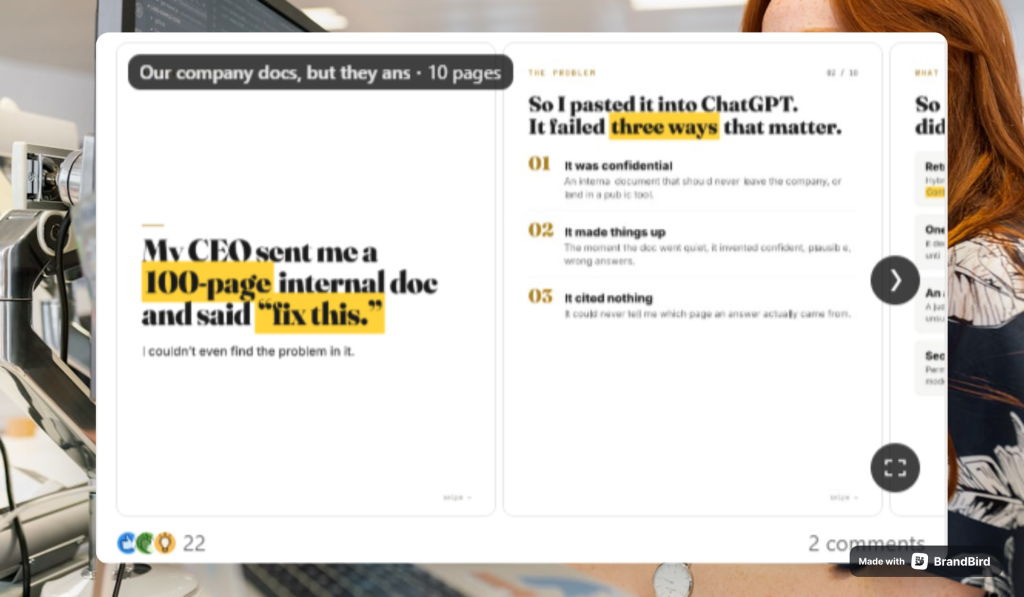
The psychology: Loewenstein’s information gap theory states that curiosity is triggered the moment we perceive a gap between what we know and what we want to know. Once the gap is open, the brain is uncomfortable until it’s closed. These hooks manufacture that discomfort deliberately.
Best used for: Any niche. This category produces the highest raw swipe-through rates because the gap only closes through swiping; there’s no other resolution.
Hook 01: The Open Loop
Template:
“Wait until [specific slide number]. You won’t believe [what happens/what you’ll learn/what it shows].”
Example:
“Wait until slide 7. You won’t believe it.”
Why it works: Creates a named destination inside the carousel. The reader cannot know what’s on slide 7 without committing to the journey. The algorithm rewards this directly: swipe-through rate climbs because the “reward” exists at a specific, reachable point. Vagueness (“it”) is intentional; specificity would close the loop before the swipe.
Hook 02: The Single Secret
Template:
“The one [thing/mistake/habit/tool] that [determines/controls/is responsible for] [desirable outcome].”
Example:
“The one slide in every carousel that determines your reach.”
Why it works: “The one” triggers pattern completion. The brain needs to identify which thing, and the only path to that answer is swiping. The singular framing also implies the reader can solve the entire problem with one fix, which makes the effort feel proportionate.
Hook 03: The Contrast Gap
Template:
“I [did common thing that didn’t work]. Then I changed [one specific thing] and [dramatic, specific result].”
Example:
“I changed one thing and my post hit 200k views.”
Why it works: The extreme contrast (nothing → 200k) is believable enough to be credible. “One thing” is deliberately vague, and the gap is unsatisfying to leave open. Specificity of the result offsets the vagueness of the cause, creating the perfect ratio of believability to curiosity.
Hook 04: The Undefined “This”
Template:
“[Common belief or object] doesn’t [do what people think it does]. [Short, confident redirect]: this does.”
Example:
“Your résumé doesn’t get you hired. This does.”
Why it works: Short, confident, and deliberately incomplete. “This” is undefined, so the reader must swipe to resolve the tension. One of the cleanest examples of the bait-and-reveal structure in carousel copywriting. The hook’s power is directly proportional to how much the reader cares about the outcome (getting hired).
Hook 05: The Ellipsis Ending
Template:
“I [did the ‘right’ thing] for [specific time period] and [nothing/it failed]. Then [this / it all changed].”
Example:
“I posted every day for 90 days and nothing happened. Then this.”
Why it works: The ellipsis-style ending (“then this”) is almost impossible not to click. It establishes relatable failure first. Anyone who has tried and seen no results sees themselves immediately. Then it teases resolution without delivering it. Two triggers (relatability + cliffhanger) in one sentence.
Category 2: Mistake & FOMO Hooks
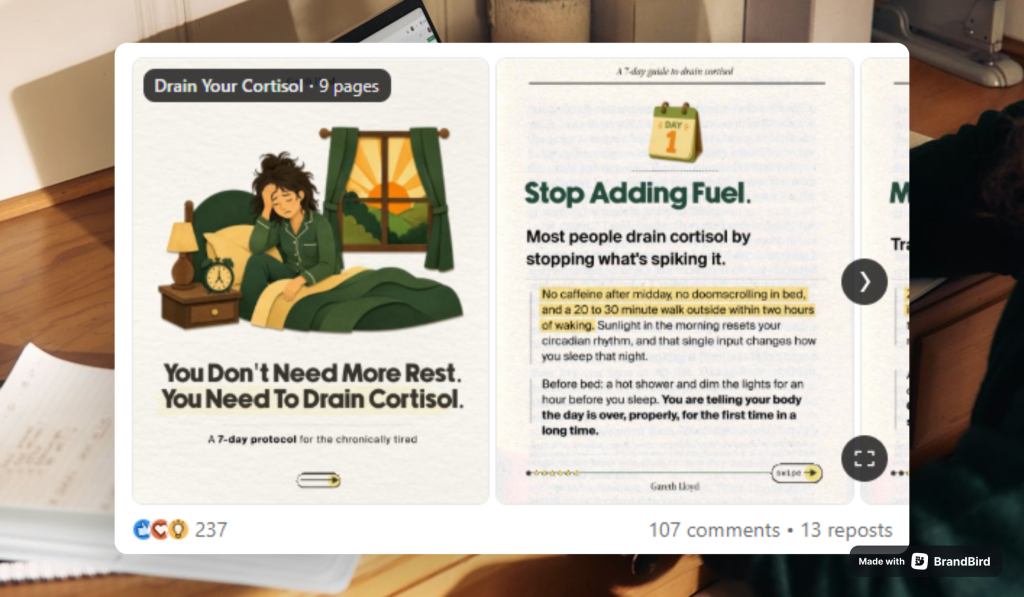
The psychology: Calling out an error activates mild self-doubt and a defensive reflex, and both demand resolution before the reader can scroll past comfortably. Loss aversion (we weight potential losses more heavily than equivalent gains) makes people more likely to swipe to find out what they’re doing wrong than to find out what they could gain.
Best used for: Education, career, health, fitness, finance, content creation, or any niche where the reader has an active stake in doing things correctly.
Hook 06: The Direct Callout
Template:
“You’re [doing common thing] wrong. Here’s why [negative consequence], and how to fix it.”
Example:
“You’re posting carousels wrong. Here’s why they’re not getting reach.”
Why it works: “Wrong” is a strong word that triggers instant self-audit. Anyone who posts carousels immediately asks: Am I doing this? The second sentence doesn’t just warn; it promises a diagnosis and a fix, making the value exchange explicit. Both parts of the hook are doing work.
Hook 07: The Presupposition
Template:
“Stop [doing specific thing] in [high-stakes situation]. (Here’s what to [do/say] instead.)”
Example:
“Stop saying these 5 things in salary negotiations.”
Why it works: The imperative “stop” presupposes the reader is already making these mistakes. The reader doesn’t have to agree with the premise to be hooked; the presupposition alone creates doubt. Anyone who has ever negotiated salary feels personally addressed. The number 5 makes the list feel comprehensive but achievable.
Hook 08: The Duty Trigger
Template:
“Is your [something personal the reader cares about deeply] [experiencing problem]? [Number] signs that most [people in reader’s position] miss.”
Example:
“Is your dog stressed? 9 signs most owners miss.”
Why it works: Combines a personal question (their pet) with loss aversion (they might be missing something harmful to someone/something they love). “Most owners miss” adds social comparison. The reader doesn’t want to be in the uninformed majority. Works especially well when the stakes involve care or responsibility.
Hook 09: Trusted = Dangerous
Template:
“The [common, universally accepted advice] that everyone gives is actually [harming/slowing/costing] your [career/health/growth/business].”
Example:
“The networking advice everyone gives is actively hurting your career.”
Why it works: Frames trusted advice as dangerous. Anyone who has followed standard advice in this domain feels implicated and needs to know if they’ve been causing themselves harm. “Actively hurting” is strong, visceral language that creates urgency. The more respected the conventional wisdom, the more powerful this hook becomes.
Hook 10: Visceral Language
Template:
“Most [content/posts/attempts] [die/fail/crash] at [specific point]. This is the reason.”
Example:
“Most LinkedIn posts die on slide 1. This is the reason.”
Why it works: “Die” is dramatic and stops the scroll instinctively; it’s the kind of word that cuts through visual noise. Platform-specificity (LinkedIn, not “social media posts”) narrows the audience and increases relevance for the exact people who need to see it. Anyone who has published a post with low reach recognises themselves immediately.
Category 3: Specificity & Numbers Hooks
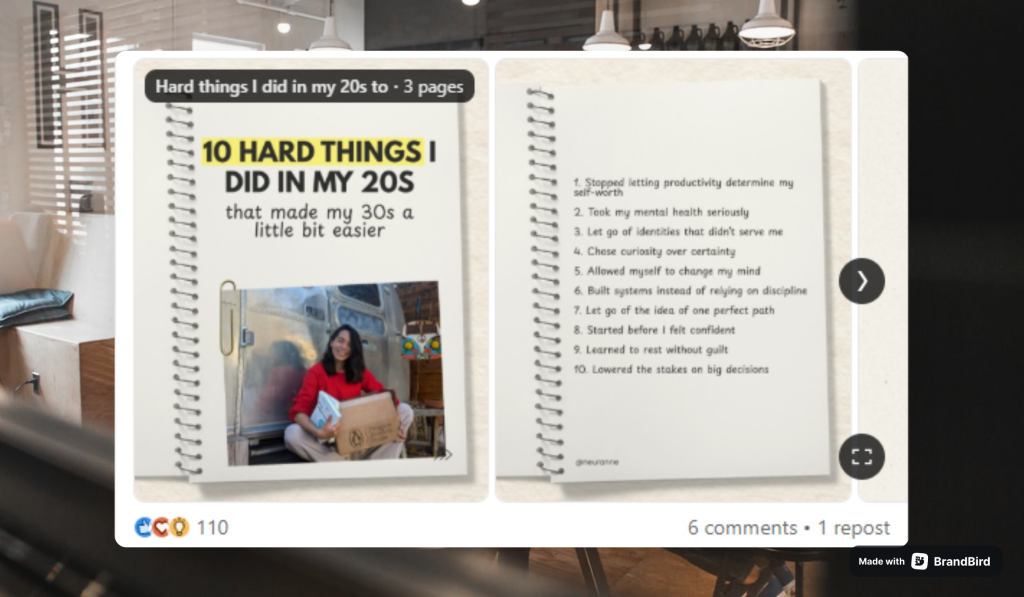
The psychology: Specific numbers feel more credible than vague claims because they imply real measurement. “7 tips” feels researched; “some tips” feels improvised. Numbers also create implied completeness: the reader knows the exact journey ahead, making the commitment feel bounded and manageable.
Best used for: Case studies, results posts, listicles, process breakdowns, research-backed content.
Hook 11: The Stat Contrast
Template:
“[High specific percentage] of [people in your niche] fail at [common goal]. Here’s the [remaining percentage] that [succeed/don’t].”
Example:
“87% of side hustles fail in the first year. Here’s the 13% that don’t.”
Why it works: Two precise numbers, a stark contrast, and a promise of belonging to the winning minority. The specificity (87%, not 90%) makes it feel research-backed rather than rounded for rhetorical effect. Readers who have a side hustle, or want one, are immediately pulled toward the “survivors” category.
Hook 12: The Research Frame
Template:
“I [analysed/studied/reviewed] [large specific number] of [things in niche]. Here are the [small number] things they all had in common.”
Example:
“I analyzed 100 viral carousels. Here are the 5 things they all had in common.”
Why it works: The research framing adds authority. “All had in common” implies a hidden pattern being revealed, a secret that required significant effort to uncover, now being given freely. The asymmetry (100 inputs → 5 outputs) makes the distillation feel valuable.
Hook 13: Before / After Numbers
Template:
“[Small number] changes I made that took me from [specific low number] to [specific high number] in [platform/metric/outcome].”
Example:
“3 changes I made that grew my LinkedIn from 200 to 20,000 followers.”
Why it works: Before/after numbers are compelling proof of concept. “3 changes” makes the outcome feel replicable: not a lucky accident, but a system the reader can follow. The gap between 200 and 20,000 is dramatic enough to inspire but not so extreme as to be unbelievable.
Hook 14: The Odd Number
Template:
“I made $[odd, specific number] in [specific time period] using [specific, accessible strategy].”
Example:
“I made $48k in 30 days with this faceless Instagram strategy.”
Why it works: Odd, specific numbers ($48k, not $50k) read as real rather than rounded up for effect. “Faceless” directly addresses a common barrier (no camera confidence required), broadening the pool of people who see themselves as capable of this outcome.
Hook 15: The Wordplay Number
Template:
“[Number] [things] you [must/should/need to] [do/read/know] before [same number as a milestone or age].”
Example:
“40 books you must read before 40.”
Why it works: The number doubles as the constraint, a clever mirroring that’s instantly memorable and highly shareable. “Must read” adds mild urgency. The format is inherently saveable (people bookmark reading lists) and giftable. The symmetry makes it stick in the mind in a way that “38 books” never would.
Category 4: Story & Vulnerability Hooks
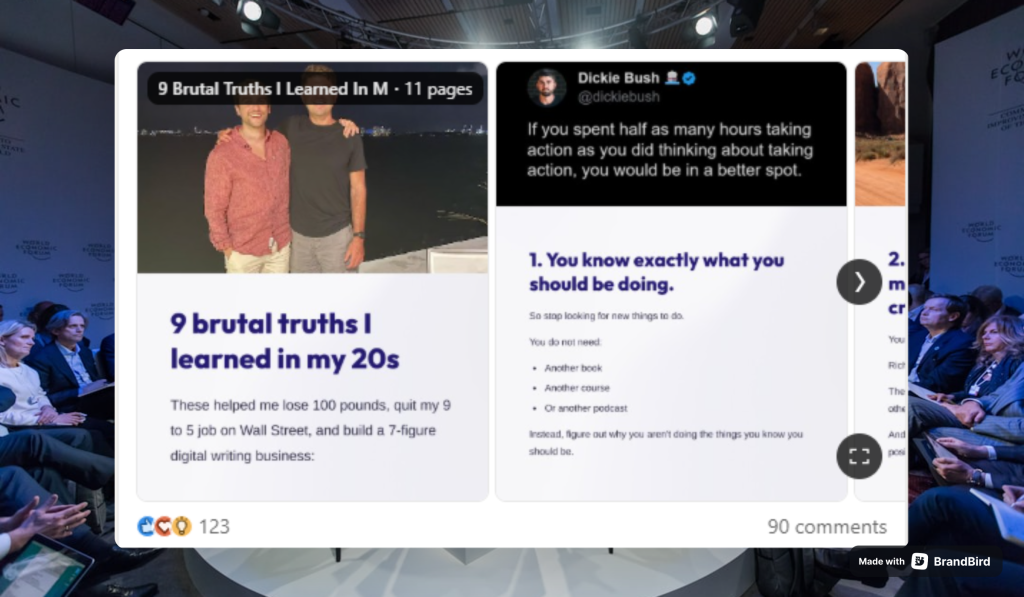
The psychology: Humans are neurologically wired for narrative. Starting mid-story forces the brain to seek resolution, the same compulsion that keeps people up to finish a chapter. Vulnerability creates trust and emotional resonance faster than almost any other device, particularly on platforms where authenticity is the premium currency.
Best used for: Personal brand, coaching, lifestyle, entrepreneurship, career content, or any context where the creator’s own experience is the evidence.
Hook 16: In Medias Res
Template:
“I [experienced dramatic, unexpected event] [recent time frame]… here’s what happened next.”
Example:
“I got fired last week… here’s what happened next.”
Why it works: Starts in the middle of a crisis. The ellipsis signals more is coming. It’s nearly impossible to scroll past without at least glancing at slide 2. Empathy is automatic, and the outcome is unknown. The recency (“last week”) adds authenticity and urgency. Works best when the event is universally feared but the outcome is ultimately positive.
Hook 17: Hindsight Wisdom
Template:
“[Specific time period] ago I almost [gave up/quit/failed]. Here’s what I wish someone had told me.”
Example:
“Six months ago I almost quit. Here’s what I wish someone had told me.”
Why it works: Vulnerability plus hindsight creates a two-layer hook: the story, and the lesson. “What I wish someone had told me” is almost universally compelling because it frames the wisdom as hard-won and freely given, a gift the writer didn’t have access to, now being handed to the reader. The implicit message: you don’t have to suffer like I did.
Hook 18: The Underdog Arc
Template:
“A [authority figure] told me I’d never [achieve goal]. I proved them wrong. Here’s how.”
Example:
“A CEO told me I’d never make it in sales. I proved him wrong. Here’s how.”
Why it works: Classic underdog arc compressed into two sentences. Conflict is established immediately. The reader roots for the protagonist before even knowing who they are. The authority figure (CEO) raises the stakes. This wasn’t a casual slight, it was a judgment from someone with power. The resolution (“here’s how”) is the swipe bait.
Hook 19: The Persistence Number
Template:
“I got [rejected/ignored/told no] by [large specific number] [companies/clients/people] before [the outcome I wanted].”
Example:
“I got rejected by 47 companies before landing my dream job.”
Why it works: The number 47 makes it feel real, not manufactured for motivational effect. Persistence narratives resonate deeply because most people have faced rejection and want to believe that continuing eventually produces results. The specificity of the number functions as evidence, not decoration.
Hook 20: Social Proof Contrast
Template:
“[Person close to you] thought [thing you created/wore/said] was [negative judgment]… [large specific number] people disagreed.”
Example:
“My boyfriend thought this dress was ugly… 2.1M people disagreed.”
Why it works: Interpersonal conflict plus massive social validation in one sentence. The gap between one person’s opinion and 2.1 million creates immediate curiosity. People are instinctively drawn to social proof at scale, and the contrast (1 vs. 2,100,000) is so extreme it demands resolution.
Category 5: Contrarian & Challenge Hooks
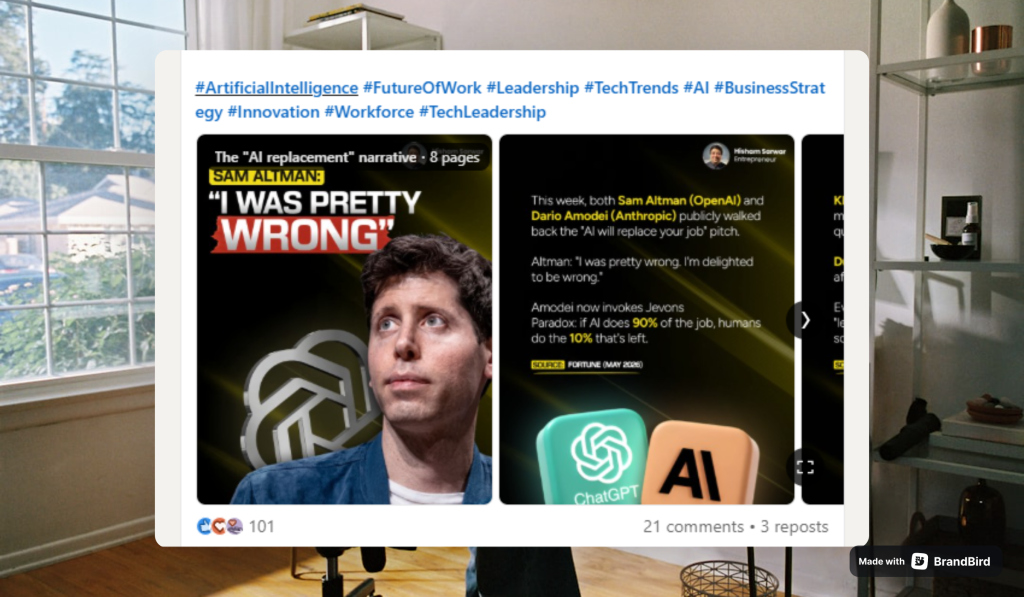
The psychology: Contrarian hooks force a reaction: either defensive agreement or defensive disagreement. Both responses generate engagement. Challenging a widely held belief is one of the fastest ways to trigger emotional investment, which is why contrarian hooks tend to produce high comment volume in addition to high swipe-through rates.
Best used for: Thought leadership, B2B content, LinkedIn, content creation, professional development, or any context where the audience has strong existing beliefs that can be productively challenged.
Hook 21: The Belief Challenge
Template:
“[Widely accepted advice/behaviour] is overrated. [Contrarian alternative] beats it every time.”
Example:
“Consistency is overrated. Quality beats frequency every time.”
Why it works: Directly challenges the most repeated piece of content advice in existence. Anyone who has been told to “post consistently” (which is virtually every creator) either strongly agrees or strongly disagrees. Both reactions generate comments. Disagreement in the comments section is free algorithmic reach.
Hook 22: The Goal Reframe
Template:
“[Thing everyone chases] won’t [achieve what you actually want]. Here’s what will.”
Example:
“More followers won’t grow your business. Here’s what will.”
Why it works: Targets a core belief held by almost every person building on social media. “Here’s what will” is the swipe bait. It redirects the reader’s goal to something undefined, then makes the carousel the only source of the answer. The contrast between the dismissed goal and the promised better goal is what creates momentum.
Hook 23: Contrarian + Proof
Template:
“[Prevailing cultural belief] is a trap. I did [contrarian alternative] and had [specific positive outcome].”
Example:
“Hustle culture is a trap. I worked 4 hours a day and had my best quarter.”
Why it works: Story proof is attached to the contrarian claim. The numbers (4 hours, best quarter) make it concrete enough to be credible: it’s not philosophical, it’s measurable. Hard to scroll past without checking the evidence, especially for anyone who suspects hustle culture might be doing them more harm than good.
Hook 24: Command + Alternative
Template:
“Stop [doing common thing]. (Do [vague but better alternative] instead.)”
Example:
“Stop using bullet points in your LinkedIn carousels. (Do this instead.)”
Why it works: Direct command plus an implied better alternative. Anyone who uses bullet points feels directly addressed. The parenthetical creates a mini information gap inside the hook itself, a gap within a gap. The format (parenthetical) signals a whispered insider tip, which makes the advice feel exclusive.
Hook 25: Relief + Assumption
Template:
“The best [people achieving desired outcome] [do/post/work] less than you think.”
Example:
“The best content creators post less than you think.”
Why it works: Contradicts volume-first advice while introducing something most people desperately want to believe: that you don’t have to grind as hard as you’ve been told. “Than you think” implies the reader already holds a wrong assumption, without making them feel stupid for it. Relief is an underused emotional trigger in hooks.
Category 6: Promise, How-To & Value Hooks
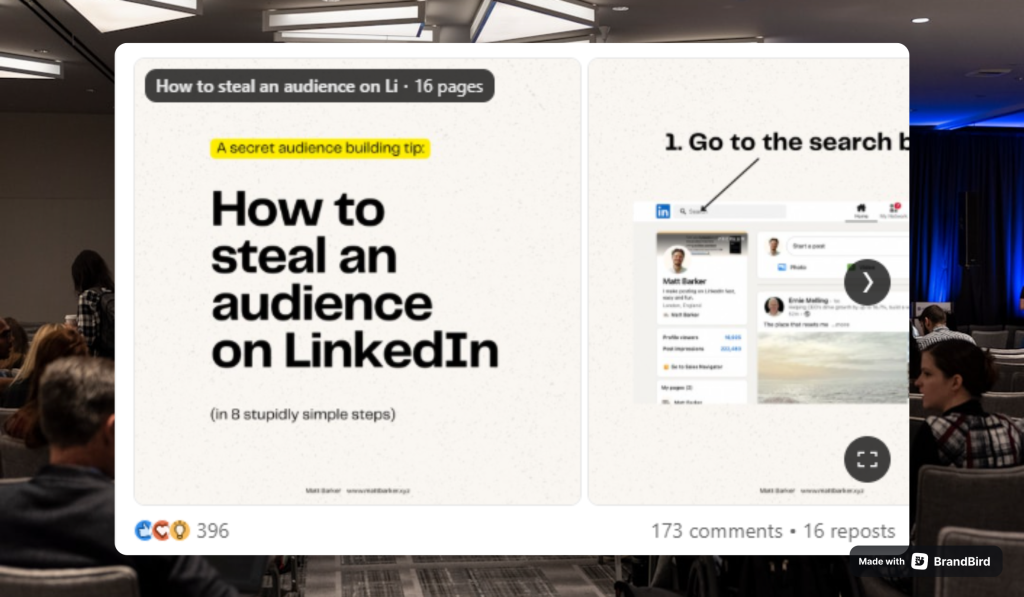
The psychology: These hooks deliver a clear, upfront value exchange: swipe and you’ll receive X. They work because they eliminate ambiguity. The reader knows exactly what they’re committing to and why it’s worth their time. The best ones pre-handle objections and lower barriers to entry directly in the hook itself.
Best used for: Tutorials, tool recommendations, templates, productivity systems, step-by-step guides, or any content where the value is the knowledge itself.
Hook 26: Objection-Handling How-To
Template:
“How to [achieve specific outcome] in [short specific timeframe] (even if you [most common objection or barrier]).”
Example:
“How to write a LinkedIn carousel in 20 minutes (even if you hate writing).”
Why it works: The timeframe makes the promise concrete and testable. “Even if you hate writing” pre-handles the most common objection inside the hook itself, a technique most copywriters save for body copy. By surfacing and neutralising the objection on slide 1, the hook brings in the exact people who would otherwise have scrolled past.
Hook 27: Primed Save
Template:
“Save this post: [number] [things/ideas/recipes/outfits] for [specific time period] (with [constraint that removes the main friction]).”
Example:
“Save this post: 30 days of outfit ideas for work (no new clothes needed).”
Why it works: Starts with a command (“save this”) that primes the save behaviour before the content is even read. The reader is being told what action to take before they’ve evaluated the content. “No new clothes needed” removes the single biggest friction point and signals the value is immediately practical. Saves are the #1 algorithmic signal on Instagram in 2026.
Hook 28: Permission + Broad Appeal
Template:
“[Number] [things you can use] you can steal right now (no [common skill or resource] required).”
Example:
“10 content ideas you can steal right now (no creativity required).”
Why it works: “Steal” is energetic, slightly transgressive, and permission-granting all at once. “No creativity required” broadens the audience to anyone who wants to make content but feels blocked by a perceived lack of natural talent, which is the majority of people who follow content creation accounts.
Hook 29: Effort vs. Reward
Template:
“How to turn [one existing asset] into [disproportionately large output], without [the painful part of the process].”
Example:
“How to turn one blog post into 10 pieces of content, without writing anything new.”
Why it works: “Without writing anything new” removes the biggest pain point of content creation. The reader gets a disproportionate output (10 pieces) for almost zero additional input. The effort-to-reward ratio is the hook. It promises maximum return on minimum new work, which is irresistible to anyone managing a content calendar.
Hook 30: Meta + Self-Proof
Template:
“How to [do the exact thing this carousel is demonstrating] in under [short timeframe]. (This one took [even shorter time].)”
Example:
“How to write a carousel hook in under 5 minutes. (This one took 3.)”
Why it works: Meta and self-referential. The carousel about carousel hooks is itself demonstrating the skill being taught. The parenthetical is the masterstroke: it adds instant credibility through specificity and a playful self-awareness that makes the creator instantly likeable and trustworthy. It’s proof, humour, and hook all in three words.
Quick Reference: All 30 Hooks at a Glance
| # | Category | Hook |
|---|---|---|
| 01 | Curiosity | “Wait until slide 7. You won’t believe it.” |
| 02 | Curiosity | “The one slide in every carousel that determines your reach.” |
| 03 | Curiosity | “I changed one thing and my post hit 200k views.” |
| 04 | Curiosity | “Your résumé doesn’t get you hired. This does.” |
| 05 | Curiosity | “I posted every day for 90 days and nothing happened. Then this.” |
| 06 | Mistake/FOMO | “You’re posting carousels wrong. Here’s why they’re not getting reach.” |
| 07 | Mistake/FOMO | “Stop saying these 5 things in salary negotiations.” |
| 08 | Mistake/FOMO | “Is your dog stressed? 9 signs most owners miss.” |
| 09 | Mistake/FOMO | “The networking advice everyone gives is actively hurting your career.” |
| 10 | Mistake/FOMO | “Most LinkedIn posts die on slide 1. This is the reason.” |
| 11 | Numbers | “87% of side hustles fail in the first year. Here’s the 13% that don’t.” |
| 12 | Numbers | “I analyzed 100 viral carousels. Here are the 5 things they all had in common.” |
| 13 | Numbers | “3 changes I made that grew my LinkedIn from 200 to 20,000 followers.” |
| 14 | Numbers | “I made $48k in 30 days with this faceless Instagram strategy.” |
| 15 | Numbers | “40 books you must read before 40.” |
| 16 | Story | “I got fired last week… here’s what happened next.” |
| 17 | Story | “Six months ago I almost quit. Here’s what I wish someone had told me.” |
| 18 | Story | “A CEO told me I’d never make it in sales. I proved him wrong. Here’s how.” |
| 19 | Story | “I got rejected by 47 companies before landing my dream job.” |
| 20 | Story | “My boyfriend thought this dress was ugly… 2.1M people disagreed.” |
| 21 | Contrarian | “Consistency is overrated. Quality beats frequency every time.” |
| 22 | Contrarian | “More followers won’t grow your business. Here’s what will.” |
| 23 | Contrarian | “Hustle culture is a trap. I worked 4 hours a day and had my best quarter.” |
| 24 | Contrarian | “Stop using bullet points in your LinkedIn carousels. (Do this instead.)” |
| 25 | Contrarian | “The best content creators post less than you think.” |
| 26 | Promise/How-To | “How to write a LinkedIn carousel in 20 minutes (even if you hate writing).” |
| 27 | Promise/How-To | “Save this post: 30 days of outfit ideas for work (no new clothes needed).” |
| 28 | Promise/How-To | “10 content ideas you can steal right now (no creativity required).” |
| 29 | Promise/How-To | “How to turn one blog post into 10 pieces of content, without writing anything new.” |
| 30 | Promise/How-To | “How to write a carousel hook in under 5 minutes. (This one took 3.)” |
The One Formula Behind All 30 Hooks
Every hook above, regardless of category, follows the same underlying structure:
[Who this is for] + [The gap or tension] + [The payoff]
You don’t have to make all three explicit. But if a hook feels flat, it’s almost always missing the tension, the provocative element that makes it impossible to scroll past.
The shortcut: take your informational headline and add a consequence.
- “How to write carousel hooks” → “How to write carousel hooks that stop the scroll”
- “LinkedIn tips” → “The LinkedIn tip that doubled my impressions in 30 days”
- “Outfit ideas for work” → “30 days of outfit ideas for work (no new clothes needed)”
The content is the same. The hook changes everything.
How to Write Your Own Hooks: A System
Step 1: Start with the tension, not the topic. Don’t ask “what is this carousel about?” Ask “what will the reader feel compelled to resolve?” Write that.
Step 2: Be more specific than feels comfortable. “I grew my followers” → “I grew my LinkedIn from 200 to 20,000.” Odd, specific numbers feel real. Round numbers feel inflated.
Step 3: Pre-handle the objection. Identify the single biggest reason someone would scroll past, and neutralise it inside the hook. “Even if you hate writing.” “No camera required.” “No new clothes needed.”
Step 4: Test the hook against this filter before posting: “If I saw this in my feed right now, would I stop scrolling, or would I keep going?” Be honest. Most first drafts fail this test. Add more tension, more specificity, or a stronger payoff promise.
Step 5: Write the hook first. Most creators write the hook last, after finishing all the slides. That’s backwards. The hook determines the angle, tone, and promise of everything that follows. Start there.
Final Thought
The hook is not decoration. It is not a title. It is not a summary of what the carousel contains.
It is a trap, built with care and intention, designed to create a gap the reader’s brain physically cannot leave open.
Master one hook category completely before moving to the next. Study the posts in your niche that stopped you mid-scroll. Screenshot them. Reverse-engineer the structure. Then steal the pattern and make it yours.
The content you’ve spent hours building deserves to be seen. Give it a first slide that earns that right.
Turn These Hooks Into Carousels With Contentdrips
Knowing the hook formulas is half the job. The other half is actually producing the carousel, and that’s where most creators stall.
Contentdrips handles the full pipeline in one place:
Write the hook and the post together. The AI Post Writer generates long-form LinkedIn and Instagram posts from a topic, a blog article, a YouTube video, or even a TikTok. Pick any hook template from this guide, drop in your topic, and build the rest of the post around it. The Match My Style feature learns from your past content, so everything it writes sounds like you, not like a template.
Design the slides without designing. Choose from a library of carousel templates, or use the AI Design Agent: describe the post you want in plain text (“bold contrarian statement slide,” “before/after numbers carousel”) and it generates the full design, layout, typography, and colors included. Then refine it conversationally (“make the hook text bigger,” “change the background to light blue”) or edit anything manually on the canvas. You can even paste raw data and get chart-based slides for your numbers hooks.
Keep it on-brand. Import your brand kit once (fonts, colors, styles) and apply it across every post and template with one toggle.
Plan and publish in one flow. The bulk planner lets you create up to two weeks of written and visual content in a single session, then schedule it directly to LinkedIn and Instagram from the built-in calendar. No exporting, no third-party scheduler.
Never run out of hook ideas. The AI Ideas Generator builds content themes around your role, audience, and goals, then turns each theme into specific post ideas you can send straight to the Post Writer. There’s also live trend search by niche and RSS integration, so you can turn what’s trending into a hooked carousel the same day.
If your hooks are good but your output is slow, this is the bottleneck fix. Try Contentdrips free and ship your next carousel today.
Frequently Asked Questions
What is a hook in a carousel post?
A carousel hook is the text (and sometimes visual) on the first slide that convinces someone to swipe to slide two. Its only job is to create an information gap: a question, tension, or promise the reader can only resolve by swiping. Without a strong hook, the rest of the carousel never gets seen, no matter how good it is.
How do you write a good carousel hook?
Start with the tension instead of the topic, then add specificity. Use one of the six psychological categories covered in this guide: curiosity gaps, mistake callouts, specific numbers, personal stories, contrarian takes, or clear value promises. Before posting, run the scroll test: if you saw this hook in your own feed, would you stop?
How long should a carousel hook be?
As short as possible while still creating tension, usually one to two sentences. You have 2-3 seconds before the reader scrolls past, so the hook needs to be readable at a glance. Big, bold text with a single clear idea outperforms paragraphs every time.
Do carousel hooks work the same on LinkedIn and Instagram?
The psychology is identical, but the framing shifts. LinkedIn audiences respond strongly to contrarian takes, career stakes, and professional story hooks. Instagram leans more toward save-worthy value hooks, lifestyle stories, and visual curiosity. The same hook template can work on both platforms with the example and tone adjusted to the audience.
Should the hook go on the first slide or in the caption?
Both, ideally. The first slide is what stops the scroll, so the strongest version of your hook belongs there in large text. The caption can then restate or extend the hook for people who read captions first. On LinkedIn especially, the opening line of the caption acts as a second hook before the “see more” cut.
What is the best tool to create carousel hooks and carousels?
Any tool that lets you write and design in the same flow saves the most time. Contentdrips is built specifically for this: AI-assisted post writing, carousel templates, an AI Design Agent that generates slides from a text prompt, and direct scheduling to LinkedIn and Instagram.