
New Launch: Contentdrips MCP –Try for Free➜
FREE TOOL
Paste a blog URL. Contentdrips AI reads it, pulls out the key points, and turns it into a ready-to-publish carousel for Instagram, LinkedIn, TikTok, or Pinterest, in under two minutes.
Press Enter to generate, Shift+Enter for a new line
Trusted by creators and marketing teams repurposing content every week
HOW IT WORKS
Drop in the link to any public blog post. No copying, no formatting, no manual setup.
Contentdrips AI reads the full article and identifies the headlines, arguments, and takeaways worth turning into slides.
Edit any slide’s text, swap colors and fonts to match your brand, then export as PNG/PDF or publish directly.
POST FORMATS
Your carousel isn’t locked to one format. Generate and resize for wherever your audience is.
Square and portrait slides sized for the feed and Stories, built for swipe-through engagement.
Document-style carousels optimized for the feed’s native carousel post format, ideal for B2B and thought-leadership content.
TikTok
Vertical slide format for TikTok’s photo carousel posts.
Tall-format pins that turn a single blog post into a multi-pin idea board.
SEE IT IN ACTION
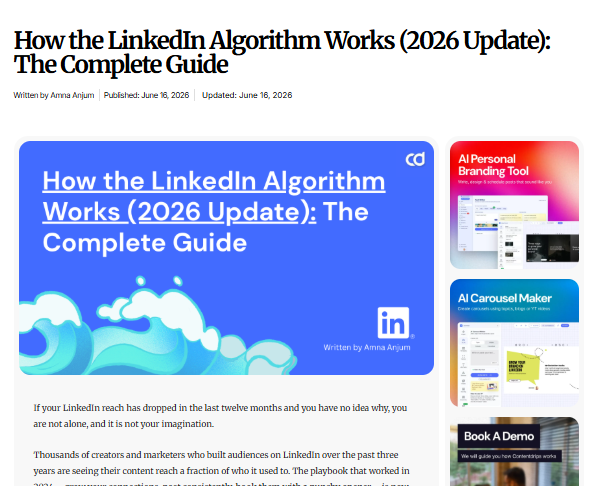
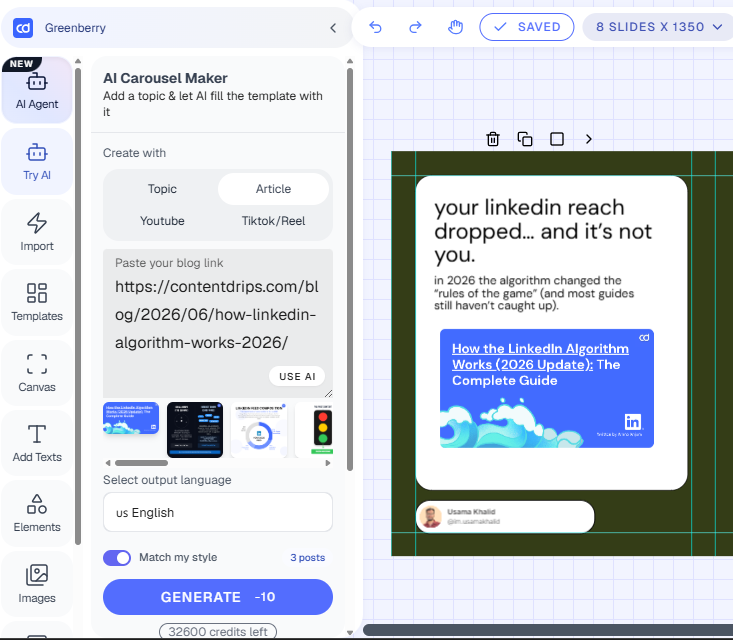
We ran a real 1,800-word blog post through the converter and got a 6-slide carousel back. The AI pulled 5 core points from the article’s H2s, rewrote each as a slide headline, and closed with a CTA slide back to the post.
Original Blog Post
Resulting Carousel
WHY THIS FORMAT WORKS
More engagement than single-image posts on Instagram, driven by the swipe interaction.
More reach for carousel-style document posts on LinkedIn compared to standard text posts.
Separate carousels a single long-form blog post can typically be broken into.
DO IT YOURSELF
If you’d rather build a carousel manually, or just want to understand what the AI is doing under the hood, here’s the exact method. Doing this manually for one post takes most people 30 to 45 minutes.
Pull the H1 and each H2 from your blog post. These become your slide titles.
Rewrite your H1 into a curiosity-driven opening line, the part that stops the scroll.
Take the main point from each H2 section and cut it down to 1 to 3 short sentences.
Reuse graphics, screenshots, or stats from the original post, or generate new ones for each slide.
End with a clear next step: ‘Follow for more,’ ‘Read the full post,’ or ‘Save this for later.’
WHAT’S INCLUDED
Automatically identifies the key points, structure, and flow of your blog post. No manual copy-pasting required.
Apply your logo, colors, and fonts once, and every carousel you generate stays on-brand automatically.
Generate sized-and-ready carousels for Instagram, LinkedIn, TikTok, and Pinterest from a single source post.
Every AI-generated slide is fully editable: rewrite copy, swap layouts, adjust colors, before you export or publish.
Skip the download-then-upload cycle. Publish straight to LinkedIn and Instagram from inside the tool.
WHO IT’S FOR
Turn every blog post you write into 2 to 3 extra pieces of social content, without adding hours to your week.
Repurpose client blog content into carousels at scale across multiple accounts, without hiring a designer for every post.
Convert long-form guides and product content into LinkedIn carousels that drive traffic back to your site.
Extend the life of each edition by turning it into shareable, swipeable social content.
HOW IT COMPARES
Where we fall short: highly custom, illustration-heavy carousel designs are still better built by hand or with a designer. Our tool is optimized for speed and consistency, not bespoke art direction.
| Contentdrips | Manual Design | Generic AI Writing Tools | |
|---|---|---|---|
| Paste a URL, get a carousel | ✅ | ❌ | ❌ |
| Multi-platform sizing (IG, LinkedIn, TikTok, Pinterest) | ✅ | Manual resizing required | ❌ |
| Brand kit applied automatically | ✅ | Manual, per design | ❌ |
| Time to first carousel | ~2 minutes | 30 to 60+ minutes | N/A (text only) |
| Direct publishing | ✅ | ❌ | ❌ |
| Design skills required | None | Yes | None, but no visual output |
WHAT PEOPLE ARE SAYING
“I used to spend an hour turning each blog post into a LinkedIn carousel. Now it’s under five minutes, and the output actually matches our brand.”
Amna Anjum
“The AI actually pulls the right points from the post instead of just summarizing randomly. That’s the part that surprised me.”
Usama Khalid
RELATED TOOLS
TWEET
Convert a thread or single tweet into a post ans distribute it across
TEXT
Paste any block of text and turn it into a carousel, no blog post required.
Yes. In addition to blog URLs, you can upload a PDF and the same AI extraction process applies, pulling out key points and turning them into slides.
Yes. The tool works with any publicly accessible blog URL, including WordPress, Medium, Substack, Ghost, and most custom CMS platforms.
You can generate and export your first carousels for free. Paid plans unlock AI editing, custom brand kits, direct publishing, and unlimited generations.
Most carousels are generated in under two minutes from the time you paste your blog URL.
Yes. Every slide is fully editable. You can rewrite text, change layouts, swap colors, and add or remove slides before exporting.
Carousels export as PNG (per-slide) or a combined PDF, ready to upload directly to any platform.
Free to start. No credit card required.