If you run a social media agency, the tool you use to produce social media visuals is not a design preference. A bunch of tools together can rake up your costs real quick. Therefore, choosing the right tool for social media visuals is a cost structure decision.
So here is the math. A typical social media retainer includes dozens of pieces per month per client: carousels, single-image posts, quote graphics, story frames, and more. In Canva, each one is built manually: pick a template, swap brand colors, write copy, resize, export. Most agency teams report spending 20 to 30 minutes per piece. At 10 visuals per month across 6 clients, that is 60 pieces, somewhere between 20 and 30 hours of production time monthly, just for social content. Wait a minute. This is before the client asks for revisions or incorporating strategic content.
Before even 50% of the work is done, canva chews off a big bite from your budget.
That number is what this comparison is actually about.
This post is not a general Canva vs Contentdrips breakdown. We have that here. This is specifically for agency owners and social media managers where LinkedIn/Instagram content is a recurring, billable deliverable and production volume is a real constraint on growth.
Who This Comparison Is Not For
To keep this useful, let’s be direct about who should stop reading now:
- Freelancers or solopreneurs making content for themselves
- Agencies where social media content is an occasional add-on, not a primary deliverable
- Teams whose core work is proposals, pitch decks, display ads, or print, where social content is a minor part of the output
If LinkedIn and Instagram content is what your clients are paying you for every month, keep going.
At a Glance: How They Stack Up for Agencies
This table covers only the dimensions that affect agency workflow and margin. For a full feature breakdown across all use cases, see the complete comparison.
| What agencies need | Contentdrips | Canva |
|---|---|---|
| AI generates social visuals from topic or URL | Yes | No |
| Bulk visual generation from CSV | Yes | No (bulk create is not carousel-capable) |
| Per-client brand kit applied automatically in bulk | Yes | Manual per file |
| Brand profiles included | Unlimited (Teams plan) | 5 (Pro), 100 (Business) |
| Direct LinkedIn publishing | Yes (PDF format) | Limited |
| Direct Instagram publishing | Yes | Yes |
| Content calendar and scheduling | Yes | Basic |
| Team collaboration on content pipelines | Yes | Yes (design-focused) |
| Entry paid price | $15/mo (Starter) | $144/yr per person (Pro) |
The Real Cost of Canva for Agencies Is Not the Subscription
Before getting into specific features, it is worth stating the economic argument plainly, because this is the frame that matters most for agency owners.
At a blended team rate of $30 per hour, a 25-minute social media visual in Canva costs roughly $12.50 in labor per piece. At 60 pieces per month across 6 clients, that is $750 per month in just producing the visual, on top of the subscription fee.
If production time drops to 5 minutes per piece with Contentdrips’ AI content generator, that same output costs around $150 in labor. The monthly subscription cost of either tool is completely irrelevant compared to that gap.
The question is not which tool is cheaper. It is which tool makes your production hours go further.
Cut Per-Visual Production Time From 25 Minutes to Under 5
The agency pain: Canva has no feature that takes a topic, a blog post, or a video URL and turns it into a ready-to-publish social media visual. Every piece is built by hand. For a solo creator making a few graphics a week, that is manageable. For an agency producing 60 or more pieces a month across multiple clients, it is the single biggest drag on capacity.
What Contentdrips does instead: The AI content generator accepts a topic, a blog URL, or a YouTube link. It structures the content, writes the copy, applies the client’s brand kit, and outputs publish-ready formats: PDFs for LinkedIn carousels, PNG sets for Instagram posts, and more. No blank template. No manual building from scratch.
This is the feature that changes the production math for agencies more than any other. It is also the feature Canva has no equivalent of.
Verdict for agencies: Contentdrips, decisively. This is not a close call.
Onboard a New Client in Minutes, Not Hours
The agency pain: Every new client means rebuilding from scratch in Canva. Create a new Brand Kit. Duplicate or rebuild templates. Manually apply fonts and colors across each new design file. When a client updates their logo or changes their brand palette (and it happens), you hunt down every existing file and update them individually.
At 3 clients this is annoying. At 8 clients it becomes a real time tax on the business.
What Contentdrips does instead: Import the client’s brand kit once, including fonts, colors, and logo. From that point forward, it applies to AI-generated visuals, bulk CSV outputs, and canvas designs. When the client updates their brand, you update the kit once. Every future piece inherits it automatically.
Verdict for agencies: Contentdrips is meaningfully better here specifically because branding is applied inside automated workflows rather than just stored somewhere. The difference between “we have the brand kit saved” and “the brand kit applies itself at generation time” is the difference between a manual step and no step at all.
Produce Campaign Volume Without Proportional Labor
The agency pain: Clients run campaign series. A product launch might need 20 social posts over 4 weeks. A weekly tip series runs 52 pieces a year. An event promotion needs 10 graphics in 5 days. In Canva, every one of those is a separate design session. Volume scales linearly with time.
What Contentdrips does instead: CSV to bulk visual generation. Prepare a spreadsheet with one row per piece (topic, content, or copy), upload it, and Contentdrips generates a unique, branded social media visual for every row. Agencies use this for campaign series, client content calendars, event promotion runs, and any repeatable content format where the structure stays consistent but the content changes.
This also has a staffing implication. When social media visual production is this streamlined, junior team members or virtual assistants can handle production volume without design experience. Senior staff stay focused on strategy, client management, and content quality: the work that actually justifies the retainer.
Verdict for agencies: Contentdrips. Canva’s bulk create feature exists but handles simple image swaps across basic templates. It is not a comparable workflow for structured, branded social content at volume.
Turn Client Content Into Social Deliverables Without Asking for More
The agency pain: The hardest part of a social media retainer is not production. It is sourcing content. Clients do not always give you material. They miss deadlines for briefs. They say they are “working on something.” Meanwhile your content calendar has gaps and the retainer fee is due.
Most clients are sitting on months of unused content: blog posts from last quarter, YouTube videos nobody clipped, LinkedIn articles that got posted once and forgotten.
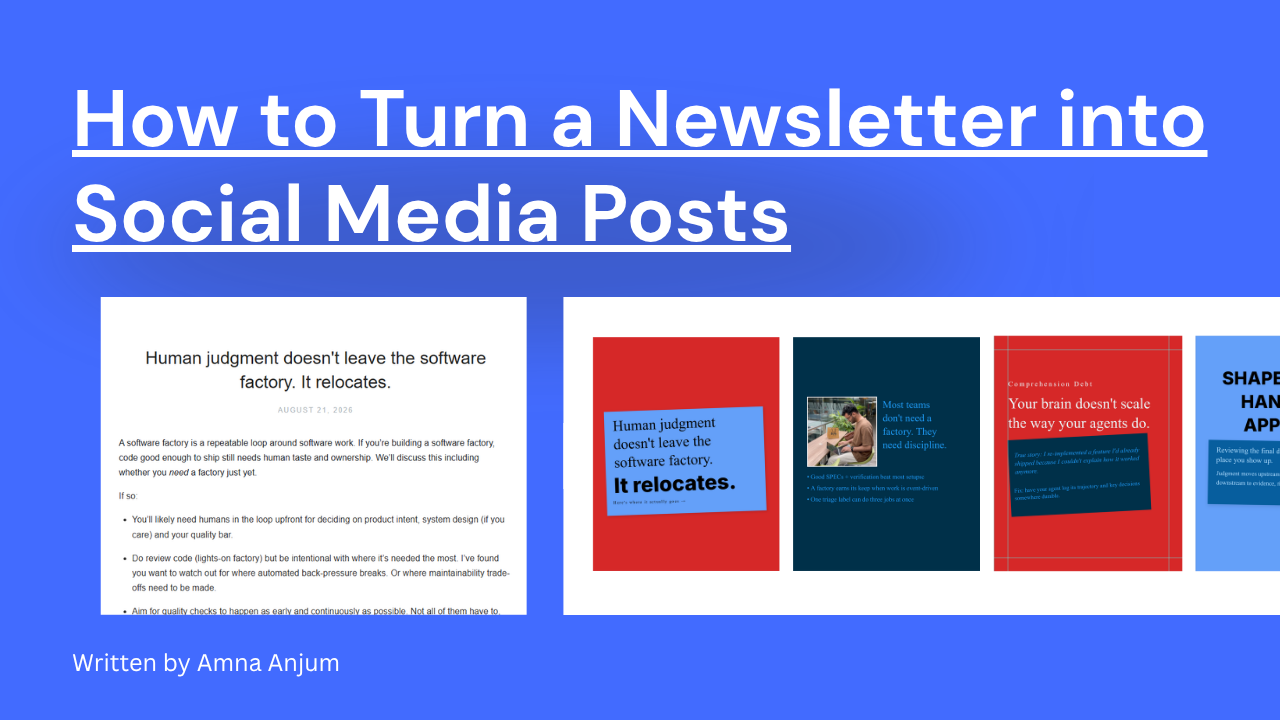
What Contentdrips does instead: Paste any URL (a blog post, a YouTube video, a TikTok, a LinkedIn article) and Contentdrips extracts the key points, structures them into social-ready visuals, writes the copy, and applies the client’s brand. The blog to carousel workflow is one example of this: turning existing long-form content into LinkedIn carousels or Instagram posts without starting from scratch. The same logic applies across content types and formats.
Why this matters for retainer agencies specifically: It extends your content calendar using what already exists. It reduces the “we don’t have anything to post this week” problem. And it makes the retainer easier to justify, because you are producing more, faster, from content the client already paid someone to create.
Verdict for agencies: Contentdrips. Canva has no repurposing pipeline. Every piece starts from a blank template.
Publish Without the Multi-Tab Handoff
The agency pain: After designing in Canva, the publishing workflow involves downloading files, switching to a scheduler, uploading them again, writing captions in a separate tool, and manually tagging which client and which platform each piece belongs to. Multiply this across 6 clients posting 3 times a week and it adds up to a surprising amount of context-switching and room for error.
What Contentdrips does instead: Create the visual, write the caption, schedule, and publish directly to LinkedIn and Instagram from a single content calendar. No file downloads. No platform switching. For LinkedIn specifically, carousels publish as PDF document posts, the native format that consistently outperforms single-image posts on the platform.
Verdict for agencies: Contentdrips is the better fit for agencies managing LinkedIn and Instagram pipelines from one place. Canva has broader publishing support across more platforms, which matters if your clients post to many channels beyond LinkedIn and Instagram.
Where Canva Genuinely Wins, and When to Use Both
This comparison would not be credible without saying where Canva is the better answer.
Canva is the right choice, or the right addition, if your agency produces varied creative work beyond social media content. Proposals. Pitch decks. Display ads. Print collateral. Canva’s template library, real-time design collaboration, and general-purpose canvas are genuinely stronger for this kind of work. If your team includes designers doing bespoke creative across many formats, Canva’s flexibility is a real advantage.
Contentdrips is purpose-built for LinkedIn and Instagram content production. It goes deeper in that lane but it is a narrower tool by design.
The honest answer for most agencies: Use both. Canva for general design and client-facing materials. Contentdrips for the social media content production pipeline. The tools do not overlap as much as this comparison might suggest. They serve different moments in the same workflow.
Pricing: What Actually Differs
The subscription prices are not comparable in the way the tools are often presented side by side.
Contentdrips Starter is $15 per month and includes 3 brand profiles. The Teams plan is $26 per month and includes unlimited brand profiles and unlimited team members.
Canva Pro is $144 per year per person (billed annually), which works out to $12 per month but requires the annual commitment. It includes 5 Brand Kits. Canva Business is $250 per year per person and includes 100 Brand Kits.
For an agency managing multiple clients, the brand profile limit is where this gets meaningful in practice. With Canva, you are capped at 5 Brand Kits on Pro. If you have 6 clients, you are already over the limit or paying for Business. With Contentdrips, unlimited brand profiles come at $26 per month per workspace, not per person.
See the full breakdown on the Contentdrips pricing page.
As established above, the subscription cost is not the primary number to compare. The labor cost per piece of social content produced is what moves the needle. But on the subscription itself, Contentdrips is both lower cost and more generous for multi-client agency work.
The Verdict
Choose Contentdrips if:
- LinkedIn and Instagram content is a core, recurring, billable deliverable
- You are managing 3 or more clients and production volume is a real constraint on capacity
- You want AI generation, bulk CSV output, brand automation, and direct publishing in a single workflow
- You are building toward a content operation that scales without proportionally scaling headcount
Choose Canva if:
- Your agency does broad graphic design work across many formats
- Social media content is a small or occasional part of the output
- Your team needs real-time design collaboration on bespoke creative work
Use both if:
- Canva handles general design and client-facing materials while Contentdrips runs the social media content production pipeline
Frequently Asked Questions
Is Contentdrips better than Canva for social media agencies? For agencies where LinkedIn and Instagram content is a core deliverable, yes. Contentdrips generates branded social visuals from a topic, URL, or CSV without manual design work. Canva requires building every piece by hand. At volume across multiple clients, that difference compounds quickly into real production hours.
Can Canva handle multiple client brand kits affordably? On Canva Pro you get 5 Brand Kits. If you are managing more than 5 clients, you either work around the cap or move to Canva Business at $250 per year per person. Contentdrips Teams includes unlimited brand profiles at $26 per month per workspace, which makes it considerably more cost-effective for multi-client agencies.
Does Contentdrips replace Canva entirely for agencies? Not for every use case. Canva is stronger for proposals, pitch decks, display ads, and print collateral. Most agencies find the practical answer is to run both: Canva for general design and client-facing materials, Contentdrips for the recurring social content production pipeline.
Is Contentdrips cheaper than Canva for agencies scaling across multiple clients? Significantly. Canva Pro starts at $144 per year per person, and that only gets you 5 Brand Kits. The moment you need more clients or more team members, the cost scales up fast. Contentdrips Teams is $26 per month for the entire workspace, with unlimited brand profiles and unlimited team members. For an agency adding clients without wanting to add proportional software costs, that difference is meaningful.
How much time can an agency actually save with Contentdrips? Agency teams typically spend 20 to 30 minutes building a social media visual in Canva from scratch. With Contentdrips, AI generation brings that closer to 5 minutes. Across 60 pieces a month for 6 clients, that is roughly 15 to 25 hours of production time recovered monthly.
Does Contentdrips support multiple team members for agency use? Yes. The Starter plan includes 2 team members and 3 brand profiles. The Teams plan includes unlimited team members and unlimited brand profiles, which is the tier most agencies will want once they are managing 4 or more active clients.
Can Contentdrips publish directly to LinkedIn and Instagram? Yes. Both are supported natively. Contentdrips automatically uses the right format for each platform, whether that is PDF or PNG, so you are not manually converting or re-exporting files. There is no need to download and re-upload to a separate scheduler.
Try Contentdrips Free
No credit card. No design skills needed. Start your free account and produce your first AI-generated social visual in under five minutes.
If you want to see the template library before signing up, browse 1,000+ social-specific templates, every one sized and structured for LinkedIn or Instagram.

Amna Anjum is an Associate at Contentdrips, working closely with the product and how creators use it day to day. She specializes in social content strategy, with deep knowledge of how carousels, graphics, and threads perform across Instagram, LinkedIn, Twitter, and TikTok. She writes from firsthand experience with the tools and workflows she covers.