The most common reason people underuse an AI design tool isn’t because the tool isn’t powerful enough. It’s because they open it, stare at the blank input, and don’t know what to type.
Vague prompts produce generic designs. Specific prompts produce content you can actually post.
This library gives you 25 ready to use prompts for the Contentdrips AI Design Agent — five for each of the most common social content formats: infographics, listicles, carousels, single image posts, and posters. Every prompt includes a specific topic angle, a clear layout direction, and a defined color scheme, because those three ingredients are what separate a finished design from a forgettable one.
Copy any prompt directly into the AI Design Agent and use it as written — or swap in your own topic, brand colors, or statistics to make it yours.
How to use this library
Each prompt is written to be specific enough to produce a usable output on the first try. You’ll notice every one includes three things:
Topic depth — a specific angle, not just a general subject. “AI adoption in marketing teams” beats “AI stats.”
Layout direction — tells the agent how to arrange information spatially, so it doesn’t have to guess.
Color and typography guidance — keeps outputs light, readable, and consistent with a professional brand aesthetic.
Where you see placeholder topics, swap in your own. Where you see placeholder statistics, replace them with real data from your niche. The prompt structure stays the same; the content becomes yours.
If you haven’t set up your brand kit yet, do that first — the AI Design Agent applies your fonts, colors, and logo automatically to every output, so you won’t need to specify them in each prompt. See the full list of Contentdrips features to get oriented before you dive in.
Infographic prompts
Infographics work best when they carry one clear takeaway backed by data or structure. These prompts are built around the formats that consistently perform: tool comparisons, anatomy diagrams, process flows, stat callouts, and before/after splits. You can also browse 100+ pre-built infographic templates if you’d prefer to start from a designed layout rather than a blank prompt.
Prompt 1 — Tool comparison
Create an infographic comparing four popular LinkedIn scheduling tools: Buffer, Hootsuite, Contentdrips, and Later. Compare each across three clear criteria: monthly starting price, AI powered design features, and ideal user type. Layout: a clean four column grid, one tool per column, with a circular icon placeholder at the top of each column and three comparison rows stacked neatly below. Color scheme: crisp white background, soft sky blue column header bands, dark charcoal body text, and a single mint green highlighted cell to mark the recommended pick. Use clean sans serif typography, generous spacing, and no decorative shadows.
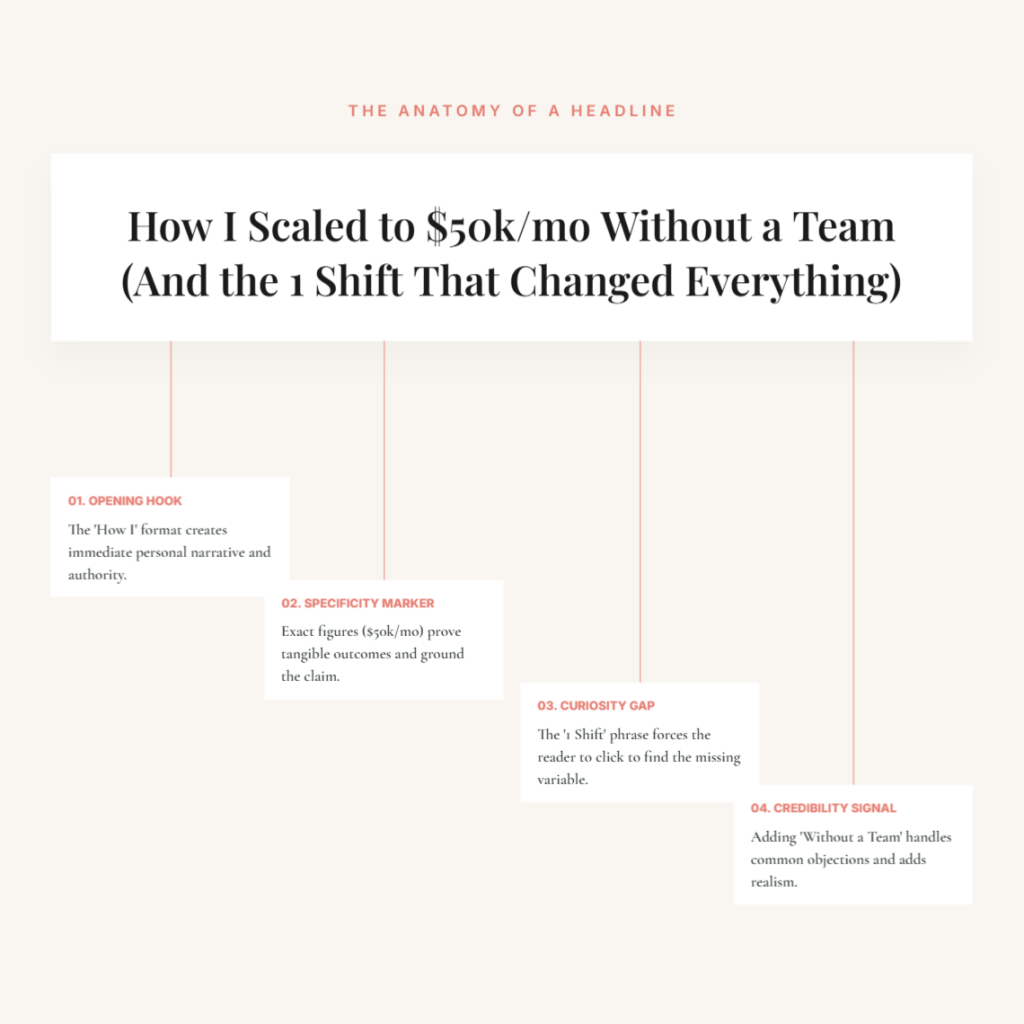
Prompt 2 — Anatomy diagram
Create an infographic breaking down the anatomy of a high converting LinkedIn headline. Feature a single fictional example headline at the top of the design, then use labeled callout lines to identify four key components: the opening hook, the specificity marker, the embedded curiosity gap, and a subtle credibility signal. Layout: the headline sits centered in a card at the top, with four callout lines branching down to labeled annotation boxes below. Color scheme: warm cream background, soft coral labels with hairline connectors, dark slate body text, white annotation cards. Editorial magazine style typography, generous white space, no icons or decorative elements.
Prompt 3 — Process flow
Create an infographic illustrating the five stages of the content marketing funnel: awareness, interest, consideration, conversion, and advocacy. For each stage, include a short stage title, a one line outcome description, and one supporting statistic or data point. Layout: five horizontal bands stacked vertically, top to bottom, each band representing one stage, with a small circular step number on the left side. Color scheme: light background throughout, each band tinted a progressively deeper pastel starting with pale lavender at the top and transitioning gently to soft teal at the bottom. Rounded corners, minimal icons, generous line spacing overall.
Prompt 4 — Stat callout
Create an infographic featuring three bold statistics about AI adoption in content marketing teams. Each statistic should be the visual centrepiece of its own dedicated section. Layout: three horizontal sections stacked vertically, each containing an oversized bold number on the left and a one sentence context explanation on the right, unpacking what the statistic means for marketers. Color scheme: clean off white base background, each section assigned a distinct pale pastel tint — blush pink, mint green, and soft butter yellow — with dark navy numerals for strong contrast against the fills. Bold geometric sans serif for statistics, regular weight for all explanatory supporting text.
Prompt 5 — Before/after comparison
Create an infographic showing a before and after comparison of a content calendar — one side chaotic and unplanned, the other side organized and structured. Layout: two equal columns side by side with a thin vertical divider and a small centered arrow icon pointing from left to right. The left column uses a sticky note visual style with overlapping elements to convey disorder. The right column shows a clean weekly grid calendar to convey structure. Color scheme: warm gray background on the left column, soft sage green on the right, shared white base, dark body text throughout. Friendly, approachable illustration style, no corporate polish.
Listicle prompts
Listicles live or die by scannability. They work as single images when the list is tight like it has five to eight items, and every item can be read in under three seconds. These prompts are built for that constraint. The AI Social Media Post Generator handles all of these natively. Just paste the prompt and watch it design the layout for you.
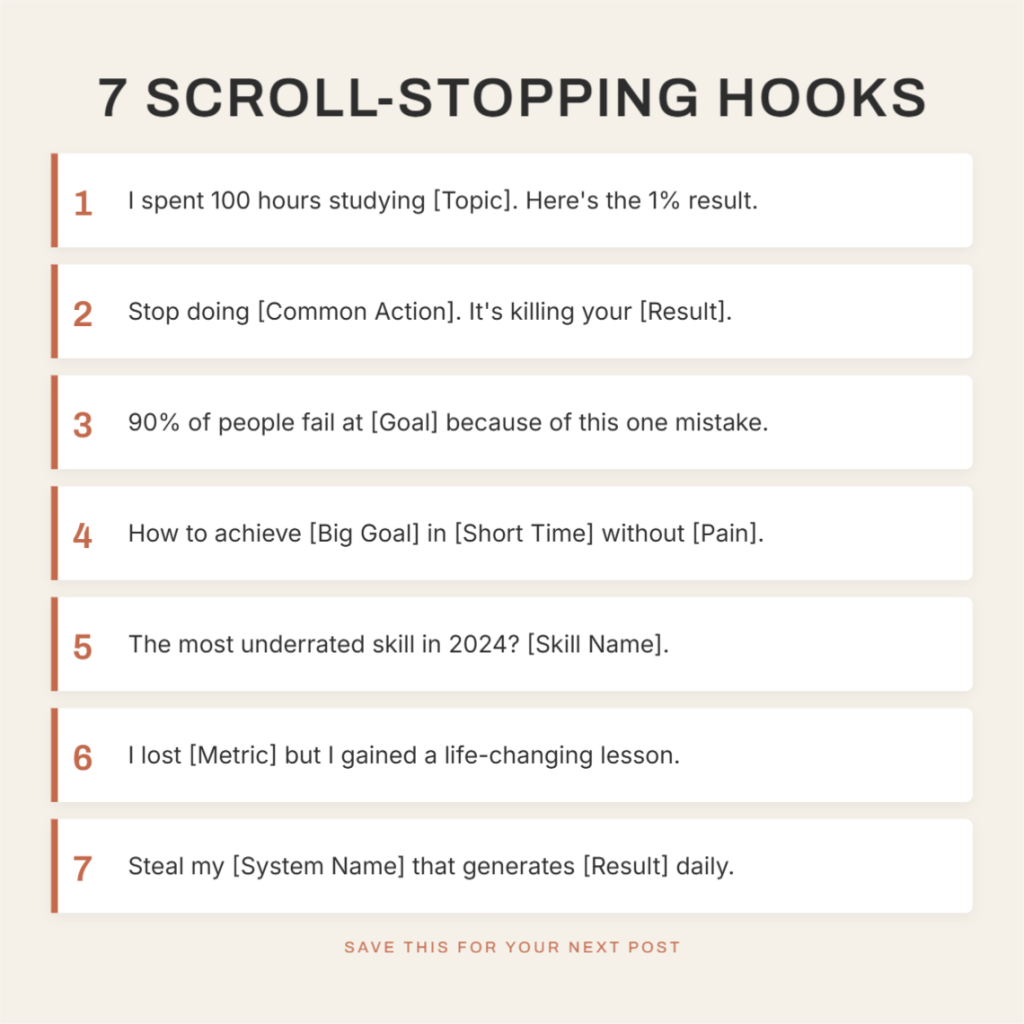
Prompt 6 — LinkedIn scroll stopper hooks
Create a single image listicle post featuring seven LinkedIn hooks designed to stop the scroll. Number each hook clearly from one to seven, all displayed on one vertical image. Layout: a numbered card list, each hook sitting in its own rectangular card stacked vertically, with the number displayed prominently on the left side of each card. Color scheme: warm beige background, white card fills, dark charcoal text, a thin terracotta left border accent on each card to draw the eye down the list. Clean sans serif typography, moderate internal card padding, and a bold descriptive title header anchored firmly at the very top.
Prompt 7 — Free tools for solo founders
Create a single image listicle showing five free tools every solo founder needs in their content stack. Layout: a five item icon led grid, two columns for the first four items and one full width card for the fifth at the bottom. Each card contains a simple flat icon in the top left corner, a tool name in bold, and a single line description of what it does. Color scheme: clean white background, soft powder blue card fills, dark navy title text, light gray description text, sky blue accent for icons. Rounded card corners, consistent 16px internal padding on every card, no decorative borders or drop shadows anywhere.
Prompt 8 — Carousel engagement mistakes
Create a single image listicle highlighting six common mistakes that kill carousel engagement on LinkedIn. Number each mistake from one to six. Layout: a two column grid of numbered mistake cards, three rows of two, each card containing a bold short mistake label and a one line explanation. Accent the mistake label in each card with a soft coral underline to create urgency without using a dark or aggressive background tone. Color scheme: clean white background, light warm gray card fills, dark charcoal body text, muted coral accent for mistake labels only. Bold sans serif for numbered labels, regular weight for all explanatory supporting lines.
Prompt 9 — Morning habits of consistent creators
Create a single image listicle featuring four morning habits of highly consistent content creators. Layout: four tall cards displayed in a single horizontal row, each card representing one habit. Include a small soft illustration or icon at the top of each card, a short bold habit title in the middle, and a two line supporting description at the bottom. Color scheme: soft warm white background, each card in a distinct light pastel — blush, butter, mint, and lavender — with dark slate text inside every card. Rounded corners on all cards, gentle shadow free styling, and an overall approachable, stationery like visual feel throughout.
Prompt 10 — AI prompts for repurposing content
Create a single image listicle showing five AI prompts for repurposing a blog post into social content. Number each prompt from one to five in a vertical stacked card layout. Each card displays the prompt number on the far left in a bold circular badge, followed by the prompt text in a monospace or code style font to signal it is meant to be copied and used. Color scheme: very light off white page background, dark navy card fills with warm white text inside each card creating a deliberate dark card effect against an otherwise light background. Consistent spacing, tight internal padding, clean structured layout throughout.
Carousel prompts
Carousels are LinkedIn’s highest performing content format. They generate more saves, shares, and profile visits than any other post type. These prompts bake the right narrative arc into the brief: hook on slide one, value across the middle, and a clear action on the last slide.
For more on carousel creation, see the AI Carousel Maker, the LinkedIn Carousel Generator, and 500+ LinkedIn carousel templates all of which connect directly to the AI Design Agent.
Prompt 11 — How to write a LinkedIn hook
Create an 8 slide LinkedIn carousel on how to write a hook that earns clicks and stops the scroll. Slide 1: bold title card with a large central headline and a minimal abstract shape in the background. Slides 2 through 7: one teaching point per slide, with the insight as the headline and two to three supporting lines below it. Slide 8: CTA asking readers to save and follow. Color scheme: clean white slides throughout, a consistent soft sky blue accent for slide numbers and key phrase highlights, dark charcoal body text. Same sans serif font family and margin width across all eight slides for visual cohesion.
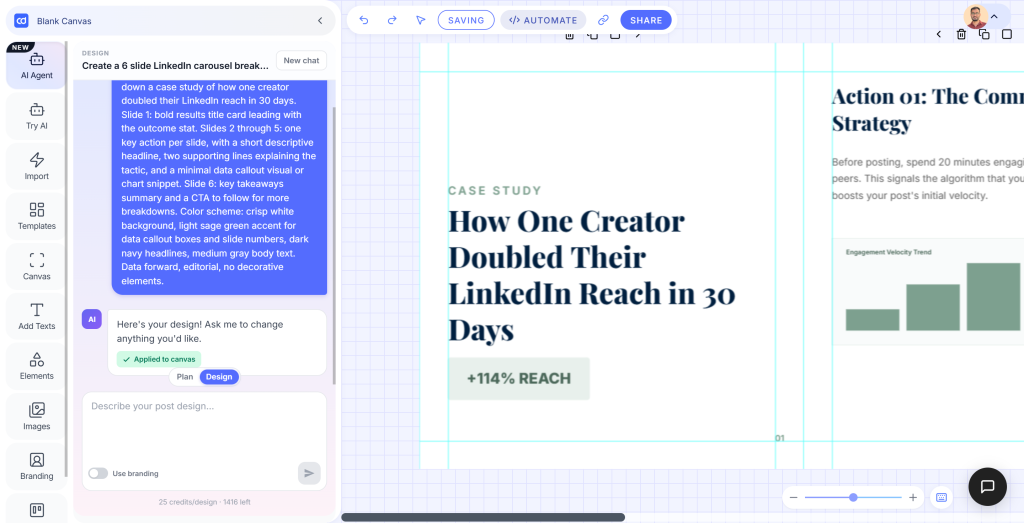
Prompt 12 — Case study carousel: doubling LinkedIn reach
Create a 6 slide LinkedIn carousel breaking down a case study of how one creator doubled their LinkedIn reach in 30 days. Slide 1: bold results title card leading with the outcome stat. Slides 2 through 5: one key action per slide, with a short descriptive headline, two supporting lines explaining the tactic, and a minimal data callout visual or chart snippet. Slide 6: key takeaways summary and a CTA to follow for more breakdowns. Color scheme: crisp white background, light sage green accent for data callout boxes and slide numbers, dark navy headlines, medium gray body text. Data forward, editorial, no decorative elements.
Prompt 13 — Myth vs fact carousel
Create a 5 slide LinkedIn carousel in a myth versus fact format about personal branding. Slide 1: bold title card introducing the myth busting premise. Slides 2 through 4: each dedicated to one myth fact pair, with the myth on the left half and the fact on the right half, separated by a thin vertical divider line. Slide 5: a final summary slide listing the three key truths and a CTA. Color scheme: soft warm white background, pale pink for the myth side of each slide, pale mint for the fact side, dark charcoal text throughout. Clean sans serif, punchy short headlines, generous breathing room between all elements.
Prompt 14 — Content repurposing framework carousel
Create a 7 slide LinkedIn carousel presenting a step by step framework for turning one long form blog post into a full week of social media content. Slide 1: strong title card with a bold headline and a simple weekly calendar graphic. Slides 2 through 6: one numbered step per slide, with a short step title as the headline, two to three supporting lines, and a small content format icon in the corner. Slide 7: summary and CTA. Color scheme: clean white background throughout, soft warm peach accent for step numbers and icon backgrounds, dark slate body text. Structured, instructional layout with consistent slide margins and airy spacing.
Prompt 15 — Quote carousel from a founder interview
Create a 6 slide LinkedIn carousel in a quote led editorial format, pulling key insights from a fictional founder interview about content consistency. Slide 1: a bold introduction card with the interviewee’s name, role, and a teaser line. Slides 2 through 5: one standout quote per slide in large serif type centered on the canvas, with a one line attribution below and a thin decorative rule as the only supporting element. Slide 6: final takeaways and a follow CTA. Color scheme: warm white background throughout, muted dusty rose accent for the decorative rule, dark charcoal text. Large serif for quotes, small clean sans serif for attribution and body text.
Single image post prompts
Single image posts need one idea executed with enough visual confidence that someone stops scrolling. These prompts are built for the formats that hold their own in a single frame: quotes, announcements, checklists, and stat callouts. You can generate all of these directly through the AI Social Media Post Generator: describe what you want, and the agent designs it in seconds.
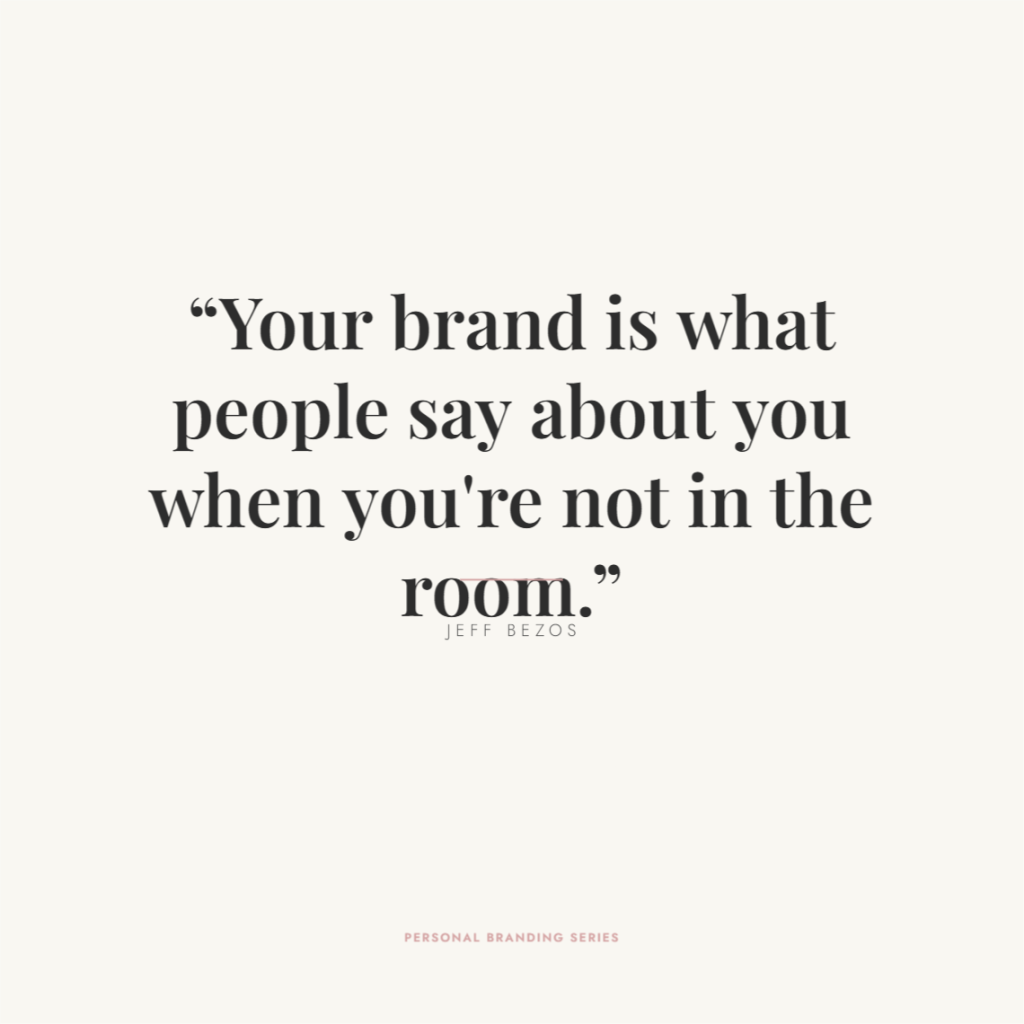
Prompt 16 — Personal branding quote post
Create a single image post featuring a bold motivational quote about personal branding for LinkedIn creators. The quote should be the dominant visual element. Layout: the quote sits centered both vertically and horizontally on the canvas in large serif type, with a short one line attribution below it and a very thin decorative horizontal rule separating them. Color scheme: soft warm white background, dark charcoal quote text, a pale dusty rose rule as the only accent element. No busy background patterns or decorative fills. Minimal and confident, with generous margins on all four sides and plenty of breathing room around the quote.
Prompt 17 — New feature announcement
Create a single image post announcing a new AI powered design feature in a SaaS product. Layout: a large product screenshot or UI mockup occupies the top two thirds of the canvas, shown inside a clean rounded device frame. Below the screenshot, a short punchy announcement headline sits in bold, followed by a one sentence subheadline explaining the benefit to the user. Color scheme: very light gray page background, white device frame, a soft brand tinted accent color used only for the headline text and a small feature badge in the top corner of the screenshot. Clean, modern, product forward. No decorative gradients or textured backgrounds.
Prompt 18 — Oversized stat post
Create a single image post built around one standout statistic: that 72% of marketing teams plan to expand their AI tool stack in the next 12 months. The statistic should be the undeniable focal point. Layout: the percentage figure sits oversized and centered in the upper half of the canvas, with a supporting explanatory sentence in smaller text directly beneath it, followed by a short source attribution line at the bottom. Color scheme: clean off white background, dark navy for the oversized figure, medium warm gray for the supporting sentence, a single pale mint underline accent beneath the percentage. Bold geometric sans serif throughout the design.
Prompt 19 — Monday motivation post
Create a single image post for a Monday morning motivational one liner aimed at content creators and marketers. The one liner should be the only meaningful text on the design, apart from a small account handle or logo area in the bottom corner. Layout: the one liner is centered horizontally in the upper center portion of the canvas, leaving generous white space above and below it. Color scheme: very soft pale butter yellow background, dark charcoal text for the one liner, and a slightly muted charcoal for the handle area. Clean and uncluttered throughout. Friendly rounded sans serif typography, no decorative icons, patterns, or background shapes anywhere.
Prompt 20 — Pre posting checklist
Create a single image post designed as a compact checklist card titled “Before you post, check this.” The checklist should feature exactly five items. Layout: a clean centered card on a light background, each checklist item on its own row, with a rounded empty checkbox on the left and the item label text on the right. A bold card title sits at the top inside the card. Color scheme: very light warm gray page background, white card fill, charcoal text throughout, soft sky blue checkbox outlines and title accent color. Rounded card corners, consistent and even row spacing, clean geometric sans serif font, and a subtle thin border around the entire card.
Poster prompts
Posters are hierarchy problems. The eye needs to land somewhere first, understand the context second, and know the action to take third. These prompts establish that hierarchy in the brief before the design begins, so the agent builds the right visual weight from the start. Browse free templates if you want a pre built starting point to customize instead.
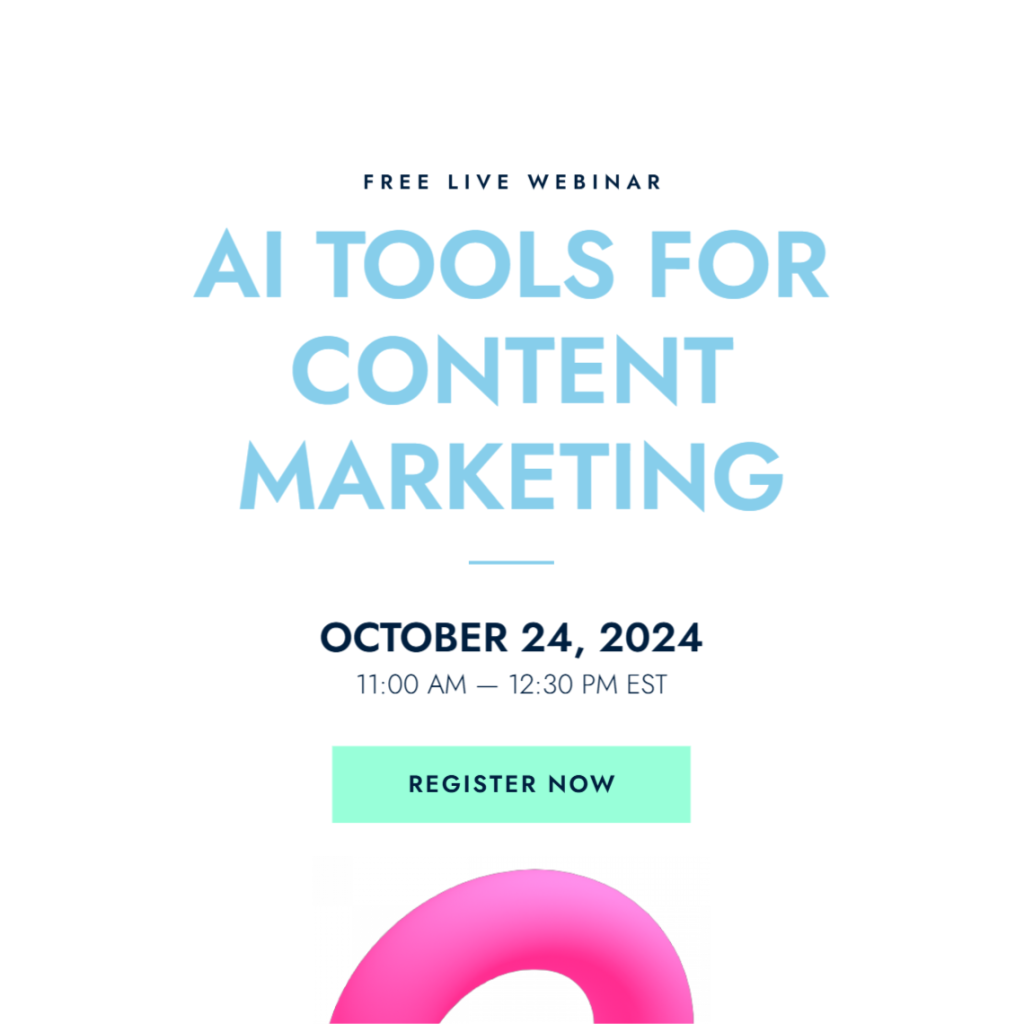
Prompt 21 — Webinar announcement poster
Create a poster announcing a free live webinar on AI tools for content marketing teams. The event title should be the largest and most visually dominant element on the poster. Below the title, include the event date, start time, and a short registration CTA. Layout: vertical poster format, event title in the top half in large bold display type, date and time in a clearly readable centered block in the middle, and a CTA button shape with registration text in the lower third. Color scheme: clean white background, soft sky blue title text, dark navy for the date block, a mint green CTA button shape. Geometric sans serif, no decorative textures.
Prompt 22 — Product launch poster
Create a poster announcing the launch of a new AI powered content design product. The product name should be the primary visual anchor, set in the largest type on the design. Below it, include a single short tagline of no more than eight words, a launch date, and a brief CTA phrase. Layout: vertical format, product name occupying the top half in display size type, tagline in regular weight directly beneath, launch date and CTA stacked in the lower third. Color scheme: crisp white background, dark navy product name, soft warm peach accent for the tagline and CTA text. High contrast, bold, minimal supporting elements, no decorative fills.
Prompt 23 — How it works explainer poster
Create a vertical poster explaining how an AI design agent works in three clear numbered steps. The poster title “How it works” appears at the very top. Below it, display three large numbered step blocks stacked vertically, each containing a bold step title and two lines of supporting explanation, with a simple flat icon on the left side of each block. Layout: title at top, three stacked step blocks in the center, a small CTA line at the very bottom. Color scheme: very light warm white background, pale lavender step block fills, dark slate body text, soft purple step number circles. Generous white space between every step block.
Prompt 24 — Limited time offer poster
Create a poster promoting a limited time discount offer on an annual content design subscription. The discount percentage and the discounted price should be the two most visually dominant elements on the design. Layout: vertical format, the discount percentage in very large bold display type at the top, the discounted price directly below in slightly smaller but still prominent type, a short explanatory line and deadline date in the center, and a bold CTA button shape in the lower third. Color scheme: clean white background, warm amber for the discount percentage, dark navy for the price and body text, amber CTA button shape. Confident, urgent but not aggressive.
Prompt 25 — Event recap poster
Create a vertical poster recapping the five most important takeaways from a live content marketing webinar. Layout: a bold “Key takeaways” title at the top, followed by five numbered takeaway blocks stacked in a single column list, each block containing a short bold takeaway headline and one supporting line below it. Include a thin horizontal rule between each item to create clear visual separation. Color scheme: very light off white background, white takeaway block fills with a subtle thin border, dark charcoal headlines, medium warm gray supporting lines, and a single soft teal accent used only for the numbers and the rule beneath the main title. Clean grid, no decorative elements.
Frequently asked questions about the AI Design Agent
What exactly is the Contentdrips AI Design Agent?
The AI Design Agent is a conversational design tool built into Contentdrips. Instead of picking a template and filling it in manually, you describe what you want in plain English and the agent generates a fully designed, on brand graphic in seconds. It handles layout, typography, color, and structure automatically, no design skills required.
How is it different from using templates?
Templates give you a pre built layout that you customize by hand. The AI Design Agent works in reverse: you describe the output, and it builds the layout for you. You can still edit every element after generation, but you skip the blank canvas step entirely. Both approaches live inside the same Contentdrips editor, use whichever gets you to a finished post faster.
What types of content can the AI Design Agent create?
It creates the full range of social content formats: carousels, infographics, single image posts, quote cards, listicle graphics, posters, banners, and announcement posts. It is particularly strong for LinkedIn carousels and infographic style posts that would otherwise take significant design time.
Do I need design experience to use it?
No. The agent is built specifically for people who do not have a design background. The more specific your prompt, the better the output, but you do not need to know anything about typography, grid systems, or color theory. The prompts in this library are written to give the agent enough direction to produce a professional result on the first try.
Does my brand kit apply automatically to AI Design Agent outputs?
Yes. Once you have uploaded your brand kit: your fonts, colors, and logo, the AI Design Agent applies it to every design it generates. You do not need to specify your brand colors in every prompt. The color scheme directions in these prompts are intentionally light and generic; once your brand kit is active, your actual brand palette takes over.
How specific do my prompts need to be?
The three things that have the biggest impact on output quality are layout direction, color scheme, and a specific topic angle. Vague prompts like “make an infographic about social media” produce generic results. Prompts that name a layout (two column grid, horizontal bands, stacked cards), a color scheme (off white background, navy text, mint accent), and a specific angle (AI adoption stats, LinkedIn headline anatomy) produce designs close enough to post ready on the first generation.
Can I edit the output after it is generated?
Yes. Every design the AI generates opens in the full Contentdrips canvas editor, where you can move elements, change text, swap colors, replace images, and adjust spacing. Generation gets you 80% of the way there; editing gets you the rest.
Can I publish directly from the AI Design Agent?
Yes, on paid plans. Once you have generated and edited your design, you can publish directly to LinkedIn and Instagram without downloading or switching tools. The Starter plan includes direct publishing to LinkedIn profiles, Company Pages, and Instagram.
Is the AI Design Agent available on the free plan?
The AI Design Agent is available to try on the free plan with limited credits. Paid plans unlock more generations per month, higher resolution exports, full brand kit integration, and direct publishing. See the pricing page for the current plan breakdown.
Can I use these prompts for Instagram as well as LinkedIn?
Yes. The AI Design Agent generates content for both platforms. For Instagram, the agent defaults to square (1:1) or portrait (4:5) formats optimized for the Instagram feed. Simply add “for Instagram, square format” or “portrait format optimized for Instagram” to any prompt in this library and it will size accordingly.
Take it further
The prompts above are starting points. Once you have run one through the AI Design Agent and seen what comes back, the fastest way to sharpen the output is to add one more layer of specificity: your actual statistic, your real product name, your brand’s specific accent color.
That one extra detail is what moves a design from looking good to looking like yours.
Try a prompt in the AI Design Agent

Amna Anjum is an Associate at Contentdrips, working closely with the product and how creators use it day to day. She specializes in social content strategy, with deep knowledge of how carousels, graphics, and threads perform across Instagram, LinkedIn, Twitter, and TikTok. She writes from firsthand experience with the tools and workflows she covers.