What if the way you’re using Contentdrips is only half the picture?
Here’s the thing: you signed up, started building carousels and quote posts in the editor, and it’s working. Then you notice api.contentdrips.com sitting in the footer, or someone on your team mentions “we should just hit the API for this,” and now you’re not sure if you’re missing something, or if the app is already doing everything you need.
The short answer: the app and the API are not two tiers of the same thing. They’re built for two different jobs. The app is for creating content yourself. The API is for generating content as part of a system, whether that’s an automation workflow, a bulk pipeline, or your own product.
This guide breaks down exactly which one fits how you actually work, including the cases where you genuinely want both.
TL;DR
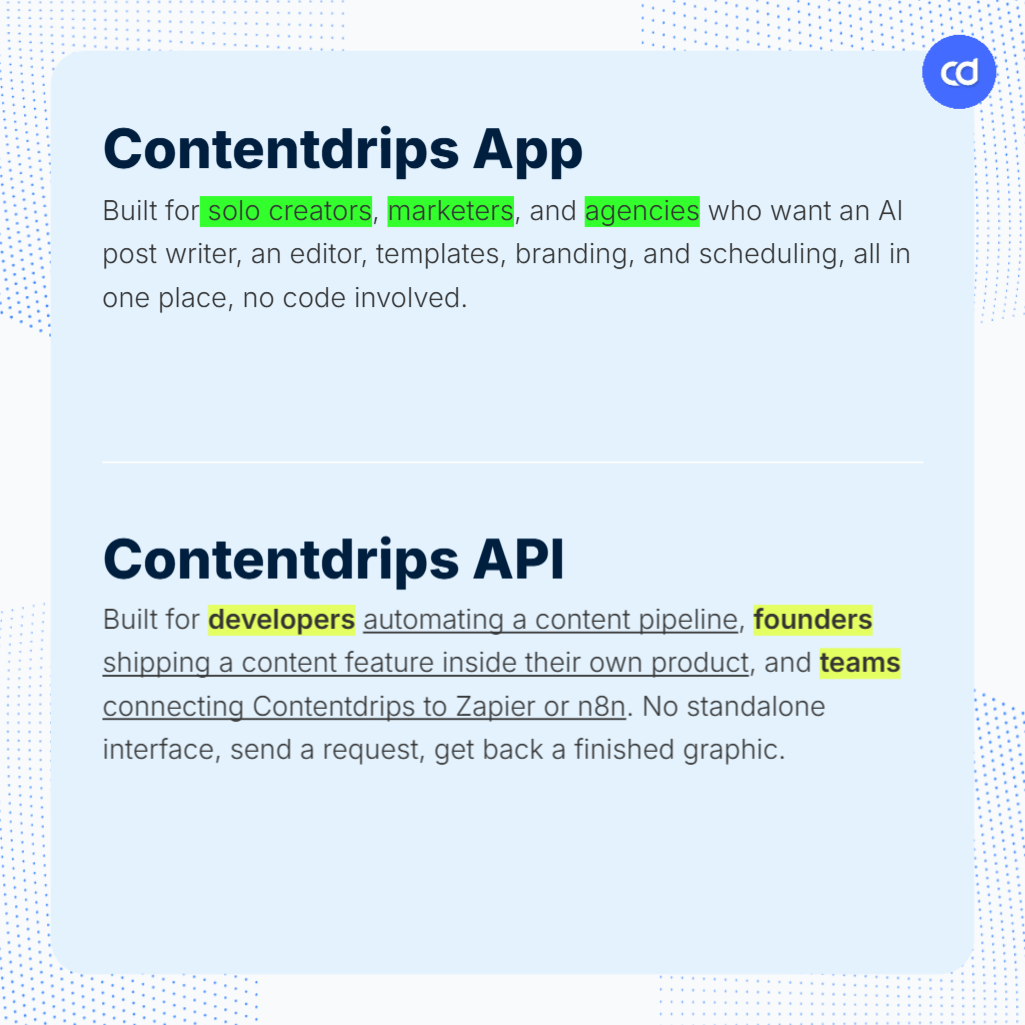
The Contentdrips App is built for people creating content themselves: solo creators, marketers, and agencies who want an AI post writer, an editor, templates, branding, and scheduling, all in one place, with no code involved.
The Contentdrips API is built for people generating content as part of a system: developers automating a content pipeline, founders shipping a content feature inside their own product, and teams connecting Contentdrips to Zapier or n8n. It has no standalone interface. You send a request, you get back a finished graphic.
Contentdrips App vs API: An Overview
Before getting into the details, it helps to understand what each one actually is and who it’s built for.
Contentdrips App
The Contentdrips App is the full creator and marketer-facing product. It covers everything from writing the post (AI Post Writer, Match My Style) to designing it (editor, templates, branding) to scheduling and publishing it (bulk planner, content calendar, direct posting to LinkedIn and Instagram). You work inside the app, in a browser, with no code required.
Contentdrips API
The Contentdrips API is a developer-facing REST API. It doesn’t have a login screen or a canvas. You send a single POST request with a template ID, your content, and your branding details, and it returns a finished PNG or PDF. It’s built to sit inside a workflow, whether that’s an n8n pipeline, a Zapier automation, or your own application’s backend.
Diving Into the Contentdrips App
For most individual creators, marketers, and agencies, the app is where the work actually happens. It’s built for people who are writing and designing posts themselves, not piping data through a system.
At its core, the Contentdrips App provides:
- AI Post Writer: Generates captions and posts for LinkedIn, Instagram, TikTok, Facebook, and Twitter, from a topic, a blog article, a YouTube video, or an idea.
- Editor: Create posts with AI, or repurpose existing content using Match My Style, which learns from your past posts so new content sounds like you instead of a generic AI voice. The editor also gives you quick styling options for fast adjustments, and full brand kit support, so your fonts, colors, and visual style apply automatically across every post without manual setup each time.
- AI Ideas Generator: Set up a content profile with your role, audience, industry, and goals, and the AI generates personalized content themes, then specific post ideas under each theme. Select an idea and it carries straight into the Editor with the topic already filled in.
- Trending Ideas and RSS Feeds: Discover trending topics within your niche, or connect an RSS feed and convert articles directly into written and visual posts.
- Client Profiles for Agencies: Set up separate profiles for each client you manage, each with its own brand kit, voice, and content, so you can move between accounts inside one workspace instead of juggling logins.
- Bulk Post Planner and Scheduling: Build up to two weeks of written and visual content at once, then schedule it directly to LinkedIn and Instagram from the same flow.
- AI Design Agent: A conversational design tool inside the editor. Type a description like “bold Twitter-style statement” or “motivational quote for Instagram,” and it generates a full design, including layout, typography, and copy, which you can then refine with follow-up requests or edit manually.
Match My Style and brand kit support are what make this useful past the first week: once they’re set up, every new post, whether written by AI, pulled from an RSS feed, or designed by the AI Design Agent, comes out sounding and looking like you by default. If you’re a creator trying to stay consistent on LinkedIn without hiring a designer, or an agency managing five client profiles inside one workspace, this is where you’d spend your time.
Where the App Runs Into Limits
The app is genuinely strong for manual, human-driven content creation. But as your needs shift from “create a post” to “generate content at scale, automatically, or inside another system,” a few limits show up.
1. No programmatic or bulk generation
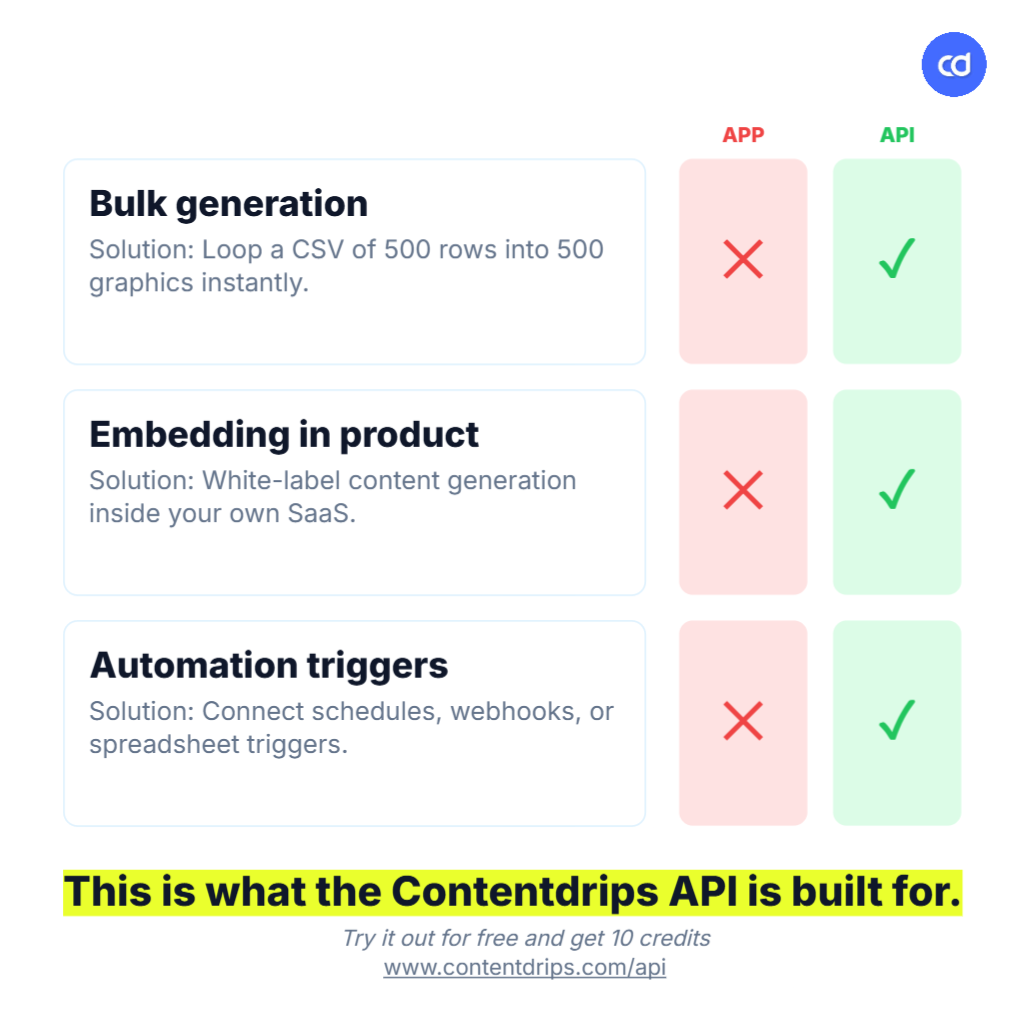
The app is built for working on one post, or one batch of two weeks of posts, at a time inside the editor. It’s not built to take a CSV of 500 product listings and turn each row into a unique graphic without anyone touching the editor. If you need to loop through a data source and generate content automatically, you’re past what the app’s UI is meant to do, and the API’s bulk generation is the better fit.
2. No way to embed content generation into your own product
The app is a destination you log into. It’s not something you can drop into your own SaaS product so that your users get content generation without ever knowing Contentdrips is behind it. If you’re building a product that needs graphic generation as a feature, not a place your users visit separately, the API is built to be used as that rendering engine.
3. No automation-platform connectivity
There’s no way to trigger the app from a schedule, a webhook, or a new row in a spreadsheet. If you want a daily quote post to generate itself, or a new Typeform submission to become a branded testimonial graphic automatically, the app can’t do that on its own. The API’s native Zapier integration and n8n support are built exactly for this.
If any of these three sound like what you’re trying to do, the next section is for you.
Diving Into the Contentdrips API
The Contentdrips API is built for businesses and developers who need graphic generation as infrastructure, not as a place to log in and design manually. It doesn’t have a standalone interface. Instead, it’s integrated into your stack, whether that’s an automation platform, your own application, or an AI agent acting on your behalf.
A useful way to picture this: an agency running client reports doesn’t want a designer opening the editor every week. They want a spreadsheet of client data turned into ten branded graphics automatically, every time the data updates. That’s the kind of workflow the API exists to support, and it’s exactly the gap the app’s limits above point to.
Key features of the Contentdrips API
- Single POST request, finished graphic back: Send your template ID, content, and branding object, get back a download URL for a PNG or PDF. No SDK, no GraphQL schema to learn.
- Async job processing with webhooks: For bulk requests or longer jobs, the API returns a job ID. Poll the status endpoint or set up a webhook callback, and you get notified when the export is ready.
- Template ID system with labeled placeholders: Every template has fields like
title_1orhashtag_1that map directly to your request payload, so populating a design is a matter of matching labels to values. - Branding object: Pass your name, handle, bio, and avatar image URL in a single object, and it gets applied automatically to any template with branding placeholders. You can also reference a saved brand kit by ID.
- Native Zapier integration and n8n support: Trigger on a schedule, chain output into a publishing step, or use n8n’s HTTP Request node or community node, all without writing custom integration code from scratch.
Generating graphics through an AI agent (MCP)
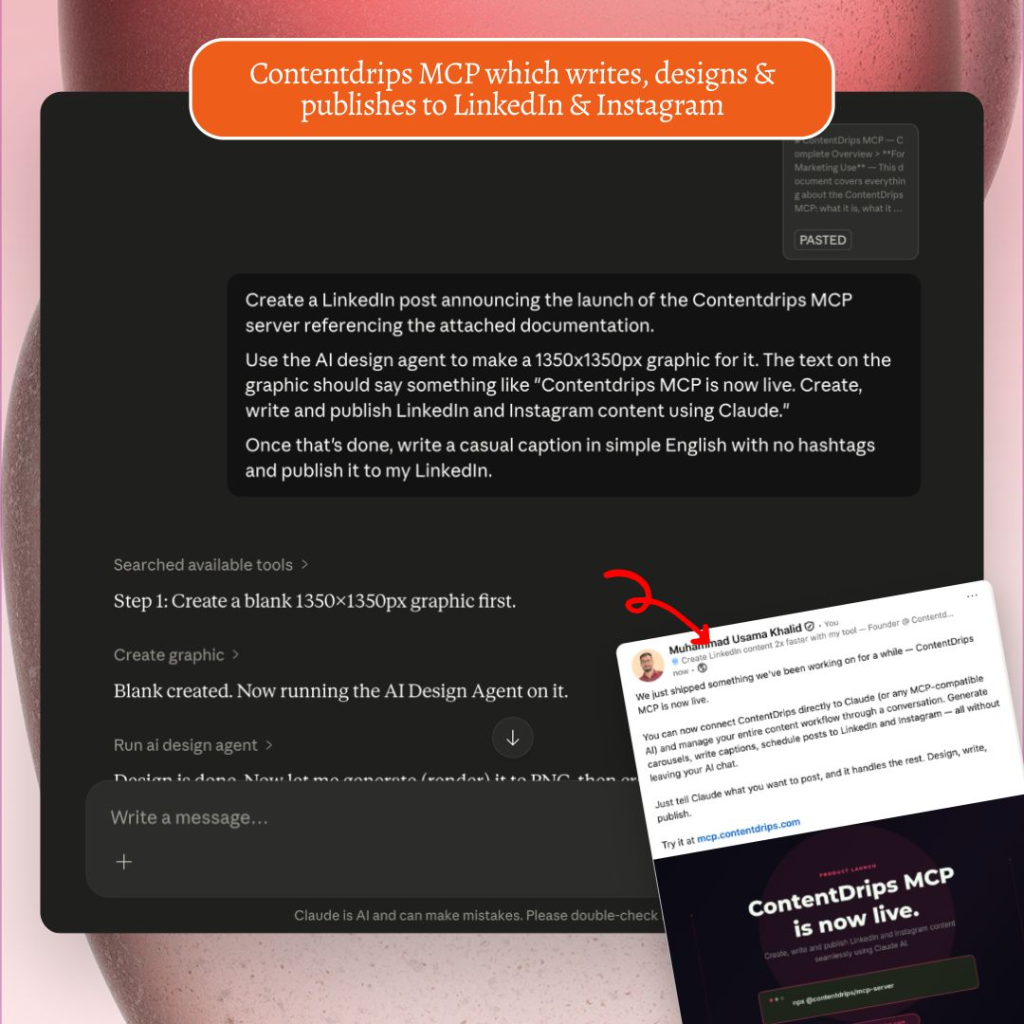
This is where the API stops being just a rendering endpoint and starts becoming something an AI agent can operate on its own.
Contentdrips MCP lets any MCP-compatible AI agent, including Claude, call Contentdrips directly through natural language instructions, without anyone writing a POST request, looking up a template ID, or mapping placeholder fields by hand. You describe what you want, in plain language, and the agent handles the API call for you.
In practice, this looks like telling an agent something like “summarize this blog post and turn it into a five-slide LinkedIn carousel using our brand kit,” and having the agent carry that out end to end, from reading the source content to calling the render endpoint to returning a finished file, without a human touching the API spec at any point.
This matters most for the people who want the API’s automation and scale, but don’t want to write or maintain integration code themselves. MCP is the bridge between the app’s no-code simplicity and the API’s programmatic power: you describe the outcome, the agent does the technical work.
A related access layer, Contentdrips Openclaw, sits at the same tier. Both come with existing API access. Neither requires a separate signup or a different pricing plan. If you have an API key, you already have what you need to use them.
Key Benefits of the Contentdrips API
Beyond the individual features, here’s what the API actually changes about how content gets produced:
- Ships your content feature faster than building your own renderer. Use the API as the design engine behind your own product, so your team isn’t building and maintaining a graphics rendering pipeline from scratch.
- Removes the design bottleneck for agencies. Run multiple client brand kits through one pipeline, pushing content in from a CMS or spreadsheet, with no editor and no designer in the loop.
- Puts recurring content on autopilot. A daily or weekly trigger in Zapier or n8n generates and publishes a graphic automatically, with no manual step in between.
- Turns form responses into branded graphics instantly. Connect Typeform or Airtable, and every new testimonial submission becomes a finished social graphic within seconds.
- Generates hundreds of graphics from one spreadsheet. Upload a CSV of 500 rows, loop through with the API, and get 500 unique, branded graphics back: product listings, job posts, course slides, event announcements.
- Converts existing content into new formats automatically. Blog posts and YouTube videos can be passed through the pipeline and converted into carousel-ready content without a manual rewrite step.
How to Choose the Best Option for Your Business
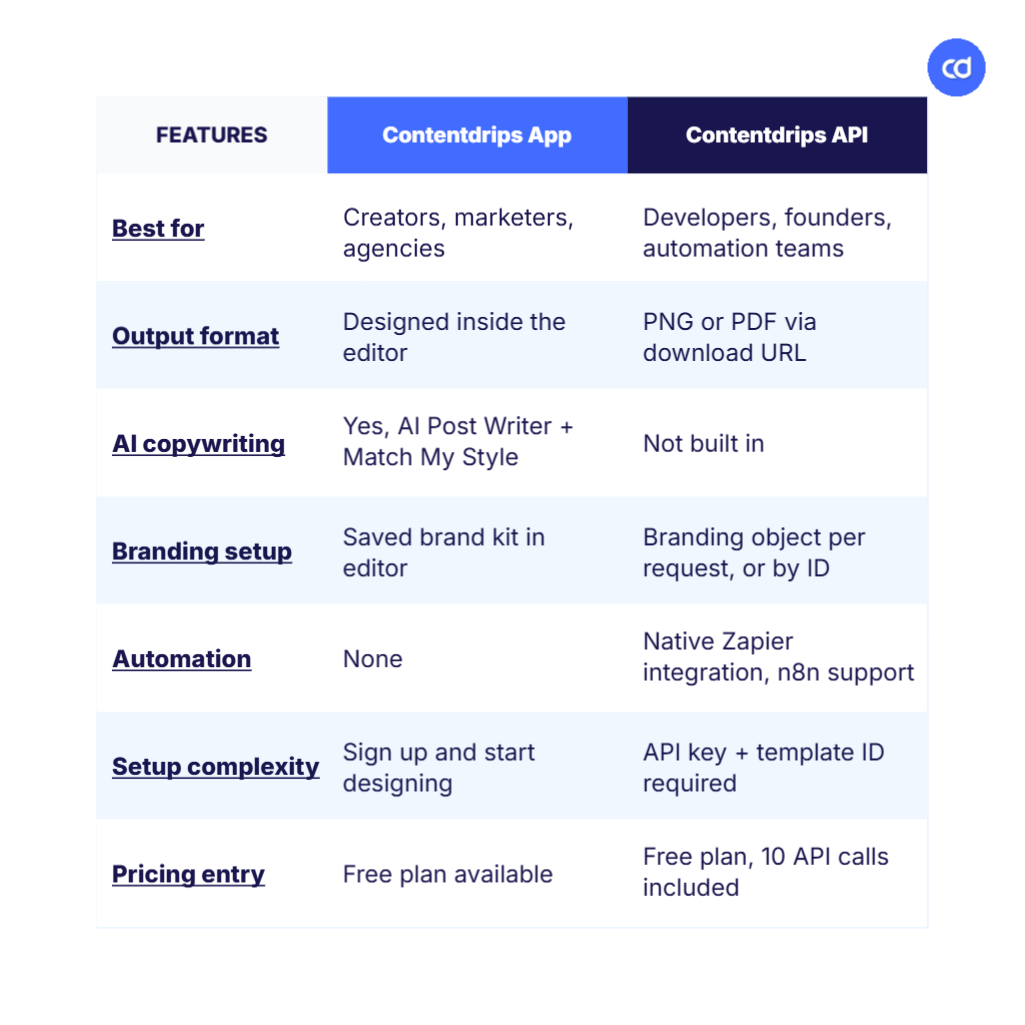
Here’s a side-by-side look at both products. With this laid out, you should be able to tell fairly quickly which one matches how you actually work.
| Feature | Contentdrips App | Contentdrips API |
|---|---|---|
| Best for | Solo creators, marketers, agencies creating content themselves | Developers, founders, and teams automating or embedding content generation |
| Output format | Designed and published from inside the editor | PNG or PDF returned via download URL |
| Where you work | Browser-based editor | Your own codebase, or Zapier/n8n |
| AI copywriting included | Yes, AI Post Writer with Match My Style | Not built in; AI credits apply separately if used |
| Branding setup | Saved brand kit, applied inside the editor | Branding object in each request, or referenced by ID |
| Posting capability | Direct scheduling and posting to LinkedIn and Instagram | Returns a graphic only; posting requires a separate step or integration |
| Automation platform support | None | Native Zapier integration, n8n support |
| Bulk generation | Up to two weeks of posts via the bulk planner | Hundreds of graphics from a CSV in one loop |
| AI agent access (MCP/Openclaw) | Not applicable | Included with API access, no separate signup |
| Setup complexity | Sign up and start designing immediately | Requires a template ID, an API key, and basic request handling |
| Pricing entry point | Free plan available | Free plan, 10 API calls included |
| Technical skill required | None | Basic familiarity with REST requests, or a no-code automation tool |
You Might Need Both
For a lot of teams, this isn’t strictly either/or. A common pattern: design and brand-lock your templates inside the app, where the editor makes it easy to get the look exactly right, then reference that same template’s ID through the API to automate how it gets populated and distributed going forward. You get the design control of the app and the automation of the API, without rebuilding anything twice. For step-by-step walkthroughs on connecting the two, check our guides.
Take Control of Your Content Workflow
Choosing between the Contentdrips App and the Contentdrips API comes down to one question: are you creating content yourself, or generating it as part of a system? For solo creators, marketers, and agencies doing the design work directly, the app is the right starting point. For developers, founders, and teams that need content generation running automatically, at scale, or inside their own product, the API is built for exactly that, and MCP means you don’t even need to write the integration code to get there.
Try the app free or get your API token, 10 free calls included.
FAQ
Can I use the app and the API together? Yes. A common setup is designing and brand-locking templates inside the app, then calling those same templates through the API to automate distribution.
Do I need to know how to code to use the Contentdrips API? Basic familiarity with REST requests helps, but you don’t need to write code at all if you use the native Zapier integration, n8n, or community nodes, or connect through MCP using natural language.
Can I reuse templates I built in the app through the API? Yes. Every template has an ID you can reference in your API requests, and its labeled placeholders map directly to the fields in your request payload.
Is my branding shared between the app and the API, or do I have to set it up twice? You can save a brand kit in the app and reference it by ID in your API calls, or pass branding details directly in each request. Either way, you don’t need to rebuild it from scratch.
Do MCP and Openclaw require a separate signup? No. Both come with existing API access. If you already have an API key, you can use them without a separate plan or signup.
What’s the cost difference between an app plan and an API plan? The app has its own free plan and paid tiers based on app usage. The API is priced separately, starting with a free plan that includes 10 calls, with paid tiers based on monthly API call volume.