
New Launch: AI Social Media Post Generator –Try for Free➜

TikTok Carousels Are Outperforming Video

The Fastest Way to Make a TikTok Carousel That Actually Gets Seen

Contentdrips turns any topic, blog, or idea into a fully designed, on-brand TikTok carousel post in under 2 minutes. No camera. No editing software.

81%
More engagement than video
2 min
From idea to posted
5,000+
Creators already using it
THE DATA

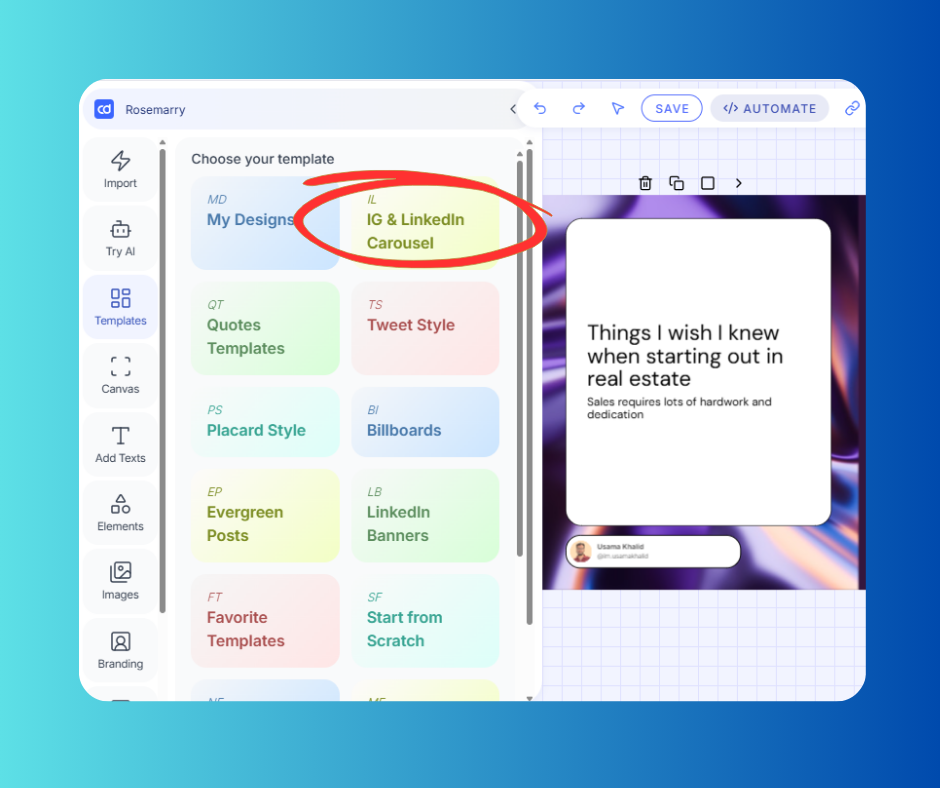
Explore Our Extensive Carousel Templates Library

THE DATA

What the Numbers Are Saying

81%

Higher Engagement Rate

vs. video posts on TikTok (Fanpage Karma, 700K posts, 2025)

82%

More Likes Per Post

compared to standard video content on TikTok

10x

More Algorithm Signals

per 10-slide carousel vs. one video watch

35

Slides Allowed

per TikTok carousel — optimal range is 5–10 for best completion

THE DATA

Why TikTok Carousels Are Taking Over

TikTok started as a video platform. Carousels, called Photo Mode, now outperform video in engagement, saves, and comments.

TikTok started as a video platform. But something shifted. TikTok carousels — called “Photo Mode” — now outperform video in the metrics that actually matter: engagement, saves, and comments.

The algorithm rewards dwell time. When someone swipes through your carousel, each slide sends a fresh engagement signal. A 10-slide carousel watched fully sends 10 signals.

TikTok is investing hard in Photo Mode — dedicated analytics, a separate image feed, alt-text indexing. When a platform builds infrastructure around a format, early adopters win. That window is open right now.

HOW IT WORKS

From Topic to TikTok Carousel in Three Steps

No design skills. No camera. No Canva back-and-forth. Just your idea and two minutes.

💬

Give it a topic, URL, or idea

Paste a blog post, drop a YouTube link, type a topic, or pick from AI-generated ideas tailored to your niche. Contentdrips handles everything from there.

AI writes the copy & designs the slides

Contentdrips generates the hook, slide content, and a fully designed visual carousel — sized perfectly at 9:16 for TikTok, styled to your brand kit.

🚀

Edit, export, and post

Fine-tune any slide in the canvas editor, download your TikTok carousel as ready-to-post PNGs, or schedule it directly to TikTok from the dashboard.

BUILT FOR TIKTOK CAROUSELS

Everything You Need to Post Consistently

One tool that handles the writing, the design, the branding, and the publishing of every TikTok carousel you create.

🎨

AI Design Agent

Describe the TikTok carousel you want in plain English. The AI builds the full design — layout, typography, colors — and applies it to the canvas instantly.

✍️

Match My Style AI Writing

Contentdrips learns your voice from past posts and writes every TikTok carousel in your tone — not generic AI-speak. Your audience won’t know it took you two minutes.

🔄

Repurpose Anything to Carousel

Drop a YouTube video, TikTok link, blog article, or RSS feed. Contentdrips extracts the best ideas and turns them into a formatted TikTok carousel, ready to design.

🎯

9:16 TikTok-Ready Templates

Every template is built for TikTok’s vertical format. Bold typography, swipe-ready slide structure, and first-slide hooks designed to stop the scroll.

📅

Bulk Carousel Planner

Plan two weeks of TikTok carousel content in one session. Generate written and visual slides together, then schedule everything in a single flow — so the algorithm sees you showing up consistently, which is half the battle.

TIKTOK CAROUSEL GUIDE

The TikTok Carousel Formats That Get Saves & Shares

Not all carousel content performs the same. Here are the formats the algorithm rewards most — and how to use them.

💾

Tips & Frameworks

Break down a concept into 5–8 actionable slides. Each slide = one idea. These TikTok carousels drive massive saves because viewers want to reference them later.

📈

Step-by-Step Tutorials

Step-by-step content drives curiosity to the last slide. Each step is its own slide, which naturally boosts slide completion rate — a top TikTok 2025 carousel signal.

↔️

Before & After

Before/after carousels tap into primal curiosity. Showing the ‘after’ first, then revealing the journey, keeps people swiping and creates natural comment bait at the end.

📊

Data & Infographics

TikTok carousels function like lightweight slide decks for B2B audiences. Data-heavy posts with bold visuals and chart-style slides perform exceptionally well in professional niches.

📋

Listicles & Roundups

Numbered lists are inherently swipeable. ‘7 tools every creator needs’ or ‘5 mistakes killing your reach’ — this format works in every niche and is easy to produce at scale.

📝

Blog-to-Carousel

Take your best-performing blog post and extract the key points into 6–10 slides. Contentdrips does this automatically — paste the URL and get a formatted TikTok carousel in seconds.

TIKTOK CAROUSEL ALGORITHM

What TikTok Actually Measures on Your Carousel Posts

Understanding these signals is what separates carousels with 500 views from ones with 500,000.

Slide Completion Rate

The percentage of viewers who swipe through every slide. TikTok weighs this heavily — design your first slide as a hook and your last slide with a strong payoff to keep completion high.

Average Dwell Time Per Slide

Time spent on each individual image. Text-rich, information-dense slides naturally hold attention longer — which is why educational TikTok carousels consistently outperform photo dumps.

TikTok SEO (Image Text Indexing)

TikTok now indexes text on your carousel slides — not just captions. Keywords on your slides directly affect search discoverability. Your carousel works as SEO content, not just a social post.

Saves Over Shares

Saves signal that your content has lasting value. On TikTok, a saved carousel is more valuable to the algorithm than a viral share — it tells TikTok to keep recommending your content over time.

9:41●●●
1 / 7
5 Mistakes Killing Your TikTok Reach
❤️ 💬 🔖 ↗️
+81%
avg. engagement vs. video

TikTok Carousel Questions, Answered

A TikTok carousel — officially called “Photo Mode” — lets you upload multiple images in a single post that viewers swipe through manually. Unlike a video slideshow that auto-plays, a carousel gives the viewer control, increasing dwell time and engagement signals. TikTok allows up to 35 images per carousel post, though 5–10 slides is the sweet spot for most content types.

To post a TikTok carousel natively: open TikTok, tap the + button, select your images, then choose “Photo Mode” before posting. The key is creating high-quality 9:16 vertical slides with a strong first-slide hook. With Contentdrips, you skip the design work — generate your carousel content, download the slides as PNGs, and upload directly to TikTok in Photo Mode.

TikTok carousel images should be 1080 × 1920 pixels (9:16 vertical ratio) for full-screen display. Using wrong dimensions adds blurred borders or crops important content. Contentdrips automatically exports every TikTok carousel slide at the correct dimensions — no resizing needed.

In terms of engagement rate, yes — significantly. An analysis of 698,000 TikTok posts from H1 2025 found carousels generate 81% higher engagement and 82% more likes than video posts of similar size and topic. Where carousels win is depth engagement: saves, comments, and algorithm dwell time signals that build long-term audience trust.

Yes — and this is one of the biggest advantages of TikTok carousel posts. You can build a full audience on TikTok using only text-and-image carousels. Many successful creators and B2B brands never appear on camera. Contentdrips is specifically built for this workflow: generate the content, design the slides, post — no filming required.

TikTok allows up to 35 slides, but most high-performing carousels use 5–10. The algorithm penalizes high early drop-off rates, so every slide needs to earn the next swipe. A good rule: 7 slides with a strong hook on slide 1 and a clear CTA on slide 7.

Your Next TikTok Carousel Is 2 Minutes Away

Join 5,000+ creators making TikTok carousel posts that actually get seen. Free plan available. No credit card required.

Free planNo credit cardWorks for TikTok, LinkedIn & Instagram
Try it