You spent hours writing a 2,000-word blog post. It got some traffic. Maybe a few shares.
Then it disappeared into the content graveyard.
Here’s the problem: one blog post published once reaches a fraction of its potential audience. But that same blog post can become 10+ pieces of LinkedIn content, reaching thousands more people over weeks.
This guide shows you exactly how to repurpose blog content into LinkedIn posts that actually perform, whether you’re doing it manually or using automation tools.
What You’ll Learn
- Why blog repurposing works on LinkedIn
- 10 proven post formats to extract from any blog
- Step-by-step conversion process
- Tools that automate the entire workflow
Why Repurposing Blog Content Works
The Reality of Content Consumption:
- Only 2% of your audience will read your full blog post
- LinkedIn users scroll fast and prefer bite-sized insights
- The same idea presented 10 different ways reaches 10 different audience segments
The Benefits:
- 10x your content output without writing from scratch
- Test different angles to see what resonates
- Build consistency by scheduling posts in advance
- Maximize ROI on content you already created
Most creators write once and move on. Smart creators extract every ounce of value from existing content.
The 10 Post Formats You Can Extract from Any Blog
Here’s how to turn one blog post into 10 different LinkedIn posts:
1. The Hook + Link Post
Extract the most compelling stat or insight from your blog and use it as a hook.
Example:
“87% of LinkedIn creators waste 6 hours/week on manual content creation.
Here’s how to cut that time by 80%: [link to blog]”
Best for: Driving traffic back to your blog
2. The Key Takeaway Post
Summarize the 3-5 main points from your blog in a list format.
Example:
“I just published a guide on LinkedIn content automation. Here are the 5 biggest lessons:
- Repurpose > Create from scratch
- Templates save 70% of design time
- AI can match your writing style
- Batch creation beats daily posting
- Carousels outperform single images 3:1
What’s your biggest content bottleneck?”
Best for: Engagement and discussion
3. The Contrarian Take
Find the most controversial or counterintuitive point in your blog and make it the focus.
Example:
“Unpopular opinion: Posting daily on LinkedIn is hurting your growth.
Here’s why quality beats frequency every time… [expand on blog section]”
Best for: High engagement, debate in comments
4. The Story Post
Pull out a personal anecdote, case study, or example from your blog.
Example:
“Last month, I spent 12 hours creating content for LinkedIn.
This week? 2 hours.
Here’s what changed… [tell the story from your blog]”
Best for: Building connection and relatability
5. The Carousel Post
Turn your blog’s main sections into a 6-10 slide carousel.
Structure:
- Slide 1: Hook (title + problem)
- Slides 2-8: One key point per slide
- Slide 9: Summary
- Slide 10: CTA
Best for: Maximum engagement and saves
6. The Quote Post
Extract a powerful quote or insight from your blog and turn it into a standalone visual post.
Example:
[Image with text]: “Content repurposing isn’t lazy. It’s strategic.”
Add context in the caption explaining where this insight came from.
Best for: Quick wins, highly shareable
7. The Data Post
Pull out stats, numbers, or research findings from your blog.
Example:
“New data on LinkedIn engagement:
- Carousels: 3.2x more engagement
- Videos: 2.1x more engagement
- Text + image: 1.5x more engagement
- Text only: baseline
Source: [your blog post analysis]”
Best for: Establishing authority
8. The How-To Post
Take one actionable tip from your blog and turn it into a mini-tutorial.
Example:
“How to repurpose a blog post in 10 minutes:
- Copy your blog URL
- Paste into [tool name]
- AI extracts key points
- Choose format (carousel, quote, list)
- Customize with your brand
- Schedule or post
Done.”
Best for: Providing immediate value
9. The Question Post
Turn your blog’s main topic into a discussion-starter.
Example:
“Question for content creators:
How many pieces of content do you get from one blog post?
Most people: 1
Smart creators: 10+What’s your strategy?”
Best for: Driving comments and engagement
10. The Resource Roundup
If your blog mentions tools, links, or resources, create a post highlighting them.
Example:
“5 tools I use to repurpose content faster:
- [Tool] – for carousels
- [Tool] – for scheduling
- [Tool] – for AI writing
- [Tool] – for analytics
- [Tool] – for design
Full breakdown in my latest post: [link]”
Best for: Building resource lists people save
Step-by-Step: How to Repurpose Your Blog
Method 1: Manual Repurposing (2-3 Hours)
Step 1: Read and Highlight
- Open your blog post
- Highlight key insights, stats, quotes, and stories
- Note which sections would work as standalone posts
Step 2: Extract Content
- Copy highlighted sections into a document
- Categorize by post type (list, story, data, etc.)
- Aim for 10 different angles
Step 3: Rewrite for LinkedIn
- Shorten paragraphs (LinkedIn users skim)
- Add line breaks for readability
- Start with a hook
- End with engagement bait or CTA
Step 4: Create Visuals (If Needed)
- For carousels: Use Canva or PowerPoint
- For quote posts: Use Canva templates
- Keep designs simple and on-brand
Step 5: Schedule
- Space posts out over 2-4 weeks
- Use LinkedIn’s native scheduler or third-party tools
- Track which formats perform best
Method 2: AI-Powered Repurposing (15 Minutes with Contentdrips)
Step 1: Use the Blog to LinkedIn Post Feature
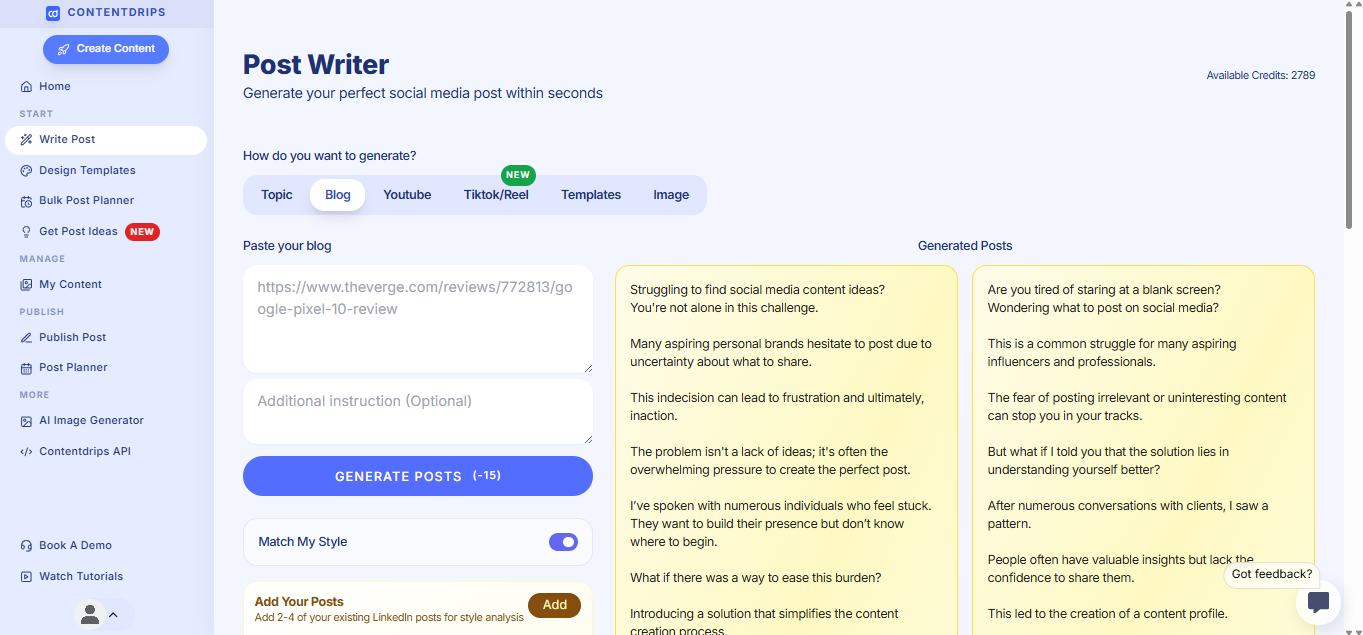
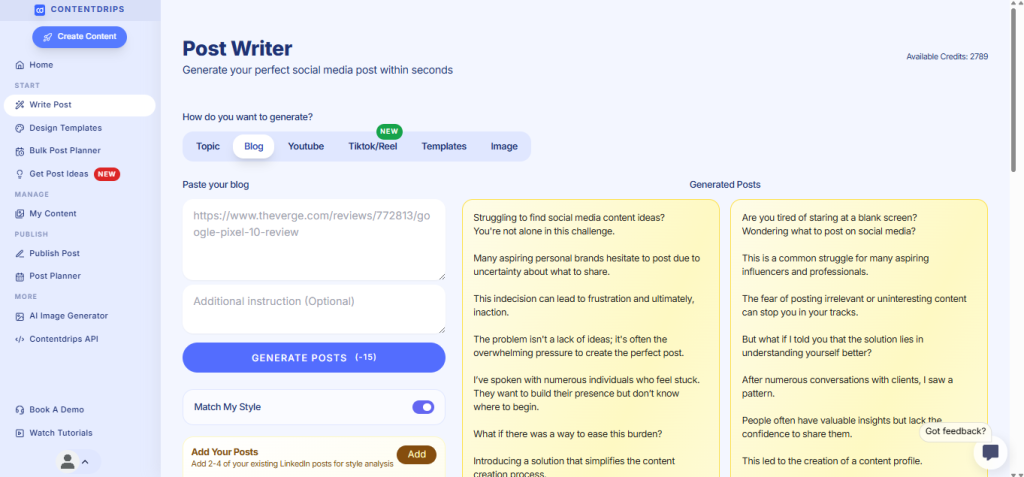
- Go to Contentdrips AI Post Writer
- Select “Blog to LinkedIn Post”
- Paste your blog URL into the input field
- The AI automatically analyzes your entire blog post
Step 2: Customize Your Generation Settings
- Toggle “Match My Style” (ON/OFF)
- ON: AI writes in your unique voice based on past content
- OFF: Uses professional, generic LinkedIn style
- Add post direction (optional but powerful)
- Example: “Focus on actionable tips” or “Make it conversational” or “Include a question at the end”
- This guides the AI to create posts aligned with your strategy
Step 3: Generate Multiple Post Variations
- Click “Generate”
- AI automatically creates:
- 3-5 text posts (different angles from the same blog)
- Carousel-ready content
- Quote graphics
- List-style posts
- Each variation approaches your blog from a unique perspective
Step 4: Review and Refine
- Browse all generated variations
- Edit any AI-generated content directly in the editor
- Adjust tone or messaging as needed
- Apply your brand templates to visual posts
- Regenerate specific posts if needed
Step 5: Bulk Schedule or Export
- Select all posts you want to use
- Schedule across 2 weeks using the Bulk Post Planner
- Or download for manual posting
- Contentdrips posts directly to LinkedIn when scheduled
Step 6: Track Performance
- Monitor which post formats get the most engagement
- Note which “post directions” worked best
- Use winning formulas for your next blog repurposing
Time saved: 2+ hours per blog post
Pro tip: If “Match My Style” is enabled, the AI learns from your past LinkedIn content to ensure every generated post sounds authentically like you—not like generic AI writing.
Desktop vs Mobile: Best Practices
| Task | Desktop | Mobile |
|---|---|---|
| Copy blog content | ✅ Easier | ⚠️ Harder to navigate |
| Create carousels | ✅ Full editor access | ❌ Limited design tools |
| Write posts | ✅ Better for long-form | ✅ Works well |
| Schedule posts | ✅ Full features | ⚠️ Basic scheduling |
Recommendation: Do content extraction and carousel creation on desktop. Quick text edits and scheduling can be done on mobile.
Common Mistakes to Avoid
❌ Mistake 1: Copying Full Paragraphs
The problem: Blog paragraphs are too dense for LinkedIn. People scroll past walls of text.
The fix: Break content into 1-2 sentence chunks with line breaks. LinkedIn posts should be scannable.
❌ Mistake 2: Posting All 10 Posts in One Day
The problem: You flood your audience and dilute each post’s reach.
The fix: Space posts out over 2-4 weeks. This gives each piece room to breathe and perform.
❌ Mistake 3: Using the Same Hook Every Time
The problem: If all 10 posts sound the same, you train your audience to ignore you.
The fix: Use the 10 different formats above. Each one approaches the topic from a unique angle.
❌ Mistake 4: Forgetting to Link Back
The problem: You give away all the value without driving traffic to your blog.
The fix: Include a subtle CTA in 3-4 of your 10 posts directing people to read the full blog.
❌ Mistake 5: Not Tracking What Works
The problem: You keep repurposing in formats that don’t resonate with your audience.
The fix: Track engagement on each post type. Double down on carousels if they win. Drop formats that flop.
FAQ: Blog Repurposing for LinkedIn
Q: How many posts can I realistically get from one blog?
A: From a 1,500+ word blog, you can easily extract 10-15 posts across different formats.
Q: Won’t my audience notice I’m repeating content?
A: No. Different formats reach different people. Plus, algorithms mean most followers only see 5-10% of your posts.
Q: How long should I wait between repurposed posts?
A: Space them 2-3 days apart minimum. Ideally spread across 2-4 weeks.
Q: Do I need to cite my own blog in every post?
A: No, but link back strategically in 3-4 of the 10 posts to drive traffic.
Q: Can I repurpose the same blog multiple times?
A: Yes. Evergreen content can be re-repurposed every 6-12 months with fresh angles.
Advanced Repurposing Strategies
Strategy 1: The “Remix” Approach
After posting your initial 10 pieces, look at which one performed best. Create 3 variations of that winning post with different hooks.
Example: If your carousel got 10x engagement, create 2 more carousels on related subtopics from the same blog.
Strategy 2: Cross-Platform Repurposing
Don’t stop at LinkedIn. Your blog can also become:
- Instagram carousels
- Twitter threads
- Email newsletters
- YouTube scripts
- TikTok/Reels scripts
Tools like Contentdrips let you create for multiple platforms simultaneously.
Strategy 3: The Batch System
Instead of repurposing one blog at a time:
- Write 4-5 blog posts
- Repurpose all of them in one batch session
- Schedule 6-8 weeks of LinkedIn content
- Focus on creating while your backlog posts automatically
This is how top creators maintain consistency without burnout.
Strategy 4: Use AI to Find Hidden Angles
AI tools can analyze your blog and suggest angles you didn’t think of:
- Emotional hooks
- Contrarian takes
- Beginner vs advanced splits
- Industry-specific applications
Contentdrips’ AI Post Writer does this automatically when you input a blog URL.
The Automation Workflow
For creators posting 3-5x/week, automation is essential.
Manual workflow:
- 2-3 hours per blog to repurpose
- Inconsistent output
- Design bottlenecks
- Scheduling friction
Automated workflow with Contentdrips:
- Paste blog URL
- AI generates 10 post variations
- Apply brand templates
- Bulk schedule in 2 clicks
- Total time: 15 minutes
Over a month, that’s 8+ hours saved that you can reinvest in creating better original content.
Start automating your content →
Conclusion: Stop Letting Your Blogs Die
Every blog post you’ve published contains 10+ pieces of LinkedIn content waiting to be extracted.
Quick recap:
- One blog = 10 LinkedIn posts (minimum)
- Use the 10 formats: hook posts, takeaways, carousels, stories, data, etc.
- Space content out over 2-4 weeks
- Track what works and double down
- Automate the process to save hours per week
Action steps:
- Pick your best-performing blog post from the last 6 months
- Use the 10 formats above to extract content
- Schedule them over the next 2 weeks
- Measure which formats get the most engagement
Or skip the manual work and try Contentdrips to automate repurposing in minutes.
Your content deserves a second life. Start repurposing today.