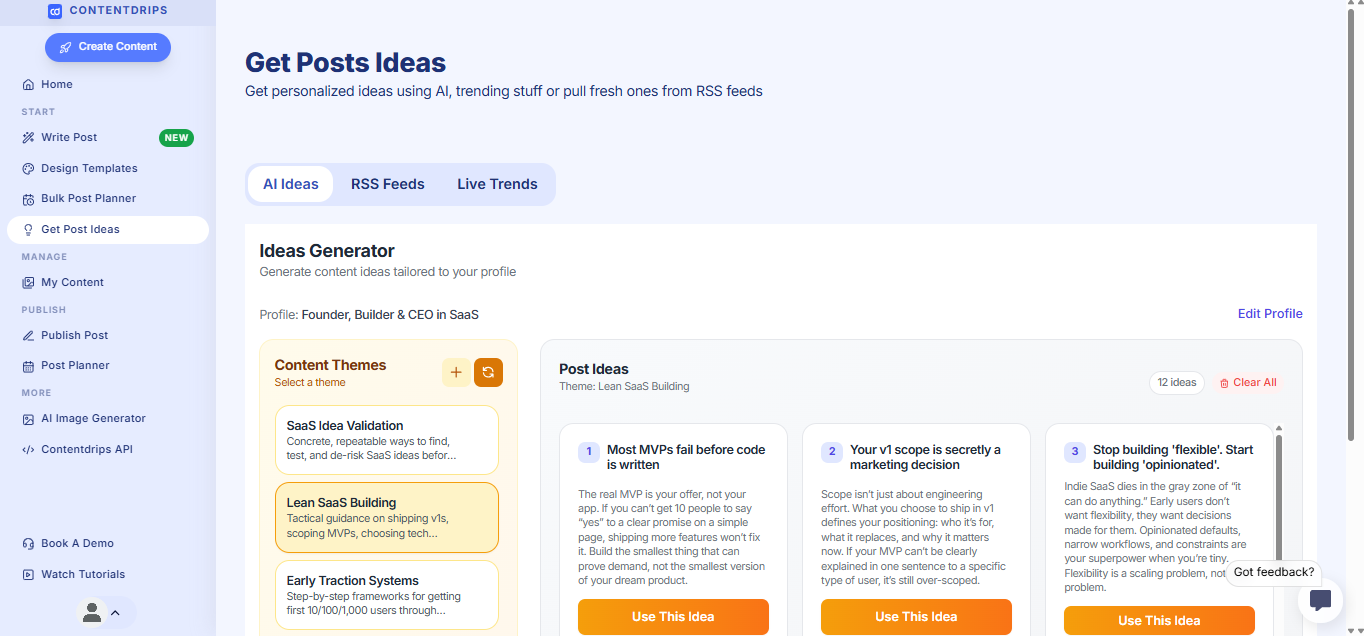
Never Run Out of Content Ideas Again
Stop staring at a blank screen wondering what to post. With Contentdrips’ AI Ideas Generator, you’ll get personalized content ideas tailored to your profile, expertise, and audience—no brainstorming required.
The best part? You don’t need to spend hours thinking about what to create. Just tell us about yourself once, and we’ll generate weeks worth of post ideas specifically designed for you.
How It Works
Step 1: Set Up Your Content Profile
Go to: https://app.contentdrips.com/trending-ideas
The AI Ideas Generator works by understanding who you are, what you do, and who you’re creating content for. Navigate to Get Post Ideas in the sidebar and click on the AI Ideas tab.
You’ll see a content profile form asking you four simple questions:
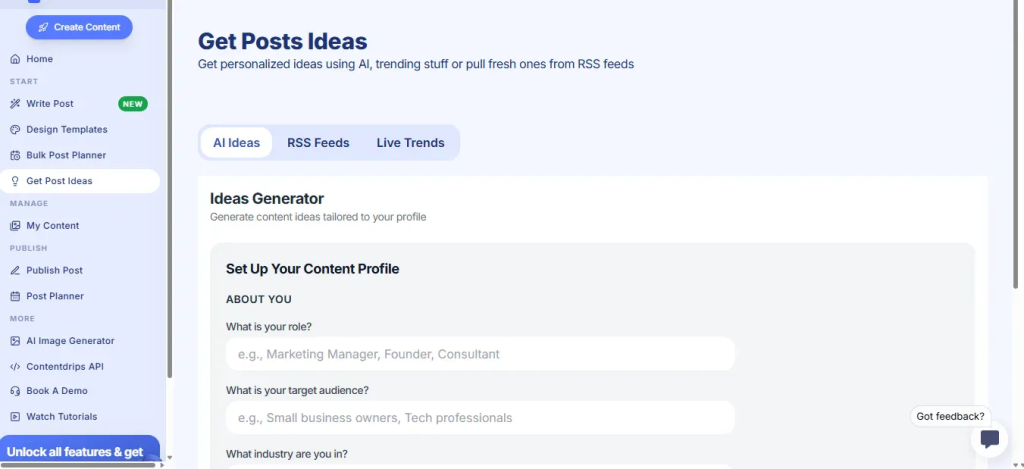
Fill out your profile:
- What is your role?
Enter your professional title or what you do.
Example: Marketing Manager, Software Engineer, Founder, Consultant - What is your target audience?
Who are you creating content for?
Example: Small business owners, Engineering Managers, Tech professionals - What industry are you in?
Your field or sector.
Example: Technology, Healthcare, Finance, Software development industry - What are your main content goals?
What do you want to achieve with your content?
Example: Build thought leadership, Generate leads, Educate my audience on the latest news in technology
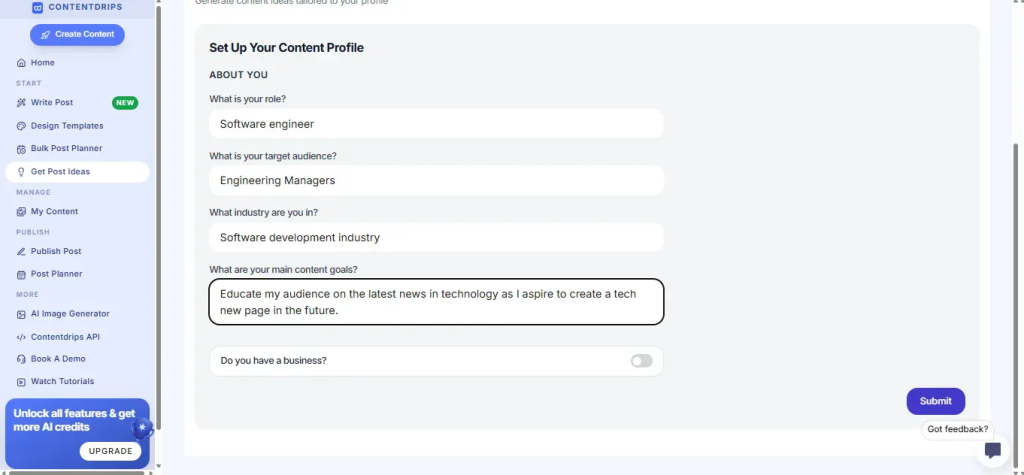
- Do you have a business? (Optional toggle)
Once you’ve filled this out, click Submit.
Step 2: Generate Your Content Themes
Based on your profile, Contentdrips will create personalized Content Themes—broad topic categories that align with your expertise and audience.
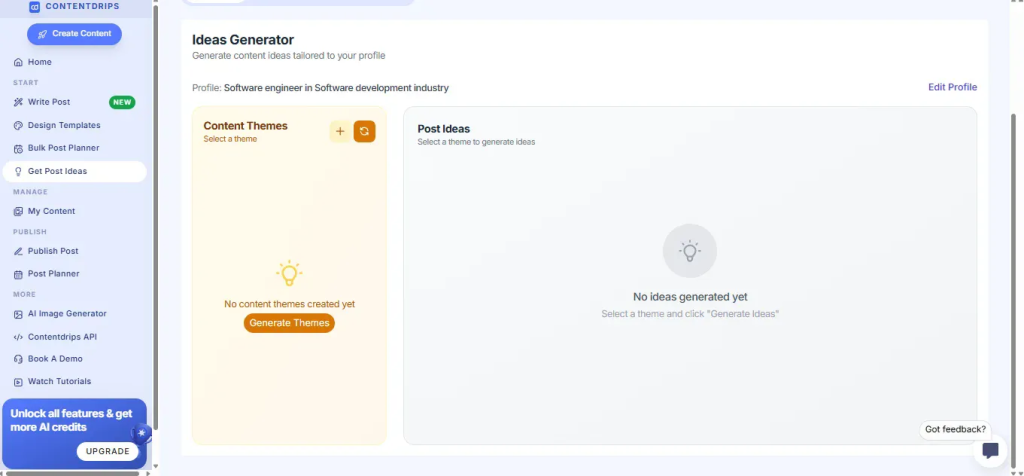
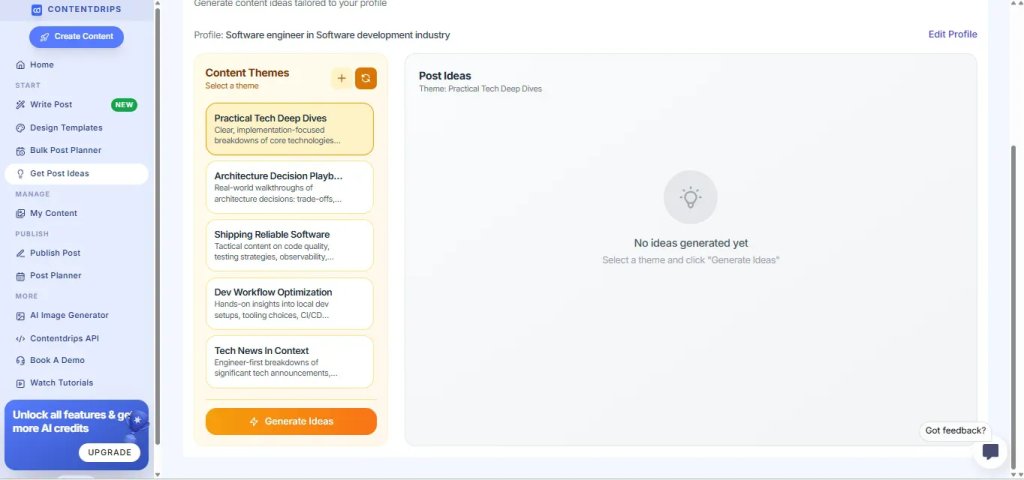
For example, if you’re a Software Engineer targeting Engineering Managers, you might see themes like:
- Practical Tech Deep Dives – Clear, implementation-focused breakdowns of core technologies
- Architecture Decision Playbooks – Real-world walkthroughs of architecture decisions and trade-offs
- Shipping Reliable Software – Tactical content on code quality, testing strategies, and observability
- Dev Workflow Optimization – Hands-on insights into local dev setups and tooling choices
- Tech News in Context – Engineer-first breakdowns of significant tech announcements
Each theme is designed specifically for your role, industry, and content goals.
Click Generate Themes if you want fresh theme ideas, or select any theme to move to the next step.
Step 3: Get Specific Post Ideas
Once you select a theme, Contentdrips generates specific, ready-to-use post ideas within that theme.
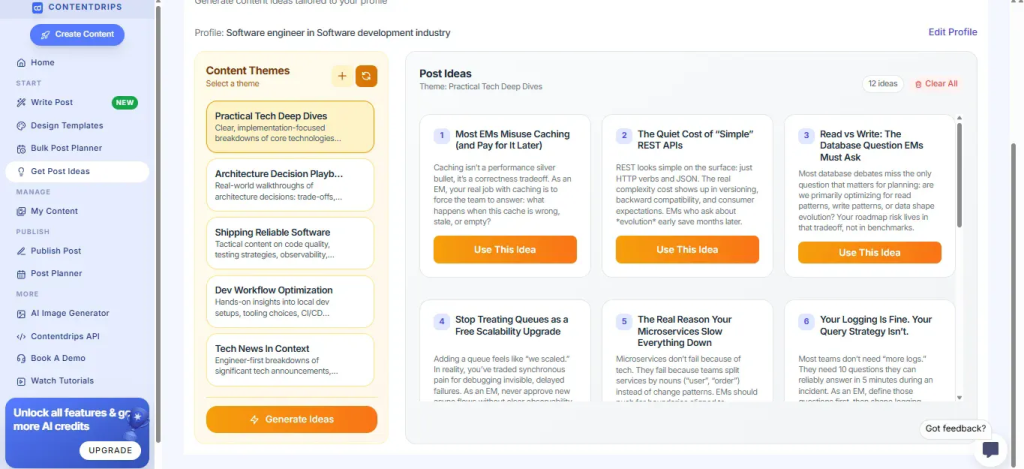
Let’s say you selected “Practical Tech Deep Dives”—you’ll get targeted ideas like:
- Most EMs Misuse Caching (and Pay for It Later)
Caching isn’t a performance silver bullet, it’s a correctness tradeoff. As an EM, your real job with caching is to force the team to answer: what happens when this cache is wrong, stale, or empty? - The Quiet Cost of “Simple” REST APIs
REST looks simple on the surface: just HTTP and JSON. The real complexity cost shows up in versioning, backward compatibility, and consumer expectations… - Read vs Write: The Database Question EMs Must Ask
Most database debates miss the only question that matters: are we primarily optimizing for read patterns, write patterns, or both?
And many more! Each idea comes with:
- A compelling headline
- A brief description/angle
- A Use This Idea button
You can browse through all generated ideas and pick the ones that resonate most with you.
Want more ideas? Click Generate Ideas again for fresh suggestions.
Step 4: Create Your Post
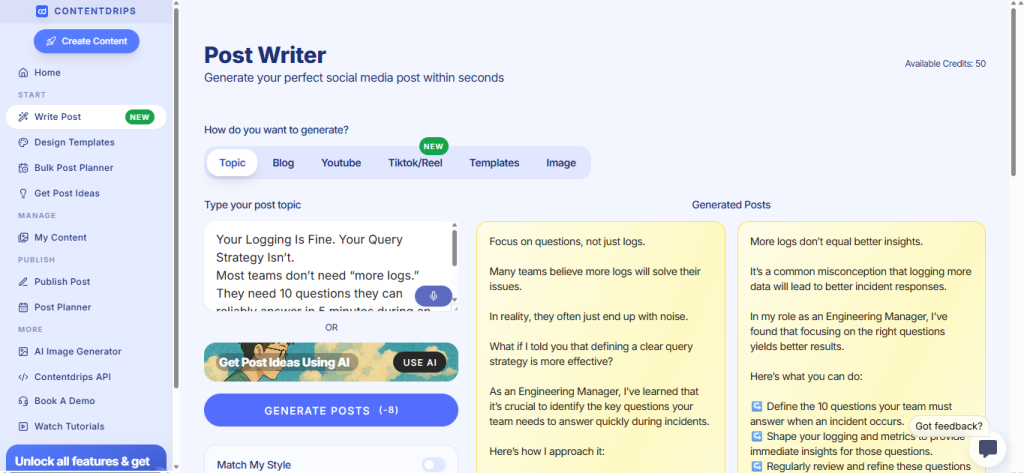
Found an idea you love? Click Use This Idea.
This takes you directly to the Post Writer with your chosen topic already filled in. From here:
- The AI will generate a complete post based on your idea
- You can toggle Match My Style to write in your unique voice
- Edit and customize the generated content
- Add it to your content calendar or publish directly
Why This Changes Everything
Before AI Ideas Generator:
❌ Spend hours brainstorming content ideas
❌ Generic topics that don’t fit your niche
❌ Inconsistent posting because you “don’t know what to write”
❌ Content that doesn’t align with your expertise or audience
With AI Ideas Generator:
✅ Get personalized ideas in seconds
✅ Content tailored to YOUR expertise and audience
✅ Never run out of things to post about
✅ Stay consistent with theme-based content strategy
✅ Focus on creating, not brainstorming
Pro Tips
💡 Update your profile regularly – As your goals or audience evolve, update your content profile to get fresh, relevant themes and ideas.
💡 Mix and match themes – Don’t stick to just one theme. Rotate between different themes to keep your content diverse and engaging.
💡 Save ideas for later – See an idea you like but not ready to write it yet? Bookmark it or add it to your content calendar for future use.
💡 Customize the ideas – The generated ideas are starting points. Feel free to tweak headlines and angles to perfectly match your voice and current events.
💡 Regenerate for variety – If you want more options, keep clicking “Generate Ideas” to get different angles on the same theme.
Get Started Today
Ready to stop brainstorming and start creating?
- Go to Get Post Ideas in your Contentdrips dashboard
- Click on AI Ideas
- Set up your content profile
- Generate themes and ideas
- Start creating content that actually resonates
Your next great post is just a few clicks away. 🚀
Have questions about the AI Ideas Generator? Contact ukhalid93@admin or amna.anjum.jawaid@gmail.com team or check out our video tutorials for a visual walkthrough.