
New Launch: Contentdrips MCP –Try for Free➜
FREE INSTAGRAM CAROUSEL TEMPLATES
Browse 500+ free Instagram carousel templates for creators, coaches, brands, and agencies. Pick one, paste your topic or URL and AI writes every slide in your brand voice, sizes it for Instagram, and applies your brand kit automatically. Post directly to Instagram without leaving Contentdrips.
TEMPLATE GALLERY
Every free Instagram carousel template is sized for Instagram (1080×1080 square and 1080×1350 portrait) and ready to fill with AI-generated content in one click. Browse aesthetic carousel templates, bold typographic layouts, minimal slide designs, seamless panoramic carousels, and niche styles for every creator type.
THE INSTAGRAM CAROUSEL GENERATOR
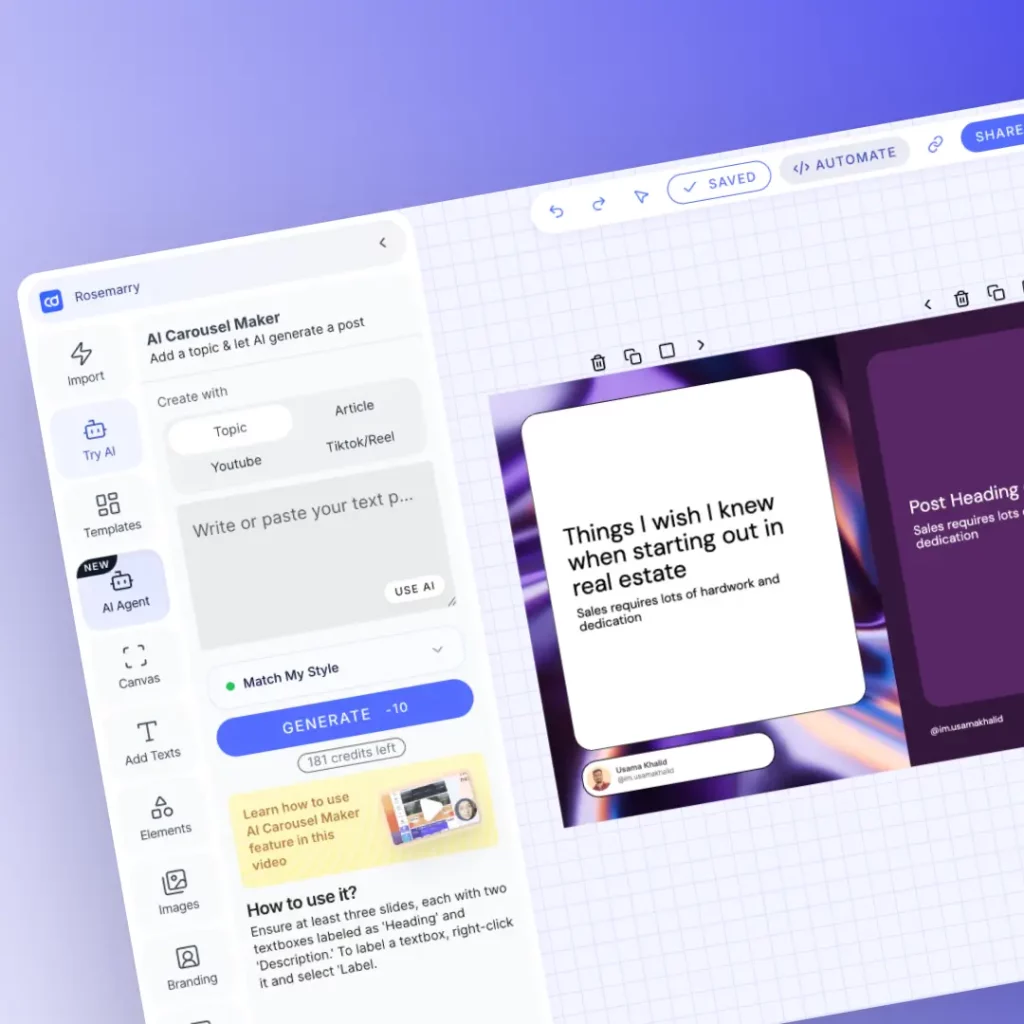
Most template tools give you an empty frame and a blank text box. Contentdrips does something different. Paste any blog post URL, product page, YouTube video, TikTok, or plain topic and the AI reads it, extracts the key points, and writes your hook slide, body slides, and CTA slide. In your brand voice. In your brand colors. Sized for Instagram.
WHY CONTENTDRIPS
Canva gives you a blank frame. Contentdrips gives you a carousel that is already written, designed in your brand, and sized for Instagram.
Other tools hand you an empty slide and wait. Contentdrips reads your source, blog post, URL, topic, or video, and writes your hook, each body slide, and your CTA for you. No staring at a blank screen.
Browse aesthetic Instagram carousel templates with soft gradients, minimal white-space layouts, bold high-contrast designs, and seamless panoramic templates. Every style your audience scrolls through, we have a template for.
Every template is pre-sized for Instagram: square (1080×1080) and portrait (1080×1350). No manual resizing. No white bars on your feed. No cropping surprises after you download.
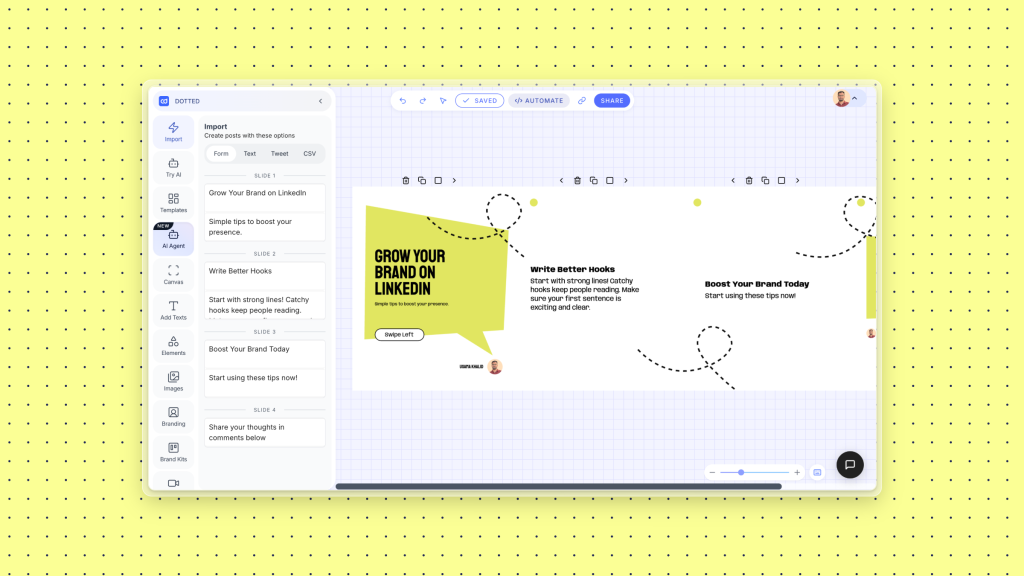
Turn a blog post, tweet thread, podcast episode, YouTube video, or product page into a ready-to-post Instagram carousel in under 60 seconds. One piece of content, distributed everywhere.
Plan, generate, and schedule 30 days of Instagram carousels in a single session. Upload a CSV and generate hundreds at once if you run an agency or manage multiple accounts.
Design, write, schedule, and post directly to Instagram from inside Contentdrips. No downloading, no switching apps, no manual re-uploading to a separate scheduling tool.
I used to spend 2 hours designing one carousel in Canva. Now I paste my blog post, the AI writes all the slides, my brand applies automatically, and I am done in 10 minutes. The quality is genuinely better.
The templates are built for Instagram specifically. The dimensions are right, the hook slide format actually gets saves and shares, and I can batch 2 weeks of content in one afternoon.
We run Instagram content for 6 e-commerce clients. Contentdrips cut our carousel production time by about 70%. The brand kit feature alone is worth it — we are not manually re-styling every template anymore.
CAROUSEL MASTERCLASS
The framework top Instagram creators use to stop the scroll, earn every swipe, and turn a template into a post people save and send to their friends.
Your cover decides everything. It has one job: stop the scroll. Use a pattern interrupt, something visually or verbally unexpected. Best formulas: ‘X things I wish I knew before ___’, ‘Stop doing this on Instagram’, ‘The ___ framework that changed how I ___’.
Establish the pain you are solving or the transformation you are promising. Make the reader feel seen. This is where you earn the swipe to the next slide. One idea per slide, short sentences, high-contrast text.
Deliver. Each slide gets one insight, one step, one tip. The reader should feel they are getting something concrete with every swipe. Use numbers, visual hierarchy, one headline plus two to three lines max.
Tell them exactly what to do: save this, follow for more, comment below, DM you, click the link in bio. Best formats: ‘Save this for when you need it’ or ‘Which of these are you guilty of? Comment below.’
Lead with a specific, surprising number. ‘93% of Instagram carousels get zero shares. Here is why yours does.’ Numbers create credibility. The brain trusts specificity over generalisation.
Challenge what your audience already believes. ‘Posting every day is killing your Instagram growth.’ Creates cognitive dissonance. The reader has to swipe to find out why.
SEAMLESS CAROUSEL TEMPLATES
A seamless Instagram carousel is a multi-slide post where the design flows continuously across every slide. The background, graphic, or image connects edge-to-edge as the viewer swipes, creating a visual reveal effect that drives higher swipe-through rates and saves.
Reveal your product slide by slide as the viewer swipes. The design flows continuously across all slides so the full visual only appears after completing the swipe.
Display your photography or design work across a continuous background image. Perfect for aesthetic carousel formats where the visual impact comes from the panoramic layout.
Use a seamless gradient or color flow across a series of data or quote slides. Each slide stands alone but the connected design rewards viewers who swipe all the way through.
MADE FOR EVERY CREATOR
Every template category is designed around the type of content that actually performs on Instagram, not just what looks nice in a preview.
Creators
Aesthetic carousel templates, educational slide layouts, storytelling sequences, weekly tips series, and swipe-to-learn formats built for Instagram.
E-commerce
Product spotlight carousels, launch announcements, feature comparison slides, UGC showcase templates, and seasonal promo layouts.
Coaching
Framework breakdowns, lesson carousels, transformation story slides, client result showcases, and before and after templates.
Agencies
Client case study carousels, campaign results, service explainer templates, portfolio showcases, and report summary slides.
SaaS
Feature education carousels, onboarding tip slides, product roadmap templates, comparison carousels, and update announcement layouts.
Personal Brand
Opinion piece carousels, habit stack slides, personal story arc templates, audience growth content, and ‘what I learned’ formats.
An Instagram carousel template is a pre-designed multi-slide layout you can fill with your own content and post as a carousel on Instagram. A good template handles the visual structure: layout, typography, color scheme, and slide sizing. Contentdrips goes further: the AI reads your topic or source URL and fills in the content for you, so the template comes pre-written and branded, not just pre-designed.
Instagram carousels support two aspect ratios: square at 1080×1080 pixels and portrait at 1080×1350 pixels. Portrait (4:5) takes up more screen space in the feed and generally drives higher engagement. All Contentdrips Instagram carousel templates are pre-sized correctly for both formats. No manual resizing needed.
Instagram allows up to 20 slides per carousel post. Most high-performing carousels use 5 to 10 slides. Fewer than 5 and you have not delivered enough value to earn a save. More than 10 and swipe-through rates drop unless every slide earns the next one. The sweet spot for educational and tips carousels is 7 slides.
Aesthetic carousel templates use specific visual styles that match lifestyle, fashion, wellness, travel, and personal brand niches on Instagram. Common aesthetic styles include soft gradient backgrounds with serif typography, dark moody tones with minimal text, clean white editorial layouts, and earth-tone palettes. Contentdrips includes aesthetic Instagram carousel templates across all these styles. Browse by the Aesthetic filter in the template gallery.
A seamless carousel template (also called a panoramic carousel template) is a design where the background or graphic flows continuously from one slide to the next. As the viewer swipes, the image or pattern continues, creating a reveal effect. Seamless carousel templates consistently drive higher swipe rates because the visual continuity creates natural curiosity to keep swiping.
Yes. Paste your blog post URL into Contentdrips and the AI reads the content, extracts the key points, writes your hook slide, body slides, and CTA slide, and applies your brand kit. All in under 60 seconds. You can edit any slide before posting.
Yes. Contentdrips is a free Canva alternative for Instagram carousel creation. The key difference: Canva gives you a blank template and you fill it yourself. Contentdrips writes the slide content for you based on your topic, URL, or blog post, then applies your brand colors and fonts automatically. The free plan includes access to templates and AI generation.
A carousel is a static post with multiple swipeable image slides. A Reel is a short-form video. Carousels outperform single image posts for saves and reach because Instagram re-serves a carousel to followers who did not fully swipe through on the first impression, giving it a second chance at reach without any extra work from you.
Yes. Once your carousel is ready, schedule and publish directly to your Instagram account from inside Contentdrips. No downloading, no switching to a separate scheduling app, no manual uploading.
Yes. Contentdrips includes carousel templates built with Instagram ad safe zones in mind: correct text placement, CTA positioning, and aspect ratios accepted by Meta Ads Manager. Available on paid plans.
Yes. Agency and team plans let you manage multiple brand profiles, each with their own brand kit, template library, and publishing schedule, from a single Contentdrips dashboard.
Contentdrips works for creators worldwide. Whether you search for instagram carrousel template (French), carrusel instagram template (Spanish), or instagram carousel template (English), the same templates and AI generator are available. All templates export in standard Instagram dimensions regardless of language.
RELATED TOOLS
Templates
Browse all carousel templates across LinkedIn, Instagram, and social media formats. Sorted by style, niche, and use case.
The same AI carousel generator, built for LinkedIn dimensions and LinkedIn content strategy. Turn any blog post or topic into a branded LinkedIn carousel.
AI
Start from a blank canvas and let the AI Design Agent build your Instagram carousel from a single text prompt. No template selection needed.
Free plan. No credit card. 500+ Instagram carousel templates. AI writes every slide.